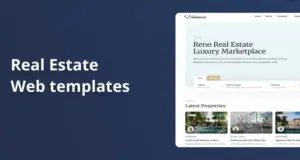
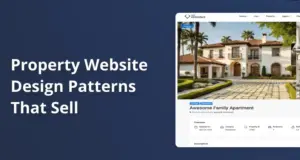
Yes, WPResidence includes many header, menu, and property card styles so reused installs don’t have to look the same. You can pick header layouts, align menus in different ways, and even build custom headers with page builders. For listings, you can redesign property cards per site using the Property Card Composer, changing layouts, fields, and badges so each client site feels unique.
Related YouTube videos:
WpResidence Property Cards & Lists – 9 Designs with Full Customization – WpResidence makes property listings flexible and professional with built-in list layouts and customizable cards. Here’s what you …
How many different header and menu layouts can I choose from?
The theme offers several header and menu layouts that you can mix to create distinct site designs. At first this sounds basic. It isn’t.
WPResidence gives you more than half a dozen header types you can switch from Theme Options in a few clicks. You can work with classic horizontal headers, centered logo layouts, two-row designs, sidebar headers, transparent headers over hero images, and similar variants. Each header type works with a top bar or no top bar, so combinations grow fast. Most agencies pick 3 or 4 patterns and reuse them without sites looking alike.
In WPResidence, the main menu can be left, centered, or right aligned, and you can enable a top bar menu for extra links. The theme also supports mega menus, so you can build wide dropdowns with columns and custom items instead of a flat list. That alone lets one client use a simple line of links, while another uses a wide mega menu with sections like “Buy,” “Rent,” and “Neighborhoods.” You control all of this from the admin, with no code at all.
Header media is also flexible per page, which is what really breaks the “all sites look the same” feeling in daily use. For each page, you can pick if the header shows a Google Map, a slider, a featured image, or nothing at all. For example, you might put a full width map on the search page, a big image on the home page, and a slim header on content pages. At first you might ignore per page choices, but that variety makes two sites with the same base header type feel very different.
| Header/Menu Option | Where You Set It | Use Case |
|---|---|---|
| 6+ header types | Theme Options → Header | Switch global header layout per project |
| Top bar on or off | Theme Options → Header | Add quick links or contact details |
| Menu alignment choices | Theme Options → Menu | Match brand style and logo position |
| Mega menu support | Appearance → Menus | Create wide dropdown navigation |
| Per page header media | Page edit screen options | Map slider image or no media |
| Elementor header templates | WPResidence Studio | Build fully custom headers |
The table shows how many layers of control you get, from global header type to per page media. By mixing these settings in WPResidence, agencies can support many client sites without sharing the same top of page look.
Can I make property cards look different for each client site?
The property card composer lets you design unique listing cards for every separate website you build. It ends up changing more than people expect.
WPResidence includes a Property Card Composer in the admin so you can adjust how each listing card looks. You start from built in templates, then drag fields around to change the order, and hide any items a client doesn’t need. For one client you might show price, address, and beds first, while for another you might push neighborhood and property type to the front. All this happens through a simple interface in the dashboard, not hard coding.
The theme supports several card designs for grids, lists, and half map layouts, and you can choose layouts globally or per page. On one site, archive pages can use a tight list style with smaller images, while another site uses a big grid with tall photos and bold prices. That means the same data is reused, but the visual treatment still feels fresh and separate. As a rough rule, you can get three or more clearly different card styles from one setup without much effort.
You also control small details that make cards feel tailored instead of generic. In WPResidence you can toggle badges like “New,” “Sold,” and “Featured,” and enable or disable favorite buttons or agent info blocks. Card image behavior is flexible too, from simple static images to small sliders, and with different image ratios for more vertical or more horizontal cards. Put together, these switches help agencies give each brand its own listing face even when all sites sit on the same theme.
How does WPResidence help agencies avoid cookie‑cutter client websites?
Extensive styling options and template tools mean sites don’t have to look like clones of each other. It sounds like marketing, but it’s mostly about control.
WPResidence ships with over 40 demo designs, so you don’t have to start from the same layout every time. You can import a clean modern demo for one client, and a darker, more classic demo for another. After that, you still have many theme options for colors, fonts, spacing, and layout tweaks. That level of control makes it easier to match each client brand style closely.
The theme includes white label mode and child theme support, so agencies can hide theme branding and keep shared code in one place. With that in place, your team can standardize workflows while still switching headers, menus, and property cards per site. Both Elementor and WPBakery work nicely with WPResidence, letting you design custom pages and property templates on a per client basis. In practice, agencies run many visually distinct installs off the same base without any of them feeling like a clone.
What design workflows work best when reusing the theme across clients?
A reusable starter site plus per client styling changes gives efficiency without losing uniqueness. That’s the basic idea, but it needs some care.
The most effective workflow is to build a base WPResidence starter site once, then clone it for new projects. That starter can include your default header, menu, and property card choices, plus a tested plugin stack and caching setup. For each new client, you then switch to a different header type, tweak menus, and adjust card layouts to fit their needs. In practice, you save days of setup time while still giving every site its own style, even when the base feels the same to your team.
WPResidence includes Theme Options import and export, so you can keep different brand packs for colors, fonts, and key layout choices. You can load one set for a luxury client and another for a rental focused client in seconds. The theme’s Studio templates let you store reusable headers, footers, and property layouts, then tweak copies per project. To move the starter to a new domain, tools like Duplicator or All in One WP Migration work smoothly with this setup.
- Create and maintain a starter setup with your default header, menu, and card choices.
- For each new client, switch to a different header layout and adjust colors and typography settings.
- Use the Property Card Composer to pick a different card template and field order per project.
- Refine page layouts with Elementor or WPBakery, then save them as client templates.
FAQ
Can I use one WPResidence license on staging and then move it to a styled live site?
Yes, one WPResidence license can be used on a staging site and then moved to the final live domain.
You can safely activate the theme on a test URL, set up headers, menus, and property cards, and refine the design. When the site is ready, you deregister the license on staging and register the same code on the live domain. This keeps you within license rules while still letting you build the full look before launch.
If I clone a base WPResidence install, can I still change header, menu, and cards per client?
Yes, cloned WPResidence sites can have different header, menu, and property card settings for each client.
When you copy a starter install, you simply log in and switch header type, menu style, and card layouts using Theme Options and the Property Card Composer. Those controls are stored as settings, so changing them doesn’t break the clone. Many agencies rely on this behavior to keep builds fast while avoiding any cookie cutter feel.
Do I need to write code to get unique designs with WPResidence?
No, most unique designs in WPResidence can be created with visual options and page builders instead of code.
You use the admin panel to pick header layouts, adjust menus, and style property cards, plus Elementor or WPBakery for page structures. Custom CSS or child theme edits are only needed for very special design requests. That means non developer team members can still deliver fresh, client specific looks on top of the same reliable theme base.
Related articles
- How customizable is WPResidence’s design system compared with other real estate themes when our designers need to create unique, on-brand experiences for different clients without everything looking like the same template?
- How can I structure my workflow so I’m not reinventing the wheel on every real estate project but still delivering bespoke results?
- Can I easily override property listing templates and archive layouts to match each client’s branding and UX requirements?