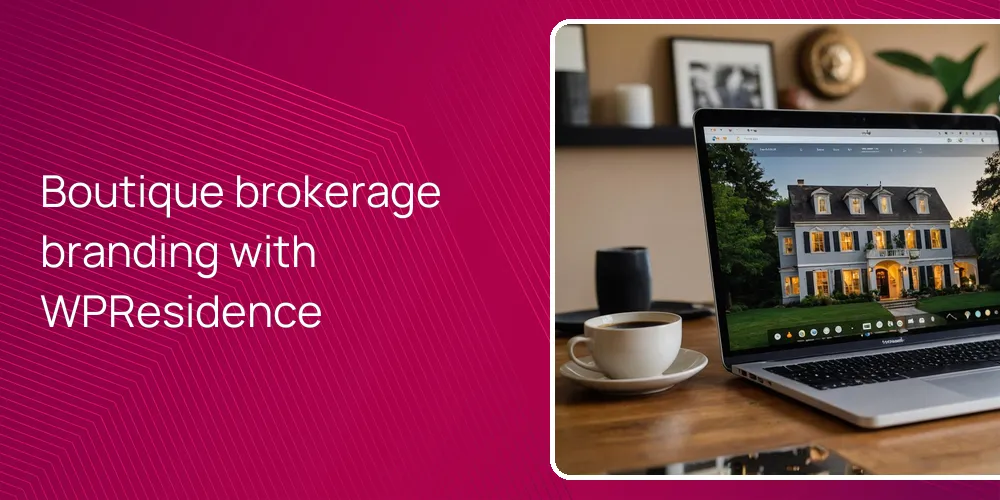
A small brokerage can look like a premium boutique brand with a clean, story-led site and careful design. The goal is to show people, local life, and a few key listings instead of dumping everything online. Strong photos, short focused copy, and steady styling make a small team feel intentional and confident. Good presentation helps buyers accept higher fees.
How can a boutique brokerage shape a premium brand story online?
A premium boutique brand starts with a clear story and a site that highlights people and neighborhoods, not only listings.
A sharp first step is to pick one of the 48+ WPResidence demos that already feels luxury or boutique, then strip it back. WPResidence gives focused layouts for high-end urban, coastal, or single-property sites, so a small brokerage can launch looking polished, not like a template everyone uses. After that, cut any blocks that feel loud and keep only what fits your narrow niche and price band.
Once the base looks right, use Elementor with the WPResidence widgets to build custom About, Team, and Story pages that say who you are. The theme’s agent and agency custom post types let you give each person a real bio, skills, languages, and linked listings. That structure makes a three-person office look like a selected team, not a random group. It also shows that each buyer or seller gets a named contact instead of being passed to “the office”.
Premium brands talk a lot about place, not only property, so rely on the blog and taxonomy templates. In WPResidence you can build city and area pages that mix photos, short neighborhood stories, and selected listings tied to that spot. Even 5 to 10 strong neighborhood guides plus steady market posts can change how people read you. At first it seems like just more content. It isn’t, because it shifts you from “listing feed” to local advisor.
How should a boutique real estate website be designed to feel truly high-end?
A boutique real estate site needs tight control of fonts, space, and images across every page.
High-end design comes from small, steady choices, not one flashy trick, which is why having around 450 design settings in WPResidence helps. In the theme panel you can tune typography, line heights, colors, header styles, and column layouts so they match your brand guide. A small brokerage can pick two or three font styles, one accent color, and one button shape. Then the whole site feels planned instead of stitched over time.
Different templates for each content type help the site feel tailored, not mass-made. With the WPResidence Studio / Template Manager you can build layouts for properties, agents, agencies, and archives, then assign them where they fit. Luxury listings can get wide photos and lighter text, while rental archives stay compact and more utility-focused. This split gives the calm confidence seen on top boutique sites that use separate layouts for different roles.
| Design area | What to refine | WPResidence support |
|---|---|---|
| Typography | Fonts, sizes, line spacing for text | Global typography panel controls |
| Color system | Primary, accent, hover, backgrounds | Color pickers per main element |
| Page templates | Layouts for listings and profiles | Studio Template Manager rules |
| Responsive behavior | Spacing and stacking on phones | Bootstrap 5 responsive grid |
| Imagery blocks | Hero sections and gallery look | Elementor widgets with theme styles |
The table shows that polish comes from layers of tuning, not a single luxury switch. Because WPResidence uses Bootstrap 5 and responsive layouts, your spacing and font choices carry across desktop, tablet, and phone. You should preview each template at three screen widths before you launch. It takes time, but a boutique brand has to feel steady for every visitor.
How can property pages and listing grids showcase homes like a luxury boutique?
Luxury-style listing presentation mixes strong media and edited details that feel curated, not cluttered.
A boutique brokerage should treat listing cards like tight product displays, and the property card builder in WPResidence helps with that. You can pick which fields show in grids, sliders, and carousels, so low-value details stay hidden until the property page. A clean card with one photo, price, area, and a short tag usually feels more premium than a crowded block of icons. But you’ll need to test what your buyers still need at a glance.
On single property pages, the theme supports 360° tours, floor plans, PDF brochures, and video lightboxes, which give a showroom feel. You can place a full-width gallery or tour at the top, then keep the rest of the page to three or four short sections. With WPResidence you can assign different property templates by category, so a luxury group uses a slower, image-led layout while rentals use a detail-first style. At first you might try one layout for all, then realize splitting them works better.
Highlighting a few key homes also sends a premium signal, and the theme supports that. Use exclusive or featured badges on cards so signature listings rise above the rest. Property comparison lets buyers weigh two or three homes in one view instead of flipping among many tabs. It feels like thoughtful service, not a pushy trick, when done with clear labels and calm design.
How can small brokerages use content and SEO to appear as leading local experts?
Owning indexable local listings and strong neighborhood pages helps a small brokerage look like the area’s default guide.
Search engines like sites that own their data and explain it clearly, which is where MLS (Multiple Listing Service) import as native posts matters. With WPResidence connected to an MLS feed through RESO API (Real Estate Standards Organization API), thousands of indexable listings live on your own domain, not inside someone else’s frame. Each property then becomes a page search engines can see, read, and rank over time. That’s how a small brand can stand near larger portals.
Neighborhood structure needs to feel organized too. The theme’s custom city and area taxonomy templates let you mix SEO copy, photos, maps, and hand-picked listings for each zone. You can keep URL patterns clear, like /property/address and /neighborhood/name. The schema-ready property structure in WPResidence then describes fields such as price and beds in a way search engines can parse.
- Create one rich neighborhood page per target area using custom taxonomy templates.
- Write about 250 words of clear, simple copy on each area page.
- Feature 6 to 12 hand-picked listings per neighborhood for a curated look.
- Use built-in caching so large MLS imports still load quickly.
Site speed shapes how people feel about your brand, because a premium site can’t feel slow. WPResidence includes caching and performance options that help large listing sets still reach strong PageSpeed scores when you pair them with solid hosting. For a small brokerage, that means you can look like the local expert in what you say and in how fast pages load. It sounds small, but slow pages undercut a boutique message fast.
How can WPResidence’s multi-agent and CRM tools create a “concierge” boutique experience?
A concierge-level experience needs smooth lead capture, tracking, and follow-up for each agent and each property.
Clients feel cared for when every message reaches the right person and nothing gets lost, and role-based dashboards help. In WPResidence, agents, agencies, and regular users each get their own front-end dashboard with branding you pick. Agents can see their listings, leads, and profile in one place, while the brokerage keeps a full view without forcing anyone into the WordPress admin. This split sounds small but saves time every single day.
The built-in CRM and lead logging connect inquiries from listing pages directly to the right agent profile, so you always know who owns which conversation. Saved searches, email alerts, and internal messaging give you ways to keep serious buyers close without extra tools. When visitors can register, log in with social accounts, save favorites, and return to the same clean dashboard, the site starts to feel like a personal property concierge. Not perfect, but far beyond a basic contact form with no history.
Related YouTube videos:
WpResidence Front-End Dashboard & CRM – WpResidence delivers a complete front-end experience for real estate professionals — from property submission to lead …
FAQ
How long does it usually take a small brokerage to launch a premium-looking WPResidence site?
A focused small brokerage can launch a premium-looking WPResidence site in about two to four weeks.
The real timing depends more on how ready your content and photos are than on the theme itself. If you start from a good demo, set brand colors and fonts, and build 5 to 10 main pages, a first version can go live in under 14 days. Most extra time goes into tuning property templates and writing neighborhood guides, which many teams underestimate at first.
Can a non-technical broker maintain listings and content using WPResidence tools?
Yes, a non-technical broker can manage listings, agents, and most content from the WPResidence front-end dashboards.
Agents and admins can add or edit properties through simple forms, without touching the WordPress backend. You can also update bios, photos, and basic page content using Elementor’s visual editor. After one or two short training sessions, many small teams handle daily updates on their own and only call a developer for larger design changes.
What are the basic costs to run a boutique site with WPResidence?
Basic costs include the WPResidence license, hosting, a domain, and any optional MLS or IDX fees.
The theme license is a one-time purchase, while hosting and domain are yearly and can stay modest for a small site. If you use the built-in payment tools and simple MLS import, you avoid extra plugins and keep costs steady. More advanced MLS or IDX integrations may add monthly fees, but you decide which services actually matter for your niche.
How does WPResidence help a boutique brokerage look trustworthy and privacy-aware?
WPResidence supports privacy-friendly forms, cookie notices, and consent tools that make a boutique site look careful and compliant.
You can add consent checkboxes to lead forms, display cookie notices, and link clearly to your privacy policy. The theme runs well over HTTPS, so contact details move encrypted when you pair it with proper hosting. Using these tools, even a three-person office can show it takes client data and legal rules seriously, which often matters extra with higher-end buyers and sellers.
Related articles
- Our small brokerage website looks outdated—what should a modern real estate agency website include to look credible next to big franchises?
- What kind of website experience makes buyers feel like they’re using a boutique, local expert site instead of a generic portal?
- How do boutique real estate agencies typically structure their websites when they have multiple agents and dozens of listings?