
With the WPResidence real estate theme, you can easily make your own contact forms to collect leads from visitors.
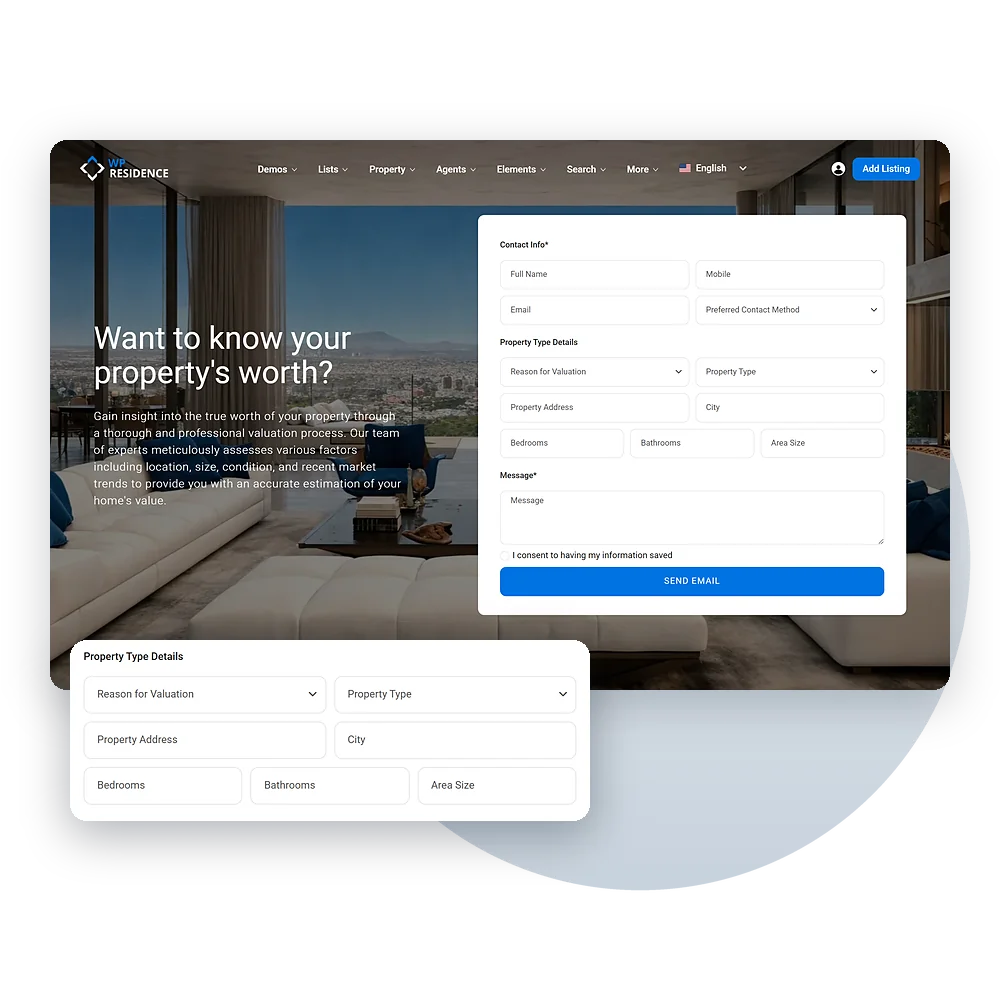
Elementor Integration
You can design forms that match your website by adding fields like name, phone number, email, and message.
You can put the forms anywhere—on property pages, agent profiles, sidebars, or pop-ups.
The Contact Form Builder widget offers these fields:
Each field has its own label, placeholder, required switch and column width. You can also add a GDPR consent checkbox, send visitors to a thank-you page after they submit, and post each lead to a webhook URL.

CRM integration
All contact forms work with HubSpot CRM, so it’s easy to track and manage leads.
Just add your HubSpot API token in CRM Settings → HubSpot and turn on Enable for All Users, so forms sent by visitors sync too. Then, messages from contact pages, property forms, agent forms, and footer forms will go straight to your HubSpot account.
Using another CRM or tool? Theme Options → Webhook URL sends agent, agency, developer and schedule tour form data as JSON to any address, such as Zapier or Make. Each Contact Form Builder form can post to its own webhook URL, and CRM Settings → Webhooks sends CRM events such as contact.created, deal.created and deal.won.
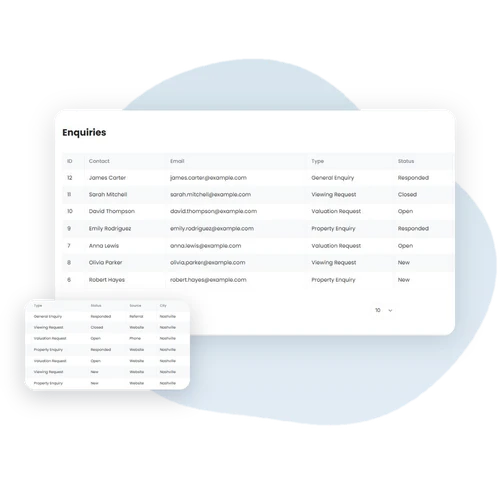
Built-in CRM
When a visitor sends a form, WPResidence finds the contact by email or creates a new one as a New Lead. The message is saved on the contact’s timeline and in the Enquiries list.
The lead goes to the right person: the agent of the listing or profile the form was sent from, or else the listing’s owner, or the site admin for general forms. When the form is on a listing, the contact’s preferences are filled from it, including a price range from 20% below to 20% above the listing price.

Email Notifications
You can easily control where form messages go by choosing a main email and adding others for CC or BCC. If no email is added, messages will go to the default one in Theme Options > Social & Contact Settings. You can also change the email subject to make sure each message gets to the right person.

Lead nurturing
Agents work each lead in the CRM dashboard on the front end of your site:
With the WPResidence Theme, creating custom contact forms is simple. You can build forms using the Elementor Contact Form Builder and add fields like name, phone number, email, and message. Place the forms anywhere on your site—on property pages, agent profiles, sidebars, or pop-ups—to collect leads from visitors.
WPResidence also works with HubSpot CRM. Just add your HubSpot API token in CRM Settings → HubSpot, and the contacts and deals from your forms go to your HubSpot account automatically. This makes it easy to track and manage your leads.
You can also set smart email and notification options. Choose a main email to receive messages and add extra emails for CC or BCC. If no email is set, the theme uses your default contact email. You can even change the subject line to help route messages to the right person.
Start capturing leads easily with WPResidence today!