
Own vs. Rent

Should you own your real estate website, or rent one?

Own your real estate website or rent one? Compare 3-year costs, lock-in risk, and real estate website ROI with real numbers.
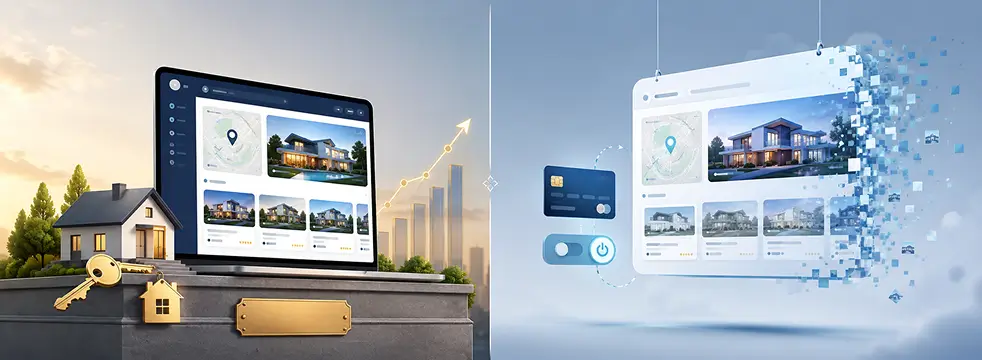
wpresidence.net
Niche real estate website on screen
~$79
one-time WPResidence license
$700–2,200
owned 3-year cost, self-run
18–24 mo
break-even vs SaaS rent
$0
per-user website fees

Last updated: July 7, 2026

For most agents and agencies planning to run a real estate site for more than about 18 to 24 months, owning your real estate website (a WordPress site built on WPResidence) is cheaper and lower-risk than renting a SaaS platform. A one-time WPResidence license of around $79, plus $10 to $50 a month for hosting, typically puts your three-year total somewhere between $700 and $2,200 if you or in-house staff handle routine updates yourself. Outsource all of that maintenance to a paid care plan and the same owned site runs roughly $4,300 to $13,000 over three years, which we account for in full in the table below. A rented SaaS platform, billed at $50 to $300 or more a month with a setup fee on top, runs roughly $1,800 to $11,000 or more over the same period, with its maintenance bundled into that rent. The honest exception: a bare-bones SaaS plan can rival ownership for short-term (under 18 to 24 months), very simple sites with no IDX feed. But an owned site is a compounding asset. Its pages, listings, and leads keep working for years, so the real estate website ROI grows over time, while SaaS spend behaves like ad spend that vanishes the moment you stop paying.

A note on where these numbers come from: we build and sell WPResidence, and MLSImport is our own in-house IDX plugin. So the pricing and build estimates here reflect our product, not neutral third-party research. We’ve tried to keep the math honest anyway, including a full section on when WPResidence, or owning a site at all, is the wrong call for your situation. Read that part before you decide.

At a glance

Own vs. rent: the 3-year real estate website cost comparison

Each niche real estate website type demands a different audience focus, data schema, and proof of authority.

Over three years, an owned WPResidence site typically costs $700 to $2,200 if you self-maintain, while a rented SaaS platform typically costs $1,800 to $11,000 or more. But those two headlines aren’t like-for-like on their own: the owned figure leaves maintenance out, and the SaaS figure bundles it in. So the table below puts maintenance in both columns and shows the owned total two ways, self-maintained and with a paid care plan, rather than flattering the comparison by hiding the owned side’s recurring labor.

Cost line item Owned (WordPress + WPResidence) Rented (SaaS platform)
License / platform fee ~$79 one-time (lifetime updates, 6 months of included support) $50 to $300+ per month
Setup fee $0 to $300 one-time (config/setup only) $100 to $500 one-time
Hosting $10 to $50 per month, tiered by site weight Bundled into the monthly rent
Maintenance, updates, security Your own time (~2 to 4 hrs/month) or a $100 to $300/month care plan Bundled into the monthly rent
3-year total, self-maintained $700 to $2,200 (you handle routine updates) ~$1,800 to $11,000+
3-year total, with a paid care plan ~$4,300 to $13,000 (a care plan does the updates) ~$1,800 to $11,000+

Read that table the honest way. The $700 to $2,200 figure assumes you or your staff handle the 2 to 4 hours a month of updates. Pay a freelancer a $100 to $300 monthly care plan to do it instead, and the same owned site runs roughly $4,300 to $13,000 over three years, which is competitive with SaaS rather than dramatically under it. Two things still separate them, though. The care plan is optional and can be dropped or self-performed, while a SaaS platform’s bundled maintenance is mandatory and priced in whether you use it or not. And after three years you own the domain, the data, and the site, while the SaaS spend has produced nothing you can keep. (Build cost for agency portals and marketplaces is a separate line item, shown in Table 2 below, and is not folded into either of these totals.)

The WPResidence license, per its own pricing, is about $79 once, with lifetime updates and 6 months of support. After that, your recurring spend is mostly hosting, and hosting is tiered, not fixed: a solo-agent site runs fine on a $5 to $15 shared plan, a typical site sits in the $10 to $50 range by traffic and listing volume, and an image-heavy portal on managed VPS might reach $25 to $80 (entry plans run around $10 to $11 a month on hosts like InMotion or Cloudways).

On the rented side, the monthly fee is the smaller problem. The setup fee, the per-user pricing, and the fact that none of it ever converts to an asset are the real costs. If you want to compare your own numbers against this table, the WPResidence pricing and demos page shows the one-time figure against your site type. Next, look at what actually happens to a rented site the day you stop paying.

Kill Switch

What happens if you stop paying for a SaaS platform?

Offline the day SaaS billing stops
What happens if you stop paying for a SaaS platform?
Lock-in
Live site goes offline instantly
Export text, not the website
Owned site has no kill switch
Data lives in your database

When you stop paying SaaS rent, your live site usually goes offline right away. You can usually export some text or a contact list, but not the working website itself. The listings, the design, the search, the lead forms: those live on the platform's infrastructure, and the platform turns them off with the billing.

That's the mechanism worth sitting with. SaaS spend behaves like ad spend, not equity. It produces a functioning site only for as long as the payments continue. Miss a few months, or decide to move, and you're not downgrading, you're starting over.

An owned WPResidence site has no such kill switch. The domain, the content, the listings, and the leads all live in your own WordPress database and files, under your own hosting account. You can move hosts, hand the site to a new developer, or redesign the front end without rebuilding the data underneath. Nobody can switch it off from the outside, because nobody else is holding the switch.

That's the practical definition of ownership this article runs on: who can turn your site off? With rent, the platform; with an owned site, you, and only you.

Full Control

Ownership, control, and avoiding platform lock-in

$0 per-user website fees
Ownership, control, and avoiding platform lock-in
Ownership
Own domain, hosting, and content
Move hosts whenever you want
Modular toggles in Theme Options
White Label hides theme branding

Owning your real estate website means you control the domain, hosting, content, and every setting, and you can hand it off, resell it, or simplify the admin without asking a platform for permission. Lock-in isn't only about what happens when you stop paying. It's about whether you can make ordinary changes on your own timeline.

With WPResidence, you can. You own the domain and content outright, you move hosts whenever a better deal appears, and you redesign without touching the property data. For developers and agencies handing a site to a less technical client, that control gets granular.

WPResidence is modular: you can disable membership, payments, multi-currency, maps, favorites, the front-end dashboard, even the listing cache, through feature switches in Theme Options. These are real toggles, not CSS hacks that break on the next update. Hiding advanced features doesn't break core listing and search functionality, so a client sees a clean, simple admin and you keep the full toolkit underneath.

There's also a White Label panel that lets you hide theme branding and rename admin menus, which matters when the site needs to look like the client's own system rather than a third-party theme. That level of white-labeling and menu control is rare on rented platforms, where the admin is generally whatever the vendor ships and the branding is theirs.

Growth makes this better, not worse. When a solo agent becomes a small team, an owned site gets more cost-effective, because there are no per-user website fees. Some SaaS plans charge per seat, so scaling the team scales the rent. On a site you own, adding agents is a settings change, not a new invoice.

At a glance

How much does it really cost to build a WPResidence site?

Each niche real estate website type demands a different audience focus, data schema, and proof of authority.

First-year build cost depends on the site type: roughly $200 to $1,200 for a solo agent site, $2,000 to $3,000 for a small agency portal, and $5,000 to $10,000 for a full IDX marketplace. Those figures cover human time and outside services, not deep platform coding.

Site type WPResidence build cost (first year) Typical custom-build alternative
Solo agent site $200 to $1,200 $5,000+ custom work
Small agency portal $2,000 to $3,000 $10,000 to $20,000+
Full marketplace with IDX + strong hosting $5,000 to $10,000 $20,000+ and months of work

The reason the numbers stay this low is the build model. A WPResidence project breaks into four phases: base install, theme configuration, content and data, then customization. A one-click demo import (WPResidence ships with about 49 importable demos) gets a site to roughly 80% of its finished layout in a single day.

From there, most of the work is configuration and content, not code, which is exactly why you can quote a client a firm number instead of a soft range.

What hour buckets make up a mid-range build?

If you’re a freelancer or developer scoping a mid-range agency site, the fastest way to underprice is to quote a lump sum without breaking the work into tasks. Here’s a bucket-by-bucket estimate you can drop straight into a proposal.

Task Hour range Notes
Install 3 to 5h Hosting config plus core plugins
Demo import + options setup 5 to 10h Pick the closest of ~49 demos, then set theme options
Design / branding adjustments 15 to 30h Logo, colors, header, layout tuning
Property fields + search tuning 8 to 16h Custom Fields Builder plus search filters
Payments / membership setup 6 to 12h Packages, featured listings, expiry, quotas
IDX / MLS integration (if needed) 10 to 25h Coordinate with your chosen IDX provider
Content import + SEO basics 10 to 25h Column mapping, metadata, redirects
QA / performance / training 8 to 15h Testing, speed, client handoff

Add those up and a mid-range build lands around 60 to 120 hours, which works out to roughly $3,000 to $6,000 at standard freelance rates of $50 to $150 an hour. Add a 10 to 20% contingency buffer for the surprises every project hides. On timeline, a basic setup takes 2 to 4 weeks, and a complex portal runs 2 to 3 months.

One reconciliation, since this $3,000 to $6,000 can look like it clashes with Table 2’s $2,000 to $3,000 for a small agency portal: this figure is a freelancer’s full billed labor to build it for you, while Table 2 assumes more of the setup is handled in-house. Same site, different amount of paid labor.

How much ongoing maintenance should you budget?

Build cost isn’t the end of it. A real estate site needs updates, backups, security checks, and the occasional fix, and that’s a separate line from hosting or an IDX feed. Plan on a maintenance or care plan of roughly $100 to $300 a month, which tends to track around 10 to 20% of the original build cost per year. This is the cost the self-maintained $700 to $2,200 headline leaves out. Fold a paid care plan back in and an owned site runs closer to $4,300 to $13,000 over three years, which is exactly why the comparison table above shows both modes instead of only the cheaper one.

In time rather than dollars, a small-to-mid site is about 2 to 4 hours a month of your own or a freelancer’s work. One thing to keep straight: the WPResidence license includes 6 months of support at purchase, so early questions are covered, but ongoing care beyond that window is an optional line item, not a subscription bundled forever. The WPResidence support and documentation covers most routine tasks without a paid plan at all.

Honest Exception

When renting is actually the better call

<18–24 mo when renting can win

Renting, or picking a simpler theme, can beat ownership when the timeline is short, the scope is minimal, or the client already depends on infrastructure that WPResidence doesn't replace. This is the honest counterweight to everything above, and it's worth reading closely before you commit either way.

Start with the short-timeline case. A cheap, bare-bones SaaS plan can genuinely rival ownership when the site will run for under 18 to 24 months, stays very simple, and needs no IDX feed. If someone wants a temporary presence for a single development that sells out in a year, the three-year math never gets a chance to favor ownership, and the setup effort isn't worth it.

Then there are the cases where a different or simpler theme is the right pick, not WPResidence:

And even when WPResidence is the right foundation, it isn't a substitute for a developer on unusual work. Custom CRM integrations, non-standard booking flows, and bespoke internal property systems still need real development.

A theme gets a project roughly 80 to 90% of the way there. Custom code fills the last gap, with its own budget and its own risk. Pretending otherwise is how projects go over. If none of these describe your situation, the ownership case holds, and the running-cost math is next.

Running Costs

Licenses, hosting, and the real running costs behind "no recurring fee"

$10–50 monthly hosting, not $0
Licenses, hosting, and the real running costs behind "no recurring fee"
True Cost
Hosting runs $10–50 monthly
Domain about $10–15 yearly
Optional IDX feed $40–100
One license per live domain

"No recurring fee" means no platform subscription, not zero cost. The honest running cost of an owned site is hosting, plus a domain, plus (if you use one) an IDX feed like MLSImport, plus an optional support or care renewal. Anyone who tells you an owned site costs $0 forever is selling the headline, not the invoice.

Here's the like-for-like running-cost stack. Hosting runs $10 to $50 a month by site weight. A domain is about $10 to $15 a year.

An IDX or MLS feed, if the client needs live board data, runs roughly $40 to $100 a month depending on the board. And a care plan or 6-month support renewal is optional on top. Add those up and, if you self-maintain, the owned site is markedly cheaper than SaaS rent over three years; if you pay for a full care plan, it's competitive rather than dramatically cheaper. Either way it isn't free, and either way you own the asset at the end, which is the part the SaaS invoice never buys.

MLSImport is the default IDX solution referenced throughout this article. Other IDX providers exist as alternatives, and they can do the job, but the reason we lead with the MLSImport IDX plugin is what it does with the data: imported listings become native WordPress posts. That's the genuine SEO benefit, indexable per-property pages that search engines can crawl.

It is not the same as an embedded virtual tour or an iframe, which is a media and performance tactic, not an SEO one. That distinction is the one vendors most often blur.

How many licenses do you need for multiple sites?

For freelancers and agencies running several client sites, the licensing rule is simple. One license covers one live client or production site. A staging copy of that same client's site still counts as one license, so you're not penalized for testing changes before they go live. But each additional client domain needs its own license.

So if you build for ten clients, you buy ten licenses, one per live domain. There's no per-seat or per-agent multiplier inside a single site, which is what keeps a growing team affordable on a site you own.

Keeping hosting costs low even at scale

Owning a site doesn't force you into expensive hosting, even at real listing volume, as long as you keep the media disciplined. Real estate sites get heavy because of photos, not code, so the cost lever is image weight.

Compress every image with a plugin like Smush, EWWW, or ShortPixel, which can cut file size by up to about 80%. Keep listing photos under roughly 300 to 400 KB and floor plans under about 500 KB at 2000px. Combine lazy-loaded galleries, WPResidence's built-in listing cache, a page cache, and a free Cloudflare CDN, and the server does far less work per visit.

For video and virtual tours, offload streaming to YouTube, Vimeo, or Matterport through the theme's embed fields, so the heavy load stays with the provider, not your host (a cost and performance move, not an SEO one). In a real test, a tuned $10 to $11 a month plan held roughly 2,000 to 2,300 listings, with mobile PageSpeed in the high-70s to around 80-plus once WebP images and this discipline were in place.

Compound Growth

Scaling the business on a site you own

3 wks to launch a repeat portal
Scaling the business on a site you own
Scale
Reuse Theme Options and fields
Studio templates built once
No per-user website fees
Solo agent grows to agency

Standardizing on one owned platform across every client site compounds your own expertise into a reusable, sellable asset, which a rented SaaS stack (locked to one client at a time) simply can't do. The single-site math is only half the case. The other half is what happens when you build the tenth site instead of the first.

Once you know WPResidence well, every repeat project gets faster, because you stop paying the "learning tax" each time. Reusable Theme Options setups, custom field structures, and search logic become assets you carry from one client site to the next, and that knowledge only accrues if you own and repeat the stack rather than renting a fresh platform per client.

The Elementor-based Studio template builder sharpens this: you build a property, agent, or taxonomy layout once and reuse it across clients, turning a from-scratch listing page into a template you already own. And the obvious objection ("won't all my sites end up looking the same?") doesn't hold. One flexible theme supports many distinct designs; the standardization lives in the stack you know, not the visual output the client sees.

Positioning as a real estate WordPress specialist

Clients don't care how many themes you've tried. They care about fast, safe launches that don't break. Deep WPResidence knowledge changes the conversation from "how do we do this?" to "I already know the best way to do this with Theme Options or the Studio builder," which moves you from hourly coder to seller of outcomes. When you can promise a working agency portal in three weeks because you've built twelve of them, you're not competing on price with generalist freelancers anymore. You're selling certainty, and anxious clients pay a premium for it.

Growing from solo agent to agency to portal

The platform holds up across the whole growth path, so nobody has to re-platform halfway. WPResidence supports Regular User, Agent, Agency, and Developer roles, each with its own front-end dashboard. It also ships with built-in membership and pay-per-listing tools (packages, featured listings, expiry dates, quota checks, and renewal reminders) with no separate membership plugin required.

That range is why a brand-new solo agent can launch without hiring a developer, using demo imports and no-code theme options directly, and then grow into a small team on the same site. And because there are no per-user website fees, that growth usually makes the owned site more cost-effective, not less. A rented platform, by contrast, tends to charge you more precisely at the moment you succeed.

Add-ons

Do you need WooCommerce, IDX plugins, or other add-ons?

800+ MLS feeds via MLSImport

WooCommerce is optional, needed only as a bridge to payment gateways beyond the built-in ones, and MLSImport, WPResidence's in-house default IDX add-on, is the recommended path for MLS data because it turns imported listings into native, indexable WordPress posts. Those two facts settle most of the "what else do I have to buy?" anxiety that inflates people's cost estimates.

On payments, WPResidence handles PayPal, Stripe, and direct bank transfer out of the box, which covers most sites with no extra plugin. WooCommerce only enters as a bridge when a client needs a gateway outside those three: an extension for edge cases, not a required layer you budget for by default.

On listing data, MLSImport works with 800+ MLS feeds, and every imported listing becomes a native WordPress post. That's the real SEO win: each property gets its own indexable page that search engines can crawl and rank.

It is not the same as an embedded virtual tour or an iframe, which help engagement and can be offloaded to keep your host light but don't, on their own, lift search rankings. Other IDX providers exist as alternatives, but the native-posts behavior is why MLSImport is the default here.

One more scope note for public-facing sites. WPResidence handles front-end property submission with admin approval, required fields, and moderation, which blocks most junk. Pair it with a free anti-spam or reCAPTCHA plugin and the public submission flow stays clean without a paid add-on.

At a glance

Key Takeaways

Each niche real estate website type demands a different audience focus, data schema, and proof of authority.

A self-maintained WPResidence site typically totals $700 to $2,200 over three years; add a paid care plan and it runs roughly $4,300 to $13,000, still competitive with a SaaS platform's $1,800 to $11,000+, with the difference that you own the asset at the end.

Stopping SaaS payments typically takes your live site offline; an owned WordPress site keeps running under your own hosting and domain.

"No recurring fee" means no platform subscription, not zero cost: real running costs still include hosting, a domain, and an optional IDX feed like MLSImport.

A bare-bones SaaS plan beats ownership only for short-term (under 18 to 24 months), very simple sites with no IDX requirement.

Standardizing on one platform across client sites lets freelancers reuse templates and expertise, which supports higher rates over time.

Frequently Asked Questions

Is a one-time theme really cheaper than a monthly SaaS platform over 2 to 3 years?

Yes, if you self-maintain. A WPResidence site (a roughly $79 license plus hosting) typically totals $700 to $2,200 over three years when you handle routine updates yourself, versus $1,800 to $11,000 or more for SaaS rent. Pay a $100 to $300 monthly care plan to handle maintenance and the owned site runs roughly $4,300 to $13,000, comparable to SaaS on cash but leaving you a site and data you own outright.

What happens to my website and data if I stop paying for a SaaS platform?

Your live site usually goes offline as soon as payments stop. You can usually export some text or contact data, but not the working website itself, since the design, search, and listings live on the platform's infrastructure. An owned WordPress site running WPResidence has no such kill switch, because everything sits in your own hosting account under your own domain.

How many WPResidence licenses do I need for multiple client sites?

One license covers one live client or production site. A staging copy of that same site still counts as one license, so you can test changes safely, but each additional client domain needs its own WPResidence license. There's no per-agent multiplier inside a single site, which keeps a growing team affordable.

Do I need WooCommerce, or are the built-in payments enough?

Built-in PayPal, Stripe, and direct bank transfer cover most sites with no extra plugin. In WPResidence, WooCommerce is optional and only comes into play as a bridge when a client requires a payment gateway outside those three. For the majority of real estate sites, you never have to install or configure it at all.

How much should I budget for ongoing maintenance?

Plan on roughly $100 to $300 a month, or about 10 to 20% of the original build cost per year, plus 2 to 4 hours a month of time for a small-to-mid site. WPResidence includes 6 months of support at purchase, so care beyond that window is optional, not a locked-in subscription. Folded into the three-year math, that care plan is what moves an owned site from the self-maintained $700 to $2,200 range up toward $4,300 to $13,000.

When is renting a SaaS platform actually the better call?

When the timeline is short (under 18 to 24 months), the site is very simple with no IDX needs, or the client depends on infrastructure like a heavy built-in CRM that a WordPress theme won't replace. In those narrow cases a cheap SaaS plan can rival an owned WPResidence site, so it's worth naming them honestly before you recommend a build.

Can a solo agent launch without hiring a developer, and does it still scale to a team?

Yes. WPResidence ships with demo imports and no-code theme options a solo agent can configure directly, so a first launch doesn't require a developer. It also supports Agent, Agency, and Developer roles, which means a small team can grow on the same site without per-user website fees or a platform switch when the business expands.

The decision framework comes down to two questions, and the numbers answer both. If you'll run a real estate site for longer than about 18 to 24 months, or you plan to grow past a single brochure page, the three-year math in Table 1 and the lock-in risk both point toward ownership. The exceptions (short-term, very simple, or CRM-locked situations) are narrow, and we named them rather than hiding them.

To make the call for your own case, put your real hosting and IDX numbers against Table 1, then check your site type against the build costs in Table 2. When you own your real estate website, the spend converts into an asset that compounds, and that compounding is the real estate website ROI that renting can never build.