Niche & Regional Setup

How Do You Configure WPResidence for a Niche Market?

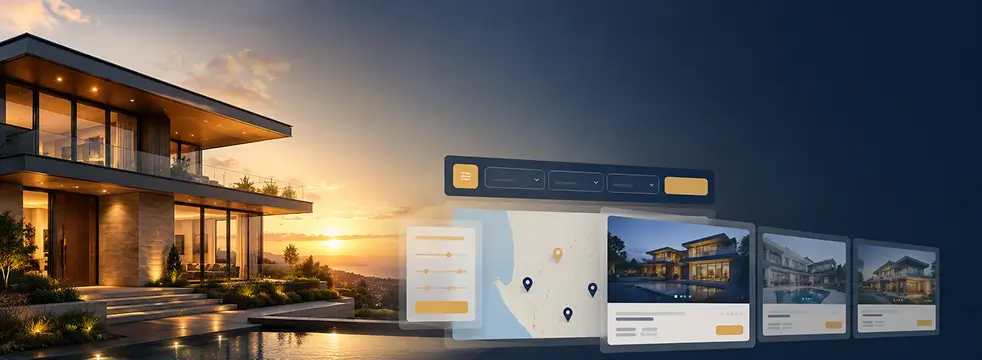
See how WPResidence becomes a luxury real estate website, a commercial portal, or a regional site through settings, not custom code.

wpresidence.net
WPResidence Advanced Search Form Builder tabbed search layout separating sale and rental filters
7+
niches from one theme
~4s
to load 2,500 listings
$50–100
one-time license
0
lines of custom code

Last updated: July 7, 2026

By Cris Bean

Full disclosure before we go any further: the WPResidence team builds and sells this theme, and I write for them. So treat this as a first-party configuration guide, not neutral third-party research. And here’s the honest flip side, stated once up top so you can stop reading if it applies to you: WPResidence has no built-in booking-calendar or nightly-reservation engine. If your project is really a hotel-style booking product, plan for that gap or pick a booking-focused tool instead.

So how do you configure WPResidence for a niche or regional market? You reconfigure, you don’t rebuild. WPResidence is one flexible WordPress theme, not a family of separate niche products. You reach a luxury, commercial, rental, vacation, land, or new-construction niche (or a single-city regional real estate market) by trimming taxonomies, adding custom fields, tuning the Advanced Search Form Builder, letting Studio auto-assign per-taxonomy templates, and relabeling a few terms.

None of that needs custom code. Custom development only enters the picture for large-portal extras the theme doesn’t ship: drawn-on-map search, commute-time search, deep MLS automation, or a booking engine.

The rest of this guide walks that answer through each niche, then three regional patterns (a locked-down single city, a Singapore HDB portal, and a Dubai off-plan site), plus monetization, cloning, and licensing. Find the niche that matches your market and you’ll have the exact field-and-layout map for it.

Core Thesis

What Is the Core Thesis Behind Using WPResidence for Niche Markets?

5 systems reconfigured, not rebuilt
What Is the Core Thesis Behind Using WPResidence for Niche Markets?
Levers
Trim or rename existing taxonomies
Add fields via Custom Fields Builder
Tune the Advanced Search Builder
Relabel terms, no code needed

WPResidence reaches any niche or region by reconfiguring five existing systems, not by installing a different theme or hiring a developer for a rebuild.

Lever one: taxonomies. You trim or rename Status, Type, Category, Features, and Location to match your slice of the market. Lever two: the Custom Fields Builder, where you add the odd data your niche cares about and hide the defaults it doesn't. Lever three: the Advanced Search Form Builder, where you decide which fields become filters, what operators they use, and whether searches split into tabs.

Lever four: Studio's per-taxonomy templates, which auto-assign a layout so a new "Commercial" listing picks up the commercial design on its own. Lever five: relabeling, which turns "Agent" into "Owner" or "Price" into "Price per month" without touching code.

Where does reconfiguration stop and real custom code start? Four honest cases: drawn-on-map search where a user sketches an area, commute-time search like "within 30 minutes of this address," deep MLS automation beyond a standard connector, and any nightly-booking engine. Everything else is that thesis applied niche by niche, then region by region.

Foundation

The Shared Foundation Every Niche Configuration Builds On

~4s to load 2,500 listings
The Shared Foundation Every Niche Configuration Builds On
Systems
Property-specific taxonomies for every deal
Custom Fields Builder hides defaults
11 search layouts, tabbed search
Studio per-taxonomy templates auto-assign

Every build in this guide starts from the same six systems: taxonomies, custom fields, the search builder, Studio templates, performance tuning, and the SEO and compliance stack. You configure them differently per use case, but you learn them once.

Taxonomies: Status, Type, Category, Features, Location

WPResidence gives you property-specific taxonomies, and the trick is knowing which does what. Property Status handles deal type and lifecycle (For Sale, For Rent, Sold). Property Type is the physical kind of thing (House, Condo, Office, Land).

Property Category is the segment bucket (Residential, Commercial, New Development). Features is an amenities checkbox taxonomy, and Location covers State, City, and Area. The rule of thumb: Status is the deal, Type and Category are what it actually is.

Terms nest too, so "Commercial" can hold "Office" and "Retail" underneath, which keeps big inventories tidy.

The Custom Fields Builder

The Custom Fields Builder is a visual admin panel for adding unlimited text, number, date, and dropdown fields. You control where each one shows: the detail page, the property card, the submit form, and whether it becomes searchable. Just as important, you can hide the defaults.

Bedrooms make no sense on a plot of land or a warehouse, so you switch them off. Every niche section below leans on this one mechanism, because "what fields show" is most of what separates a land site from a luxury villa site.

The Advanced Search Form Builder: 11 Layouts and Tabbed Search

Search is how most people actually use a property site. Here's what it gives you:

Studio and Per-Taxonomy Templates

Studio is the built-in design system: 50-plus Elementor widgets and over 100 templates. The part that saves real time is per-taxonomy templates. You design a commercial layout once, assign it to the Commercial category, and every new commercial listing picks it up automatically.

The Property Card Composer gives you seven base card styles you adapt with custom fields and badges, so a rental card shows beds, baths, and monthly price while a commercial card shows type, size, and parking. Header, footer, and mega-menu builders plus global colors and white-label styling round it out, so two sites on the same engine can look nothing alike.

Performance at Scale

On WPResidence's official developer demo, roughly 2,500 properties load the home page in about 4 seconds on a solid dedicated server (that test used WP Rocket as the page cache). The theme caches property "units" that appear in lists and grids, refreshing that cache every 4 hours by default, so archive and search pages stop re-running the same heavy queries. Optimized SQL and indexing, AJAX search, Bootstrap 5, and lazy loading keep the database from choking when users stack filters. Run it on WordPress 6.7 or newer with PHP 8.0 or newer, and aim for PHP 8.3 on a heavy portal, and the theme authors are blunt about hosting: skip the rock-bottom shared plans around 9 dollars a month.

SEO, Compliance, and Multilingual Reach

Three quieter systems round out the foundation. On SEO, every property is a normal indexable WordPress post with its own URL and sitemap entry, schema-friendly price and status output, and full Yoast or RankMath support. On compliance, you get reCAPTCHA on forms, a duplicate-listing-by-address check, GDPR, PDPA, and CCPA consent tools, and an "admin must approve" gate on submissions.

On reach, the theme is translation-ready for 32-plus languages, works with WPML and Polylang, supports RTL, shows multiple currencies, and toggles metric and imperial units. Hold onto that last cluster, because it's what makes the Dubai and Singapore sections work.

Niche Playbook

How Do You Configure WPResidence for Each Real Estate Niche?

7+ real estate niches covered
How Do You Configure WPResidence for Each Real Estate Niche?
Niches
Luxury: dark template, amenity badges
Commercial: cap rate, zoning fields
Rentals: monthly price, pet policy
Land: parcel size, road access

Each niche below uses that same shared foundation. You choose different fields, hide different defaults, assign a different Studio template, and relabel a few terms.

What Makes a Luxury Real Estate Website Work in WPResidence?

A luxury real estate website works when the design gets out of the way of the photography and the data speaks to money, not just bedrooms. Start with a dark, minimalist Studio template and full-screen hero imagery, then badge the details that move high-end buyers: indoor pool, staff quarters, private dock. Custom fields carry budgets and yields, and the property page composer stacks galleries, video, 3D and drone tours, and floorplans in whatever order suits the listing.

Here's what a lot of agents get wrong. Badges and hero blocks aren't decoration, they're positioning tools. WPResidence includes splash and big hero-style featured blocks you can brand as "Flagship Marina Slips," "Verified Eco Builds," or a rotating "Cabin of the Month." A luxury site that reuses the standard card style and a stock grid quietly undersells its own inventory. The goal isn't listing volume, it's higher-value leads per visit, and curated, magazine-style framing signals that in the first three seconds.

How Do You Set Up Commercial Real Estate WordPress Listings?

A commercial real estate WordPress build is a data problem, not a photo problem, so the template goes data-heavy with metric tables instead of oversized galleries. Add custom fields for the numbers commercial buyers underwrite on: Cap Rate, Zoning, Annual Rent, and price per square foot or square meter. Then hide bedrooms entirely, because nobody buys an office by its bedroom count.

The commercial card shows Type, Size, and Parking where a home would show beds and baths, and the commercial search tab filters by price per area while dropping the bedroom filter. Nest the Category "Commercial" so it holds Office, Retail, and Industrial underneath.

One trust note worth stating up front rather than burying: charging third parties to list on a commercial portal is fine under the standard Regular License, as long as public browsing stays free. So a paid brokerage-style listing portal is a supported model, not a gray area. More on the exact licensing terms further down.

What Does a Rentals-Only WPResidence Setup Look Like?

A rentals-only site is mostly a subtraction job: you remove sale language everywhere so leases don't read like purchases. In the "Listed In" options and in search, disable "For Sale" and remove the sale/rent toggle entirely. Relabel the price fields to "Price per month" and add a monthly-rent slider so a renter never mistakes a 500,000 figure for their budget.

Then add the fields leases actually turn on: Pet Policy, Lease Duration, and a Short-Term Only flag. One nice touch you get for free: agent pages automatically split listings into For Sale and For Rent tabs, so even a mixed-inventory site stays readable on each agent's profile.

Is WPResidence Right for Vacation and Short-Term Rentals?

Partly, and this is the one spot where I'll tell you to slow down. The listing side is easy: create a "Vacation Rental" status, add a "Short-Term Only" field, and you've got vacation stock that searches and displays like everything else. That covers browsing and inquiries fine.

What it does not cover is the booking. WPResidence has no built-in booking-calendar or nightly-reservation engine. It's a listing and search platform, not a hotel booking system, so there's no availability calendar, no per-night pricing engine, and no reservation checkout in the options panel.

If your brief is genuinely closer to a hotel booking product than a property catalog, forcing it into WPResidence means more custom work than a booking-focused product would cost you, so that's the case where a different tool wins. For a vacation-rental directory that captures leads and hands the booking off elsewhere, the theme is a fine fit.

What Fields Does a Land Listing Need?

Land listings need lot data, not room data, so the configuration mirrors the commercial one. Add custom fields for Parcel Size or Lot Size, Road Access, Zoning, acreage, and soil type, then hide bedrooms and the rest of the residential defaults. Point the land archive template at cards that lead with lot size rather than bed and bath, and set the land search tab to filter by parcel size.

Can WPResidence Model New Construction and Off-Plan Sales?

New-construction and off-plan sites need to speak the language of phases, payment plans, and developers, and WPResidence has the taxonomy and roles for all three. Put everything under a "New Development" Property Category, then define the types buyers expect: Off-plan, Freehold, Leasehold, and Branded Residence. Add fields for price per square foot, payment-plan stage, and handover year, plus a "Post-handover payment" status where it applies. On the people side, assign a dedicated Developer role above your agencies and sub-agents, so every unit ties back to the right party.

Community taxonomies are the finishing move. Set up browsable communities like Downtown Dubai, Dubai Hills, Palm Jumeirah, and JVC, and buyers drill straight into the tower or district they care about. That setup doubles as the on-ramp to a full regional build, which is where we're headed next.

What About Student Rentals?

Student rentals are a tidy micro-niche: add fields for room type, walk-time-to-campus, and flatmate count, and badge the cards with "Bills included" and "Walk to campus." Turn on radius search so a student can ask for anything "within 2 km of campus," and create a custom "Student Rental" status with a colored ribbon so the segment reads at a glance.

Can Custom Statuses and Ribbons Replace Extra Plugins?

In most niche builds, yes. Statuses like "Student Rental," "Luxury Only," or "Pet-Friendly" are each a colored ribbon on the card, each usable as a search filter, and each usable to build a filtered listing block such as "Luxury Rentals Downtown," all without a bolt-on plugin.

Go Regional

Regional and Ultra-Local Configuration: Locking Down a City or Market

3–6 mo to first organic leads
Regional and Ultra-Local Configuration: Locking Down a City or Market
Regions
Rename location levels to local terms
Lock the map and dropdown terms
HDB: block, MOP, quota fields
Dubai: off-plan types, Arabic RTL

A regional or single-city portal uses the same taxonomies and fields as any niche. The only difference is that you rename the location levels to match local rules and lock the map and dropdowns so users can't wander outside the market.

How Do You Model Singapore HDB Rules Without a Dedicated HDB Theme?

You model HDB with the same Custom Fields Builder and Locations system every other build uses, just relabeled, so no dedicated HDB theme is required. Rename the location levels from Country, State, City, Area to Region, Town, Estate, Block, and map every flat to the right level.

Then add custom fields for the data HDB buyers live by: block number, flat model, lease start year, MOP status, and ethnic quota. In search, expose only the buyer-relevant filters and keep admin-only fields hidden. Owners and agents pick towns and blocks from clean dropdowns instead of free-typing, which keeps the data usable as the catalog grows toward a couple of thousand flats.

What Does a Dubai Off-Plan and Branded-Residence Site Need?

A Dubai off-plan real estate website is the new-construction setup from earlier, localized. Rename the taxonomies to local terms and use the off-plan, freehold, leasehold, and branded-residence types so agents see the right legal labels from the start. Add the payment-plan and handover fields, assign a Developer role above your agencies and sub-agents (master agents work through that agency and sub-agent hierarchy), and enable community browsing across districts. Because the theme ships with WPML and Polylang support plus RTL, you deliver the whole thing bilingually in English and Arabic without a CSS rescue mission.

Locking a Portal Down to a Single City or Micro-Region

You lock a portal to one city by controlling what exists in the first place. Add only your target City and its Areas as dropdown terms, center and zoom-lock the map, and hide the higher location levels so visitors can't browse outside the region. Because those are the only locations you created, they're the only choices in search and submit forms.

The payoff is faster local SEO: for a focused city or niche site, organic leads often start showing up in roughly 3 to 6 months. A sensible on-ramp is to start with 20 to 100 listings until content and leads feel stable, or to test with 20 to 50 real listings before a full public launch.

Make Money

Monetization and User Roles Built Into WPResidence

4 built-in user roles
Monetization and User Roles Built Into WPResidence
Monetize
Packages with listing, featured slots
Stripe and PayPal built in
Free and freemium FSBO tiers
Manual approval per role or listing

WPResidence includes a built-in membership and paid-submission system, so most niche and regional portals monetize without a separate membership plugin. You define packages with listing counts, durations, and featured slots, set a per-listing price and a separate price for featured upgrades, and offer free or freemium tiers (a common one is a single FSBO listing free for 30 days). Recurring membership billing runs through the same rails.

On payments, Stripe and PayPal are built in, plus bank and wire transfer. WooCommerce is only worth adding when you need an unusual gateway or complex tax handling, and stacking it otherwise just adds moving parts.

Roles map to how real markets are structured. You get Regular User, Agent, Agency, and Developer, each with its own front-end dashboard, and you can require manual approval per role or per listing. So an FSBO board can let plain users post owner listings, while a Dubai off-plan site can gate every new developer account behind a human review. Same system, different switches.

Scale Up

Agency Cloning and Multisite Workflows

3 cloning routes, no rebuild
Agency Cloning and Multisite Workflows
Clone
Theme Options export under a minute
Full-site clone via Duplicator
Multisite for many branded portals
REST API for cross-site sync

Agencies running several niche or regional portals clone a perfected master site instead of rebuilding each one from scratch. There are three routes, in rising order of scale. The Theme Options Import/Export tool moves a full configuration (colors, layouts, header style, membership rules) in under a minute.

A full-site clone via Duplicator or All-in-One WP Migration carries the whole install, including your custom fields and templates, since those live in the database. And WordPress Multisite runs many portals on one codebase with per-site branding, backed by a child theme for custom CSS or PHP and a Real Estate REST API for cross-site sync.

There's no lock-in underneath any of it: every property is a standard WordPress post plus meta, exportable as XML whenever you want out. The agency case for standardizing on one or two themes is straightforward. You learn one options panel, you test a WordPress or PHP update once on staging then roll it across every site, and you keep one support relationship instead of five.

The one honest reason to switch away from your standard: a booking-engine or hospitality brief, or a pixel-perfect custom Figma build where nothing gets reused.

Licensing

Licensing WPResidence for a Commercial Property Portal

$50–100 one-time Regular License

A Regular Envato License covers one live commercial portal and lets you charge third parties to list, as long as public browsing itself stays free. You only need an Extended License if you paywall the listings themselves, meaning you charge visitors just to view the content. For the vast majority of paid-listing portals, where owners and agents pay to submit and feature while the public browses free, the Regular License is enough.

A few terms are worth knowing before you buy. It's one license per live site, and you de-register and re-register to move between domains.

That single license covers any number of agents or offices on that one site, with no per-listing theme fee no matter how big the catalog gets. You get lifetime use and updates on the licensed site. Author support runs 6 months by default and extends to 12 months for a fee, though the theme itself never expires.

Now the part I won't dress up. A one-time theme license is not zero ongoing cost, and anyone who tells you "one low price" is skipping the math.

The license itself lands around 50 to 100 dollars one-time, per WPResidence's own cost guidance. On top of that sits hosting at roughly 20 to 40 dollars a month, and if you're pulling IDX or MLS data, MLSImport currently runs 49 dollars a month. I should be clear that MLSImport is the same team's in-house IDX product, so that's a first-party recommendation, not a neutral comparison.

Add support renewal after month 6 if you extend it. First public version typically launches in 2 to 6 weeks, and most of that time goes to configuration and content, not custom code.

Data In

Imports, MLS/IDX Data, and Ownership

hourly MLSImport RESO feed sync

WPResidence handles hand-entered listings and large IDX or MLS imports the same way, as native WordPress property posts, so both use the identical templates, search, and cards from the shared foundation. For one-off CSV or XML data, the official WP All Import add-on maps spreadsheet columns into native and custom fields, taxonomies included. For ongoing feeds, MLSImport is the default route: it's RESO-ready and syncs remote listings into WordPress as native property posts on an hourly basis. As with the licensing note above, MLSImport is the same team's in-house IDX product, so I'm recommending our own tool here and want that on the record.

Imports can be filtered by status, category, or region, so you can pull only "For Rent" listings in one city and keep a rentals portal clean. And because every property stays a standard post plus meta, exportable as XML with a REST API for cross-platform sync, you're never locked in on the data side either.

At a glance

Key Takeaways

Each niche real estate website type demands a different audience focus, data schema, and proof of authority.

WPResidence reaches every real estate niche through taxonomies, custom fields, search-builder configuration, and Studio templates, not custom code.

The official demo loads roughly 2,500 properties in about 4 seconds, with a default property cache that refreshes every 4 hours.

WPResidence has no built-in booking-calendar engine, so pure hotel-style nightly-booking projects should look at a booking-focused product instead.

A Regular Envato License covers one live commercial portal and permits charging third parties to list, provided public browsing stays free.

A one-time theme license isn't the full cost: hosting, optional MLSImport IDX fees, and support after month 6 still apply.

Frequently Asked Questions

Will future theme updates overwrite my niche custom fields or templates?

No. Your custom fields, taxonomy configuration, and per-taxonomy template assignments are stored in the WordPress database, not in core theme files, so a WPResidence update leaves them untouched. You get new features and fixes while your rentals-only or city-only setup, including any custom statuses and search layouts you built, stays exactly as you left it.

Can I use one WPResidence license across multiple live portals?

No. One Envato license covers one live production site, and each separate portal or client domain needs its own. To run several niche or regional portals, you either buy a license per site or set up a Multisite network, which WPResidence supports and which the cloning section above covers in detail. You can de-register a license and move it between domains, but not share one across live sites.

Am I locked into WPResidence, or can I export my listings elsewhere?

There's no lock-in. In WPResidence every property is a standard WordPress custom post with standard meta fields, so you can export the whole catalog as XML at any time and import it into another platform with its own field mapping. A Real Estate REST API is also available for cross-site or cross-platform sync if you migrate later or connect a CRM. Your listings live in your own database.

Is a freemium or free-trial listing model allowed under the license?

Yes. The built-in membership system in WPResidence supports free and freemium tiers, for example one free FSBO listing for 30 days, alongside paid packages and recurring plans. That model sits comfortably under the Regular License because visitors still browse listings for free and you're only changing how and when listers pay. You can mix free trials, paid upgrades, and subscriptions on the same site.

Does standardizing on one theme still make sense for enterprise or multi-brand agencies?

Yes. An agency running multiple brands or portals on WPResidence learns a single options panel, tests each WordPress or PHP update once before rolling it out, and keeps one support relationship instead of several. Each site still needs its own license, but the hours saved on builds, maintenance, and onboarding across even a handful of sites usually outweigh that per-site cost.

When should I add extra plugins for a regional market instead of relying on built-in tools?

Reach for an extra plugin only when a need genuinely falls outside the theme: a booking or reservation system, a dedicated CRM, or an unusual local payment gateway. The everyday regional requirements are already native to WPResidence, so relabeling taxonomies, showing local currency, translating with WPML or Polylang, and running an RTL layout for an Arabic market all work without a single add-on.

So the mechanism that built the luxury villa site is the same one that built the Dubai off-plan portal: trim the taxonomies, add the fields that matter, tune the search, let Studio assign the layout, relabel a few terms. If you've read this far, you already have the specific field-and-layout map for your own niche, whether that's a boutique luxury real estate website or a paid commercial listing portal. The honest caveats stand: this is a configuration guide from the team that builds and sells WPResidence, and a true nightly-booking product is the one brief I'd point elsewhere. For everything else, start with the shared foundation, set up your taxonomies and custom fields for your niche, and test with a small batch of real listings before you import the full catalog.