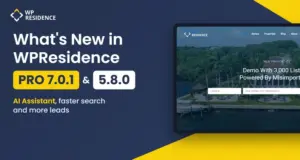

WPResidence 5.8.0 and WPResidence Pro 7.0.1 came out in November 2026. WPResidence Pro is the version sold on wpresidence.net. It starts at version 7.0.1 and has every change in 5.8.0, plus the AI Assistant. Watch the video above for a two-minute tour, or read the full list below.
The AI Assistant in WPResidence Pro
The AI Assistant is built on MCP (Model Context Protocol). You connect Claude or ChatGPT to your website once, then you manage the site by writing what you want in the chat.
You can ask it to work on listings, agents, agencies, developers, categories, users, memberships, invoices, the CRM, menus, pages, theme options, design settings and demo import. It builds Elementor pages and templates with every WPResidence widget, and Gutenberg pages with the theme blocks.
You turn it on from the AI Assistant tab in the WPResidence admin settings, then copy the address shown there into Claude or ChatGPT. The steps are in How to set up the AI Assistant.
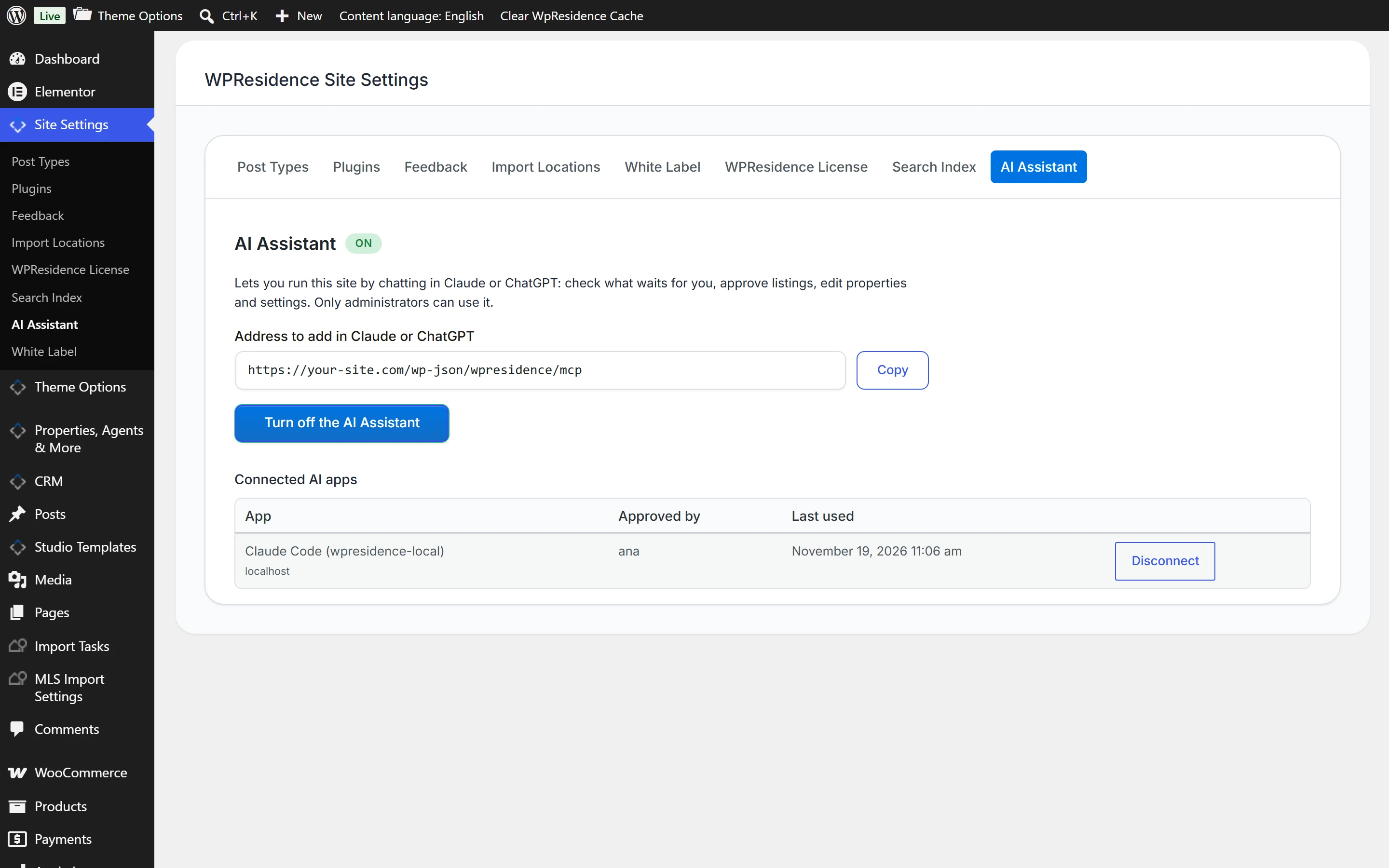
The AI Assistant is only in WPResidence Pro, for licenses bought on wpresidence.net, from $49 a year. ThemeForest buyers get WPResidence 5.8.0 with every other change in this post. See the plans and prices.
Faster search on sites with thousands of listings
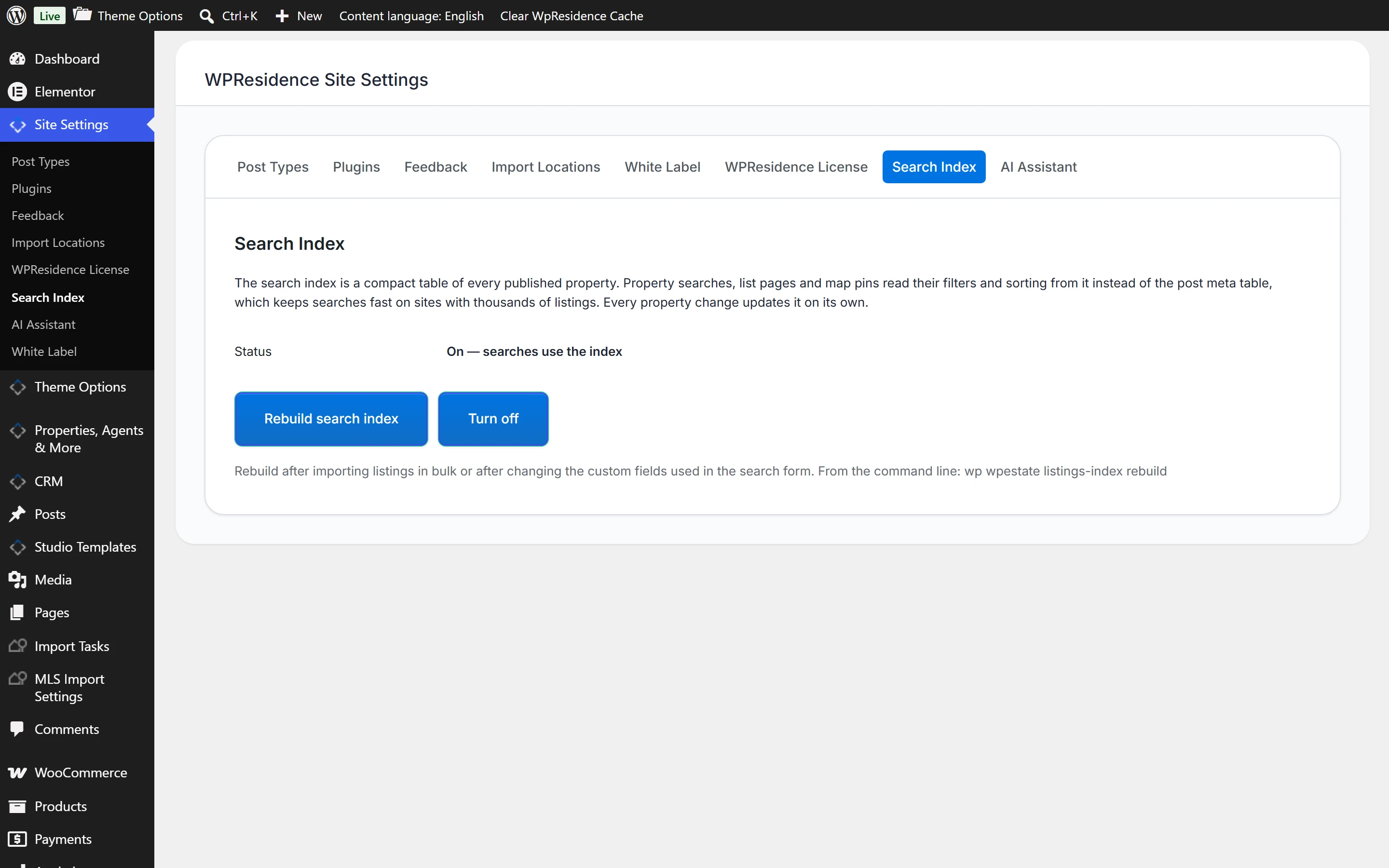
The new Search Index keeps searches with filters and sorting fast on sites with 10,000+ listings, such as sites that import listings from an MLS with MLSImport. You find it in the WPResidence settings, on the Search Index tab. Rebuild it after you import listings in bulk.
These pages also load faster: agent, agency and developer pages, featured listing widgets, the half map and AJAX search, the directory page and property cards.
More ways to capture leads
Price drops in saved-search alerts
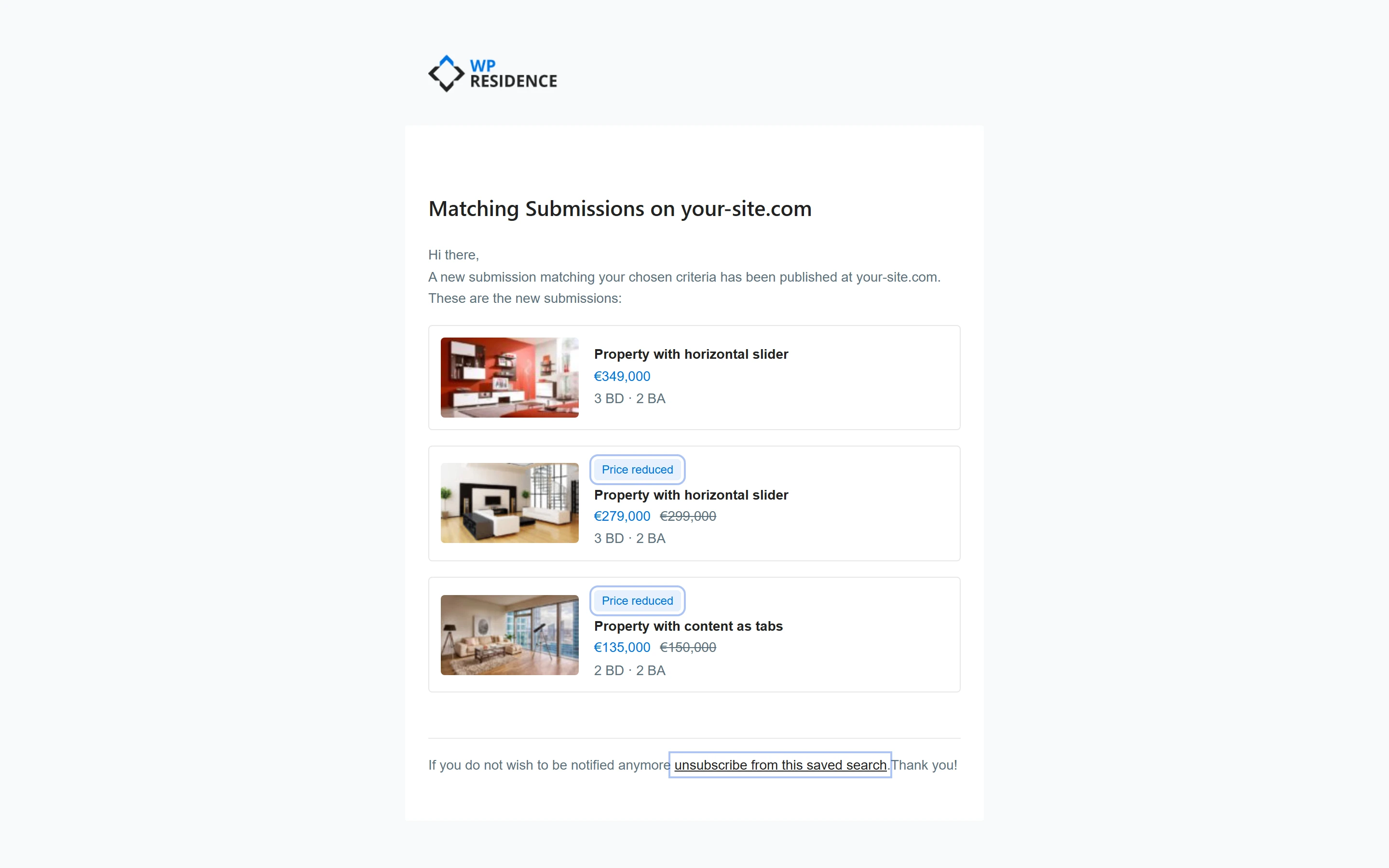
Saved-search alerts also email buyers when a listing changes, such as a price drop. The email shows the new price next to the old one, and every alert email has an unsubscribe link.
reCAPTCHA on contact forms
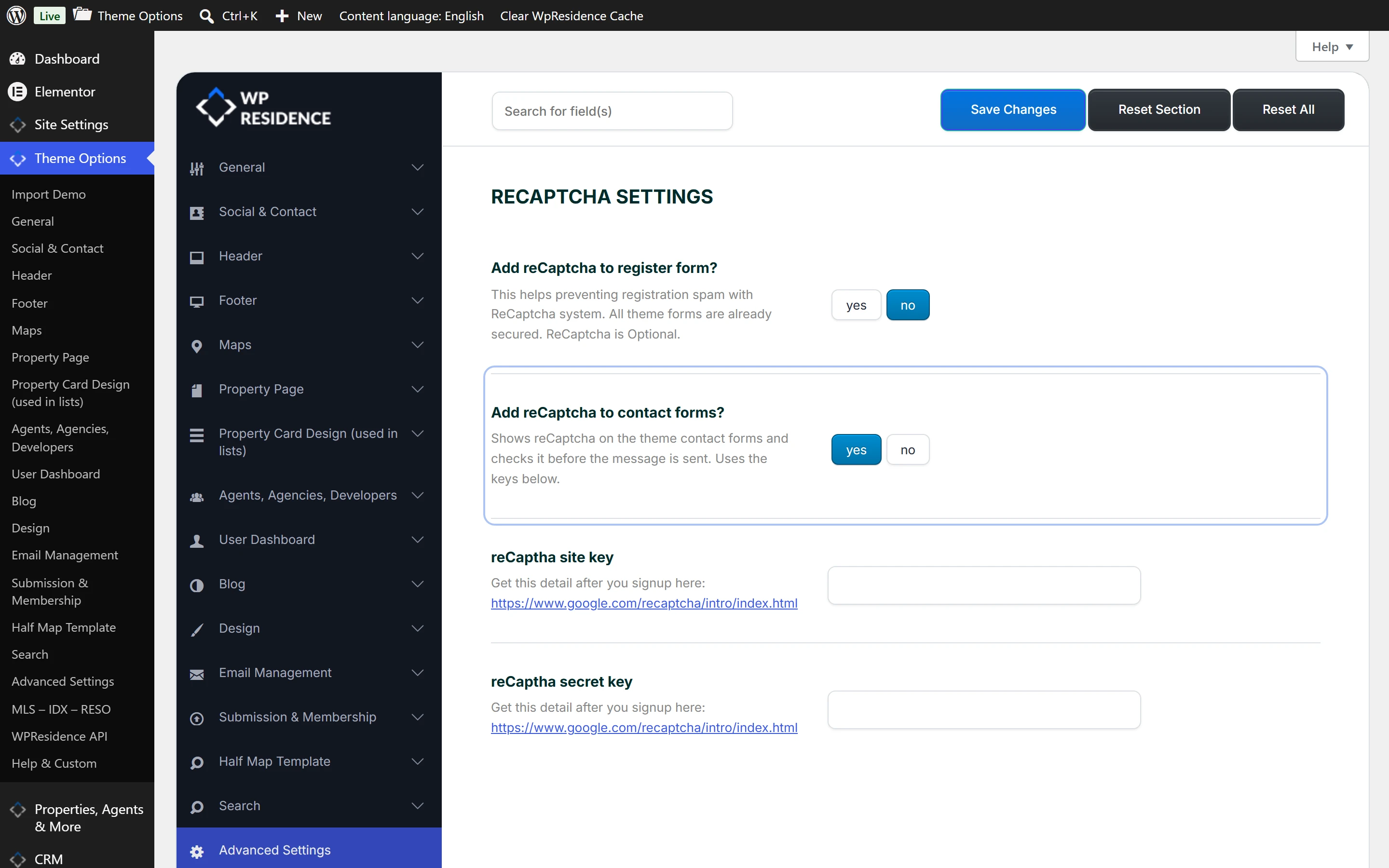
You can turn on reCAPTCHA for the theme contact forms in Theme Options, with the same keys you use for the register form.
Account confirmation by email
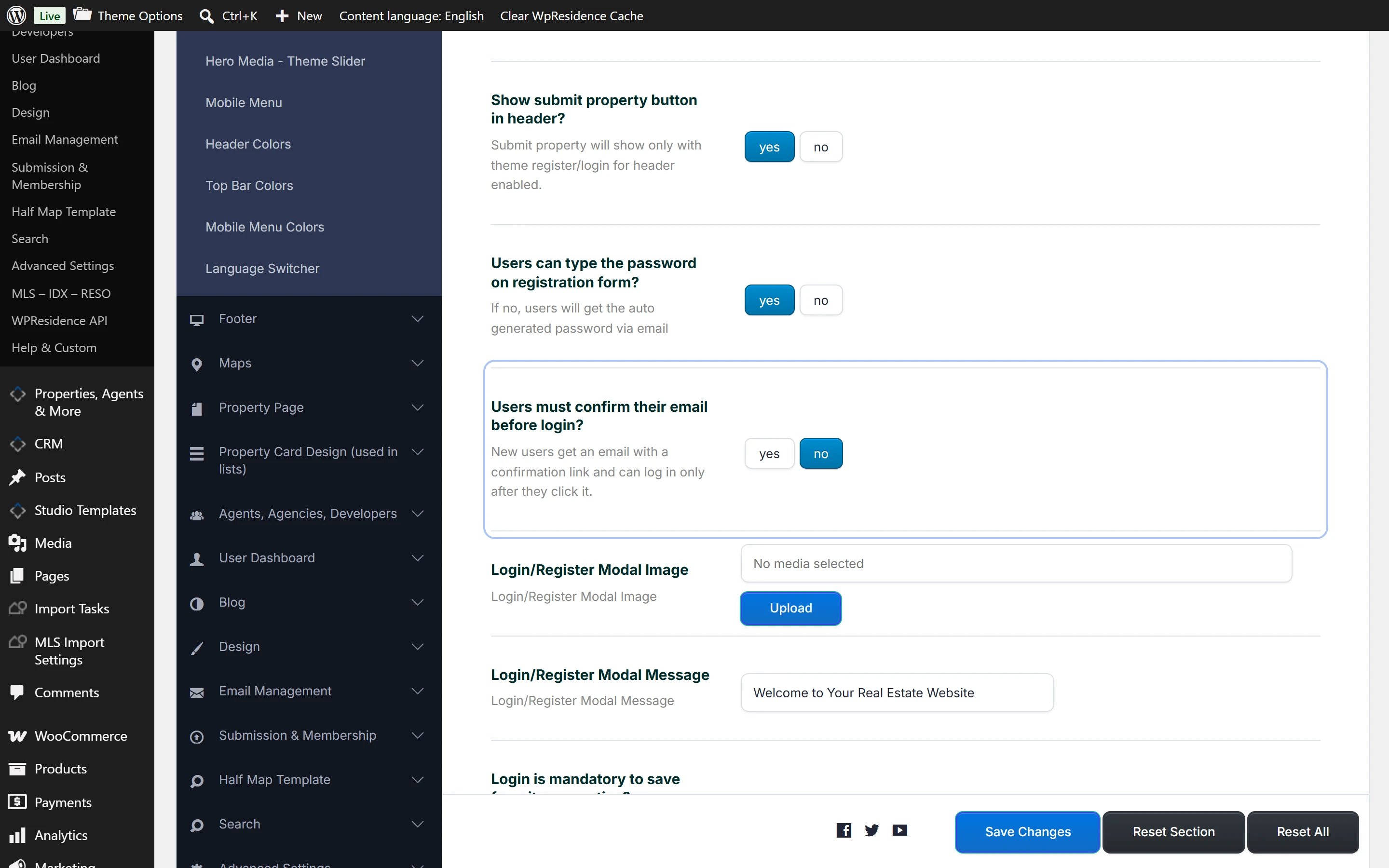
You can ask new users to confirm their account by email. They get a confirmation link and can log in only after they click it.
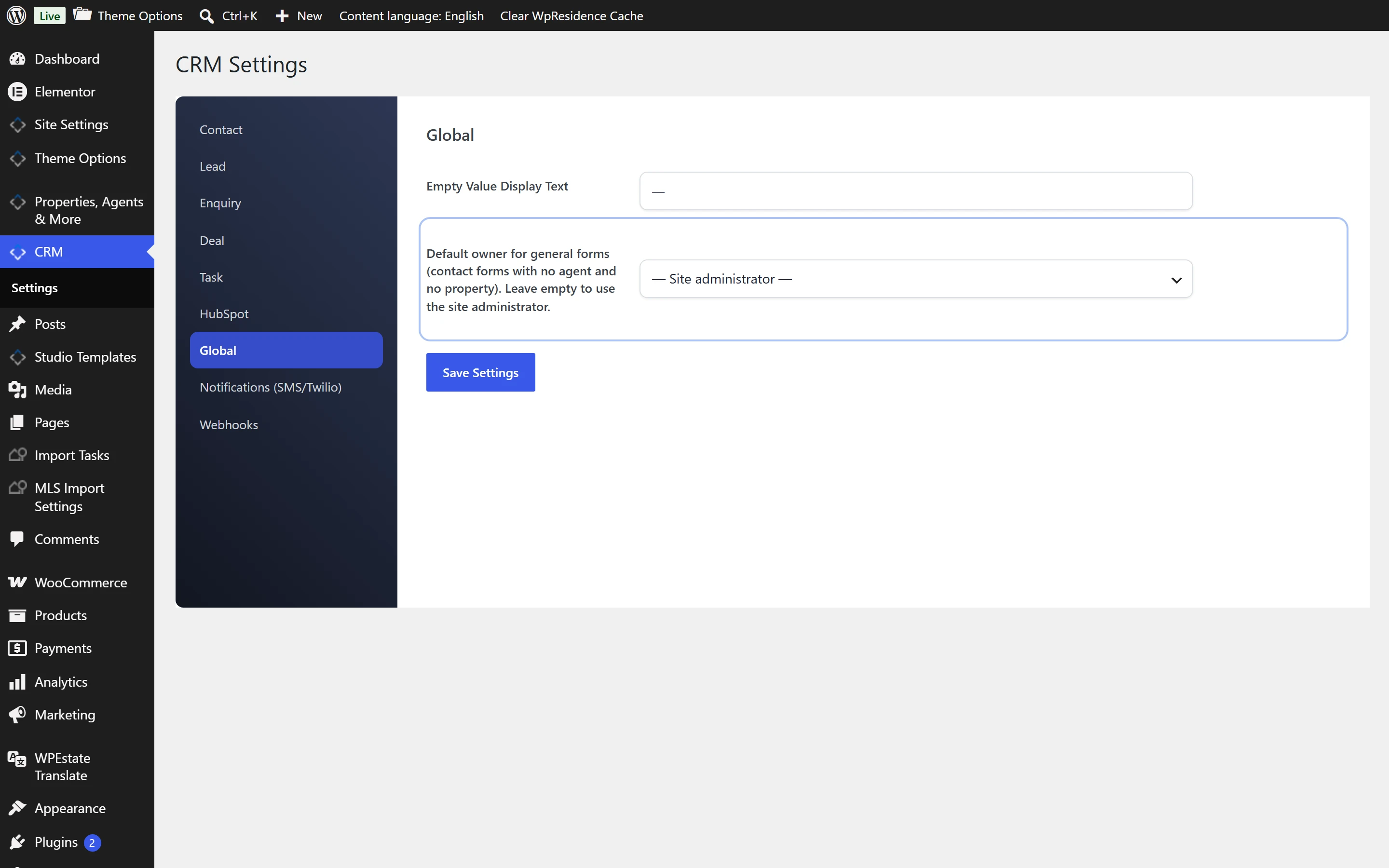
A default owner for CRM contacts
In the CRM, contacts from general forms (contact forms with no agent and no property) go to the default owner you pick in CRM Settings, so every lead has an owner. The “Assign agent” automation also lists your agent users.
The HubSpot API option is also back for agents, agencies and developers.
Listings, search and design
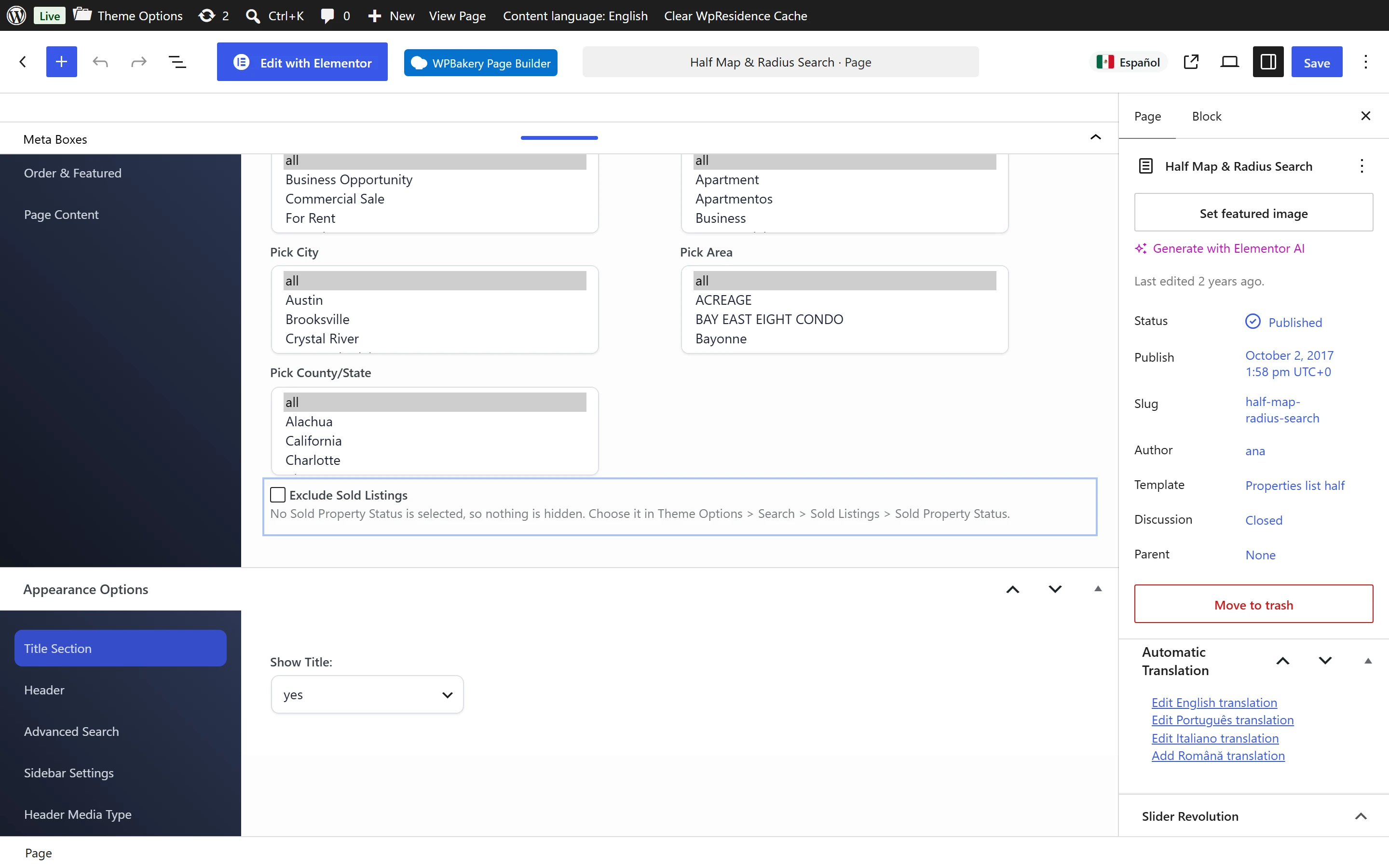
Hide sold listings
An “Exclude Sold Listings” option hides sold homes on pages that use the Properties List Half Map or Properties List Standard template. First pick your sold status in Theme Options > Search > Sold Listings, then tick the option on the page.
MLS Info line on property cards
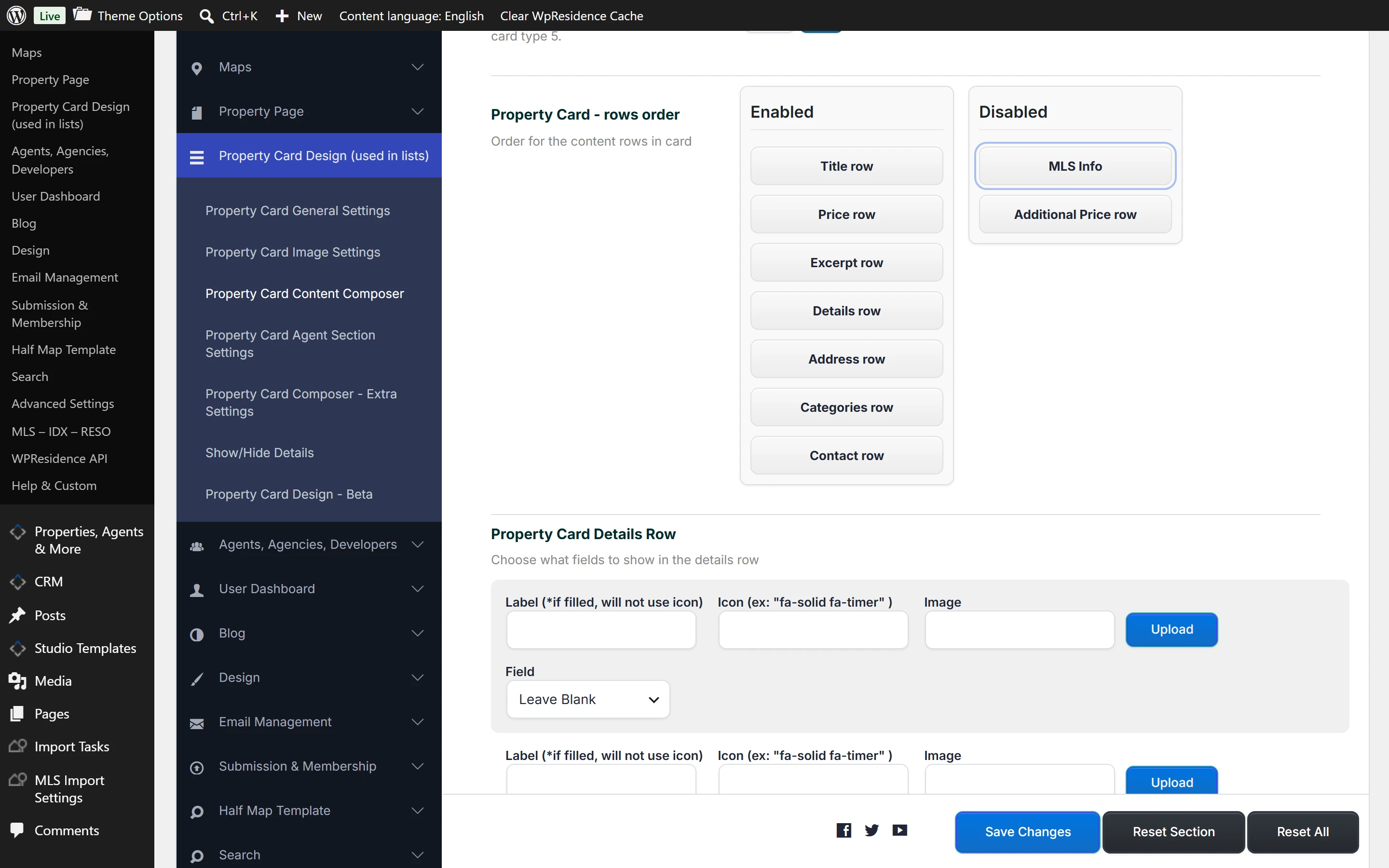
The MLSImport card design can show an MLS Info line with the MLS logo.
You turn it on in Theme Options > Property Card Design (used in lists) > Property Card Content Composer: move MLS Info to Enabled in Property Card – rows order, then add the MLS or Broker Logo and Name.
Also new
- Listings and agents carry RealEstateListing and RealEstateAgent structured data, which tells Google what a property and an agent are.
- Half map category pages fill the search form with the current category, so visitors keep it when they sort or filter.
- Masonry Gallery V2 looks better on listings with one or two photos.
- A basket widget for Elementor headers shows the WooCommerce cart icon with the item count.
- The footer copyright text accepts HTML links.
- Developers get new hooks in the registration form.
How to update
Back up your website first. Then update the theme: WPResidence 5.8.0 if you bought on ThemeForest, or WPResidence Pro 7.0.1 if you bought on wpresidence.net. After that, update the theme’s plugins and clear your caches.
Steps: How to update the theme and How to update the included plugins. Every change, with the plugin versions, is in the WPResidence changelog.