Finding the right real estate WP theme isn’t just about pretty demos. You need a platform that handles thousands of MLS listings, gives agents control over their property pages, and doesn’t slow down when your database grows. RealHomes, Houzez, MyHome, HomePress, and Realtyspace all show up in searches, and they handle the basics well enough. But there’s a difference between a theme that was adapted for real estate and one that was built specifically for it from the ground up.
WPResidence falls into the second category. It’s a complete real estate platform built on WordPress, not a generic template with property features bolted on. That difference shows up everywhere: in how it handles MLS data, how you customize property pages, how it performs under load, and especially in the template system that no other theme has managed to copy correctly.
Let’s break down what matters when you’re building a serious real estate website.
Advanced Search: Finding Properties Fast
Search is where visitors spend most of their time. A weak search system means frustrated users clicking away to competitor sites.
WPResidence gives you 11 different search types. You can choose between various designs and options, from compact search bars to expanded forms with tabs. Each search type serves different layouts and user experiences. The custom search form builder lets you add unlimited fields and filters directly from theme options, including custom fields you create.
Location fields search properties by Address, State, City, Area, or Zip Code. You can enable multi-level dropdowns where selecting a state filters cities, and selecting a city filters areas. Property taxonomies, bedrooms, bathrooms, property size, lot size, and zip code all work as search filters. The price field behaves like a slider or an input field, with minimum and maximum values you control.
Keywords let users search property titles for specific terms like “pool” or “beachfront”. Geolocation and radius fields help users find properties near their location. Property ID search works with both automatically generated WordPress IDs and manually created IDs. Custom fields support dropdown, text, number, and date types, with comparison operators like EQUAL, GREATER, SMALLER, and LIKE.
The search form syncs across your entire site. Mobile search, half-map search, search widgets, and search shortcodes all use the same custom fields you set up. Ajax search returns instant results without page reloads.
RealHomes offers a Fields Builder that lets you create new property fields with drag-and-drop, including Select, Text, Radio, Checkbox, and Textarea. The search system is customizable with show/hide options for any field, and you can modify min and max price values. Location fields extend up to 4 levels to create search behavior like Country > State > City > Area. Dynamic location loading improves performance by loading 15 locations at a time via infinite scroll. The search form is available in default or innovative layouts, with drag-and-drop field ordering.
Houzez provides a Search Builder as an Elementor widget that lets you design unlimited search panels with tabs for status, cities, or types. The Fields Builder connects custom fields directly to the search system, so any new field becomes searchable. Auto-complete populates results instantly as users type, and multi-selection lets users pick multiple criteria. Radius and geolocation search work with map integration. The theme offers three search bar variations: Banner Search, Half Map Search, and Header Search.
MyHome, HomePress, and Realtyspace handle basic search with standard location and price filtering, but they don’t offer the depth of customization that the top three provide.
WPResidence’s 11 search types give you more layout flexibility than any other theme. The ability to create tabs with separate search fields (e.g., showing different price ranges for rentals versus sales) isn’t something you’ll find elsewhere at this level of control.
Property Page Templates: Designing the Details
Property detail pages close deals. A generic layout doesn’t showcase your listings to their best advantage.
WPResidence Studio changes everything here. The system lets you create and manage custom layouts for properties, agents, agencies, developers, blog posts, headers, footers, and property categories. You get over 50 custom Elementor widgets that work with the free Elementor plugin, plus the theme includes WPBakery Page Builder, Revolution Slider, and Ultimate Addons.
Building a custom property page involves using dedicated Property Page Widgets in Elementor. You can design everything: the photo gallery, property overview, details section, amenities, floor plans, virtual tours, agent information, contact forms, and mortgage calculator. The theme includes 16 new widgets specifically for designing custom taxonomy templates, allowing you to create unique layouts for luxury properties versus condos, or beachfront homes versus mountain cabins.
Here’s what no other theme does: you can assign templates by post type or taxonomy for advanced control. Want all properties in the “Luxury Homes” category to use an elegant black-and-gold template? Done. Want waterfront properties to showcase large images with blue accents? Done. You can create unique property page templates for specific property categories.
The property page supports scroll gallery widgets for horizontal image display, hides prices when the P.O.A. checkbox is selected, supports video for TikTok and Meta Reels in virtual tours, and offers customizable print layouts. A Custom Field Display Builder with drag-and-drop lets you reorder how WPResidence custom fields appear.
Houzez Studio offers a template system built on Elementor that lets you create custom layouts for property pages, agent or agency profiles, and archive/category pages. The theme provides over 30 Elementor widgets for real estate. The Property Cards Box widget has new design options, and Property by ID widgets include listing card v7 and listing list v4 layouts. The listing composer lets you choose which metadata appears on property pages.
But here’s the limitation: Houzez Studio doesn’t let you assign different templates to different property categories. All your properties use the same template unless you manually change each one. WPResidence’s taxonomy template assignment is automatic and category-based.
RealHomes includes 50+ Elementor widgets for property pages with pre-made templates you can import and adjust. The theme provides a flexible form in the property add/edit page for additional information that doesn’t fit standard fields. Floor plans get an easy-to-use interface. But you can’t rebuild property pages from scratch the way WPResidence Studio allows. You’re working within preset structures.
MyHome, HomePress, and Realtyspace offer basic property page layouts with limited customization options without diving into code.
The gap between WPResidence Studio and everything else is substantial. Having 50+ widgets specifically built for real estate means you’re not trying to adapt generic widgets. And the taxonomy template feature? That’s exclusive to WPResidence.
Property Cards and Listing Displays
How properties appear in search results and list pages affects whether users click through to learn more.
WPResidence includes a Property Card Composer that lets you create unlimited card variations. You can choose which metadata displays on cards, add a second price option, and use custom property labels like sold, featured, or expired. The hide price with the P.O.A. checkbox hides the price on the frontend while keeping it stored for search and ordering.
Image sliders in property units have on/off controls, and the properties list in wp-admin includes quick actions for each listing: mark as sold, featured, expired, turn on/off, or duplicate listings. Sort options let users organize results by newest, oldest, price high to low, price low to high, or featured first.
You get standard list layouts, half-map layouts where properties appear beside an interactive map, and directory-style displays with Ajax filters in the sidebar. Taxonomy pages (showing all properties in a category) can use custom header images and custom content for cities and areas.
Houzez provides a listing composer with a drag-and-drop interface to select which metadata displays on listing cards. New layouts include listing card v7 and listing list v4, with infinite scroll and load more options for all listing templates. The Property Cards Box widget has customizable design options. You can choose which custom fields appear on cards through the Fields Builder integration.
RealHomes offers page templates for list, grid, and half-map layouts, with property card widgets for Elementor. Meta boxes provide filtering options. The card designs are clean but offer less control over variation than WPResidence or Houzez.
MyHome and HomePress offer standard card displays with limited customization options. Realtyspace shows its age with basic listing options.
WPResidence’s quick actions in the admin panel save time when you’re managing hundreds of listings. The ability to design distinct card styles for different property types gives your site a polished, professional look that generic cards can’t match.
You can also look over this article for better understanding of what property cards means : How to Design Effective Property Unit Cards on WordPress Real Estate Sites
Front-End Dashboard and User Management
If agents or property owners add listings on a real estate wp theme, they need an interface that works without giving them access to the WordPress admin area..
WPResidence delivers a complete front-end dashboard. Users can submit properties and quickly mark them as sold, featured, expired, or duplicate listings directly from the dashboard. The My Properties page shows all user submissions with management tools.
Multiple subscriber types include agents, agencies, developers, or standard users, each with different permissions. The membership system supports recurring payments for membership packages and pay-per-listing options. WooCommerce integration handles payments for various submission types, and the theme follows Stripe SCA and 3DS regulations for EU market compliance.
The WP Estate CRM manages leads and contacts through theme forms, with HubSpot API integration to sync messages and sender details. An internal messaging system lets users communicate without leaving the site, and reviews for property pages can be enabled or disabled. Users can save properties to favorites and create a shortlist for later viewing.
The dashboard includes analytics widgets so agents see how their listings perform – page views, inquiries, and engagement metrics all visible without admin access.
Houzez provides front-end property management with a user dashboard for submissions. The membership system helps monetize your site, and user types with assigned roles restrict access to certain features. The built-in CRM provides basic lead tracking. Payment gateways include Stripe, PayPal, and wire transfer options. Property submission forms appear on the frontend, so agents never need the WordPress backend.
RealHomes includes a front-end property submission template with customizer settings that allow you to restrict users from accessing the administrator dashboard. Front-end profile edit pages support image uploads and password changes, with user public profile pages similar to agent detail pages. Users can pay through PayPal to get submitted properties published, and the favorites system lets visitors shortlist properties. The dashboard is simpler than WPResidence’s but covers essential functions for smaller operations.
MyHome and HomePress offer basic front-end submission forms. Realtyspace has submission capabilities, but with dated interfaces.
For agencies managing multiple agents, WPResidence’s user type system with different permission levels and built-in monetization options saves you from installing separate membership plugins. The HubSpot integration means your leads flow directly into your existing CRM workflow.
WPResidence Studio delivers a template system no other real estate wp theme can match.
This deserves its own section because it’s WPResidence’s most significant advantage.
WPResidence Studio provides ready-made templates that help you build your real estate website fast and easy, with one-click import and Elementor’s drag-and-drop builder. The template system allows users to create and manage custom layout templates for various post types, including properties, agents, agencies, developers, and more.
Watch how Studio works:
Here’s what makes it powerful: templates can be assigned to specific terms or excluded based on taxonomy rules, offering granular control over where layouts appear. You create a template once and assign it to an entire category. Every property added to that category automatically uses your custom design.
Creating agent pages is effortless with purpose-built widgets for agent photos, names, titles, social links, contact buttons, and custom bios, each dynamically pulling agent-specific data. Options like WhatsApp chat, call buttons, and send mail features help boost engagement. Templates can include agent listings and specialties for informative, conversion-friendly pages.
Agency and developer templates each include unique widgets, with agencies displaying licenses, office hours, languages, and social links. These aren’t generic content blocks adapted for real estate. They’re purpose-built tools that understand real estate data structures.
Headers and footers in WPResidence are functional tools built with flexibility, using Studio and Elementor to assemble custom headers and footers with purpose-driven widgets: login menus, currency and unit switchers, contact phone, language dropdown, and Add New Listing buttons. You can create different headers for different sections of your site – one for the homepage, another for property listings, another for user dashboards.
The taxonomy template feature is where WPResidence stands completely alone. Build unique designs for property categories, types, cities, areas, states, statuses, or features using 16 new widgets explicitly designed for taxonomy templates. Add description fields with full text editor support, custom fields for categories, maps with GeoJSON file support, PDF documents, and image galleries to any category.
Think about the practical application: Your luxury homes category shows properties with an elegant, sophisticated template emphasizing high-end features. Your rental properties use a template highlighting monthly costs and lease terms. Your commercial properties focus on square footage and zoning. All is automatic based on category assignment.
Houzez Studio exists, and it’s decent. But it’s limited to property pages, agent or agency profiles, and archive/category pages. You can’t create taxonomy-specific templates. You can’t automatically apply different designs to different property categories. The widget count is lower (around 30 versus WPResidence’s 50+), and the flexibility doesn’t reach the same level.
RealHomes doesn’t have a studio system. You work with Elementor widgets and pre-made templates, which is fine for simpler needs, but doesn’t give you template management and assignment capabilities.
No other theme offers anything close to WPResidence Studio’s taxonomy template functionality. This single feature justifies choosing WPResidence for agencies that need their luxury listings to look and feel different from their standard inventory.
Design Flexibility and Customization Options
Starting with a good foundation matters, but you need room to make the site your own.
WPResidence ships with 48 ready-to-use demos. The theme is built on Bootstrap 5, optimized for performance, and includes API support. Over 450 theme options give you complete control over design, layout, and features without needing coding skills. Bootstrap 5 provides a cleaner, more modern codebase, making your website faster, leaner, and easier to maintain, with support for CSS variables that enable easier design customization.
The theme works with both Elementor and WPBakery Page Builder, giving users the flexibility to choose their preferred builder. Most modern themes force Elementor-only, but WPResidence keeps WPBakery support for those who prefer it or have existing sites built with it. The theme includes the WPResidence Elementor and WPResidence Elementor Studio plugins, which work with the free Elementor plugin.
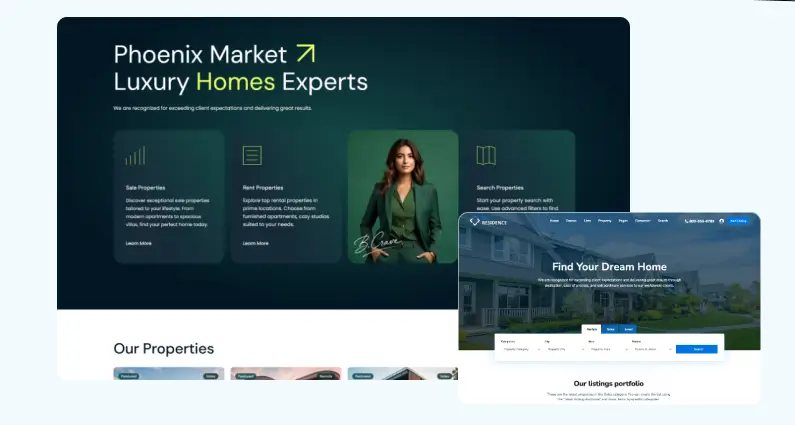
The Property Card Composer lets you design unlimited card variations for how properties appear in lists. Multiple header styles include vertical menu options and a mega menu. You get complete control over property page layouts through Studio, as covered in the previous section.
Houzez offers 35+ demos to import. The theme works with Elementor and supports WPBakery for those who prefer it. The listing composer creates customized listings through a drag-and-drop interface. The code isn’t using Bootstrap 5, which means it’s slightly behind modern web standards. Houzez has accumulated many features over its years of development, which sometimes results in code that is heavier than WPResidence’s optimized Bootstrap 5 foundation.
RealHomes is Elementor-only in recent versions – no WPBakery support. The theme provides around 12 demos to choose from. It’s the cleanest codebase of the bunch, optimized for speed, but that comes at the cost of fewer features and less flexibility. The interface is intuitive, making it appealing for beginners, but advanced users who want deep customization will find it limiting compared to WPResidence.
MyHome offers two versions – one optimized for Elementor, one for WPBakery – but they’re separate packages. You pick your builder when you buy, then you’re committed to that choice. The theme includes many pre-made templates. Header options are more limited than WPResidence’s vertical and mega menu capabilities.
HomePress focuses on Elementor with custom widgets through the uListing plugin. The design options are decent but not as extensive as the top three themes.
Realtyspace uses Visual Composer (the old version of WPBakery), which has a dated interface. It works, but it shows its age in every panel.
Having support for both Elementor and WPBakery in WPResidence means you’re not locked into one builder’s ecosystem. The 450+ theme options sound overwhelming, but they’re organized logically – you only adjust what you need. Bootstrap 5 is a foundation that means your site uses current web standards and will age better than themes built on older frameworks.
Performance That Scales to Thousands of Listings
A real estate wp theme that loads fine with fifty properties can slow down heavily with five thousand, so performance becomes critical as your site expands.
WPResidence includes built-in caching designed explicitly for large property databases. The theme cache focuses on the most used elements, shortcodes, and widgets, with the primary focus on property units used in lists because these have a lot of data. The cache reduces database requests, helping load pages faster. Database indexing for MLS data and minification are built into the theme.
You can achieve 95+ PageSpeed scores with WP Rocket optimization. WPResidence has a demo site with 2,500 properties at demo3.wpresidence.net, with an average loading time of 4 seconds. That’s a real-world test showing performance under load.
Watch this video showing WPResidence optimized to 95+ PageSpeed with WP Rocket:
The optimizations target property-heavy sites specifically. Queries are structured to pull data efficiently, even when you’re searching through thousands of listings. Theme caches property units in lists (properties list, taxonomy, and property shortcodes) because lists have a lot of data.
RealHomes is often the fastest out of the box thanks to its streamlined code. It consistently delivers the quickest load times thanks to its lean approach. For small sites (50-100 properties), RealHomes will likely beat the competition in speed tests. But it’s not explicitly optimized for large-scale MLS imports the way WPResidence is. When you scale up, the gap narrows or reverses.
Houzez performs respectably after recent updates. It’s not explicitly tuned for speed like WPResidence, nor as lean as RealHomes. For small to mid-sized businesses, you won’t notice issues. For agencies running heavy traffic with thousands of properties, you’ll need to add caching plugins and perform additional optimization to match WPResidence’s performance.
MyHome, HomePress, and Realtyspace handle small sites adequately but struggle with large property counts. They don’t have the performance optimizations needed for MLS-scale operations.
All themes are mobile-responsive, so your listings look good on phones and tablets. That’s table stakes in 2026.
WPResidence’s built-in caching means you’re not entirely dependent on third-party plugins to handle large databases. You can add WP Rocket or other caching solutions on top for even better results, but the theme handles scaling on its own.
MLS integration : Teal estate data directly into your real estate wp theme.
Professional agencies need to automatically pull listings from their MLS board. Manual entry doesn’t work when you’re managing hundreds or thousands of properties.
WPResidence was built with MLS connectivity as a core feature. The theme supports the RESO API standard and works with the MLS Import plugin to connect to all RESO-ready MLSs. Over 800 MLS markets in the United States and Canada are supported.
MLS Import connects to your MLS via the RESO API and lets you import properties directly into your website, with syncing to your MLS occurring hourly. Listing images are not imported – they are displayed straight from your MLS cloud server, which saves your server from storing thousands of photos.

Here’s why this matters: MLS Import is an additional plugin that connects to your MLS and imports listing data into WPResidence properties, making them indexable by search engines. They’re real WordPress content, not iframes. WPResidence handles imported properties exactly as you add them manually, making it easy to use the theme’s complete options with these listings.
You can use Studio templates on imported listings. You can apply custom fields. You can assign them to categories that use specific designs. The imported data integrates completely with the theme’s features.
You control which and how many of your MLS active listings you want to showcase, and you can use WPResidence’s built-in options to create unique designs for your property pages. Features and amenities from the MLS database are saved as taxonomies, so you can use them in the advanced search form and create taxonomy pages for specific features like “dishwasher”.
The theme also supports popular IDX plugins like dsIDXpress and iHomefinder out of the box for those who prefer that approach.
RealHomes is compatible with the MLS Import plugin. It works with dsIDXpress and iHomefinder. The integration works, but it’s not as deep as WPResidence. You’re relying more on the third-party plugin for the heavy lifting, with the theme providing styling and templates. It functions well for agencies that need MLS but doesn’t offer the same level of native integration.
Houzez connects with MLSImport, IDX Broker, and Realtyna WPL. Coverage is good, and for many agencies, the integration is sufficient. But it doesn’t reach the level of direct database imports and complete feature integration that WPResidence provides. Houzez acts as a good host for IDX plugins rather than having MLS as a foundational feature.
MyHome added IDX Broker compatibility recently in 2025, which is good news for users in the US and Canada. Before that, the theme focused on manually entered listings. Now you can mix manual and automated content. The integration is newer and hasn’t been battle-tested as extensively as WPResidence or Houzez.
HomePress is compatible with IDX plugins like RealtyNA or dsIDXpress, but lacks native MLS features. You’ll need addons to handle MLS data.
Realtyspace supports basic integration through iframes or shortcodes, which was the standard approach when the theme was released. It lacks exceptional MLS functionality, making it unsuitable for MLS-heavy operations.
The IDX problem across the board: most themes rely on iframe-based IDX solutions. IFrames are bad for SEO because search engines can’t properly index the content they contain. They offer limited styling control – you’re stuck with whatever the IDX provider gives you. And the content doesn’t feel native to your site.
WPResidence’s approach of importing listings as real WordPress content solves these problems. The listings are indexable. You control the styling completely. They integrate with all theme features. The RESO API support is modern and future-proof.
For agencies where MLS integration is essential, this real estate wp theme delivers one of the strongest solutions available in the WordPress ecosystem.
Documentation and Video Tutorials
Even the best theme is frustrating without good documentation. You need help when you’re stuck.
WPResidence provides comprehensive documentation at help.wpresidence.net. The theme includes narrated video tutorials for each section, making it easier to understand processes visually rather than through text instructions. Each help article includes step-by-step instructions with screenshots.
The WPResidence YouTube channel contains extensive tutorials covering everything from initial setup to advanced features. Videos explain how to use WPResidence Design Studio templates to import pre-built Elementor demo pages or sections. Tutorials show how to build custom property pages with WPResidence Template Studio and Elementor Free, and how to assign templates to categories.
Search setup gets individual videos for each of the 11 search types. The property page customization section includes multiple tutorials covering the Overview and property details sections, as well as custom templates. MLS Import integration has dedicated guides. Elementor Studio functionality has step-by-step videos.
The documentation structure is professional and thorough. When you search for a feature, you’ll find both written guides and video tutorials covering the same topic from different angles. Setup wizards guide you through initial configuration.
RealHomes provides detailed documentation at realhomes.io/documentation with video tutorials for features. The one-click demo import comes with documentation explaining how everything was set up in the demo. Step-by-step guides cover configuration, adding content, and installing compatible plugins. The documentation is of good quality, and the interface is logical. Setup assistance helps beginners get started quickly.
Houzez has a help center at favethemes.zendesk.com with documentation and video tutorials. Set up guides to walk through the configuration. Community forums provide additional help from other users. The documentation is solid and covers most features adequately, though not quite as comprehensively as WPResidence’s video library.
MyHome, HomePress, and Realtyspace provide standard documentation with varying video tutorial quality. They cover the basics but don’t match the depth of the top three themes.
For professional users, good documentation means less time stuck on technical issues and more time building your site. WPResidence’s investment in narrated video tutorials for every feature demonstrates a commitment to user success that sets it apart from themes with only basic documentation.
Pricing and What You Get
All these themes are premium WordPress themes sold as one-time purchases, with no subscription fees.
WPResidence costs about $79 for a regular license, the same as Houzez and MyHome. RealHomes is priced around $69, making it slightly more affordable upfront. HomePress typically runs $59-69, and Realtyspace sits around $59.
Your purchase includes lifetime theme updates and 6 months of developer support, with an option to extend to 12 months for an extra fee. The license covers one website, so you’ll need to buy additional licenses to use the theme on multiple sites.
The theme cost is just one piece of the puzzle. You’ll also need hosting (budget $20-100/month depending on scale) and possibly MLS/IDX service fees ($50-200/month typical for MLS Import or IDX providers). But purely on theme pricing, there isn’t a huge gap – all options are under $100.
Where value differs is in what’s bundled. WPResidence includes premium plugins: WPBakery Page Builder, Revolution Slider, and Ultimate Addons. These would cost extra if purchased separately. The built-in CRM, social login, multi-currency support, and property subunits are included – features that would require additional plugins with other themes.
WPResidence’s Studio system is included. You’re not paying extra for template management capabilities. The 450+ theme options and 48 demos are included with the base purchase.
Houzez includes similar bundled features and a comparable feature set, justifying its $79 price point. RealHomes saves you $10 upfront but offers fewer features and requires more plugins to match WPResidence’s capabilities. The more straightforward approach has trade-offs.
For agencies building a serious real estate platform, the $10-20 difference in theme cost is negligible compared to the hundreds or thousands you’ll spend on hosting, MLS services, and development time. WPResidence’s bundled features and deeper capabilities deliver greater long-term value, even at a slightly higher price.
Free Real Estate WordPress Themes: When Budget Meets Reality
Free real estate WordPress themes exist, and they’re tempting when you’re starting. Zero upfront cost sounds great. You can find dozens of options on WordPress.org and theme directories, including Real Estate Directory, ListingHive, Flash, Spacious, and Kava. These themes let you build a fully functional real estate website without incurring any costs.
Understanding the limitations and advantages of free real estate WordPress themes is essential before making a choice, as they are best suited for simple projects or testing ideas.
What Free Themes Actually Offer
Real Estate Directory provides a professional-looking, customizable homepage with sections for property listings, about us, features, services, rentals, and a gallery, supporting basic real estate directory features like managing property listings and social media menus, making it suitable for simple websites.
ListingHive has 9,000+ active installations and delivers a simple yet effective package that deeply integrates with the HivePress plugin to create property listings. It’s lightweight, with a clean, minimal design, and it provides pre-built demos you can import.
London is built on the WPCasa framework, featuring large background images, a prominently displayed listings search, multiple color choices, custom templates, shortcodes, and IDX support. It includes a widgetized listings page and multiple homepage layout options.
Some multipurpose themes, such as Astra, Neve, OceanWP, and Divi, offer real estate templates in their free versions. Astra is a flexible theme that works with Elementor, Brizy, Gutenberg, and other page builders, is fully responsive, and works with WooCommerce and most WordPress plugins. These themes aren’t built specifically for real estate but can be adapted.
The Limitations You’ll Hit
Here’s where free themes fall short for professional operations:
Free themes provide basic listing features, such as adding properties and displaying photos, but lack advanced tools like custom field builders and property subunits, limiting their use for complex operations.
Weak Search Functionality. Free themes should offer customization in colors, typography, widgets, and layouts to match branding, but search capabilities are usually basic. You get simple dropdowns for location and price. No custom search builders. No multiple search types. No tabs-based filtering. No radius search or geolocation. No ability to add unlimited custom fields to search. The search forms that close deals on professional sites don’t exist in free themes.
No MLS Integration. This is the killer for agencies. Free themes don’t include MLS or IDX integration capabilities. You’ll need to rely entirely on third-party plugins, and even then, the theme might not display that data correctly. Premium themes offer a wide range of features and are very easy to customize to align with the company’s brand identity and specific needs, whereas free themes lack these integrations.
Limited Customization Options. You can change colors and upload a logo. Maybe adjust some layout settings. But you can’t rebuild property pages from scratch. You can’t create custom templates for different property types. You don’t get 50+ specialized widgets. You’re working within rigid structures. Kava is not primarily a real estate theme, so customizing it for the niche will require additional effort.
No Front-End Dashboard. Most free themes don’t include complete front-end submission systems with user dashboards. If you want agents to submit properties without WordPress admin access, you’ll need separate plugins that might not integrate cleanly with your theme.
Absent Monetization Features. Want to charge for listings? Offer membership packages? Process payments through Stripe? Free themes don’t include these systems. You’ll install WooCommerce, membership plugins, and payment gateways separately, then try to make them work together.
Support is Limited or Nonexistent. Free themes come with community forums at best. No dedicated support team. No video tutorials for every feature. When you’re stuck, you’re searching Google or asking in forums where answers might come in days or never. Many premium theme authors offer dedicated support for up to 12 months, with bug fixes and security updates.
Performance Issues at Scale. Free themes aren’t optimized for thousands of listings. They don’t have built-in caching systems for large databases. They haven’t been tested with MLS imports of 5,000+ properties. Your site might work fine with 20 listings. At 2,000 listings, it crawls.
Free themes are suitable when you’re testing the waters, managing a small portfolio of 10-20 properties, or building a personal site without plans for scaling, especially if you have developer skills to customize them.
Free themes work for particular scenarios: You’re a solo agent testing whether a real estate website is worth the investment. You have 10-20 properties you’re managing manually with no plans to scale. You’re building a personal portfolio site, not a business platform. You have developer skills to customize and extend the theme yourself.
For these situations, themes like Astra or OceanWP, paired with property listing plugins, can get you online quickly at no cost.
When You Need Premium
Professional agencies, brokers managing multiple agents, property portals importing MLS feeds, sites that need to monetize listings, businesses that require advanced search, custom property page designs, and professional user dashboards – these all require premium themes.
The $79 you spend on WPResidence isn’t an expense. It’s an investment that saves you hundreds of hours trying to make free themes do things they weren’t built to do. It’s the difference between a website that handles 50 properties and one that scales to 5,000. It’s having MLS integration that actually works instead of fighting with iframe embeds. It’s getting dedicated support instead of hoping someone on a forum knows the answer.
Free themes are training wheels. They help you learn. But professional real estate operations need professional tools. The limitations become apparent the moment you try to import your first MLS feed or create your first custom property template. That’s when you realize premium themes aren’t overpriced – they’re providing capabilities that free themes can’t match.
Why WPResidence is THE Real Estate WP Theme for Professionals
Every theme covered here can be used to build a functional real estate website. They all handle property listings, search forms, user accounts, and mobile responsiveness. Those are basic requirements in 2026.
The difference shows up when you need more than the basics, when you’re importing thousands of MLS listings and need the site to stay fast, when you want luxury properties to use an elegant template automatically. In contrast, rental properties use a practical layout. When agents need a professional dashboard without WordPress admin access, you need control over every aspect of your property pages without hiring a developer.
WPResidence delivers:
- Studio system with 50+ real estate-specific widgets and taxonomy template assignment that no other theme offers
- Deep MLS integration through RESO API with over 800 supported markets, importing listings as real WordPress content
- Built-in caching optimized for large property databases, proven with demo sites running thousands of listings
- 48 demos, Bootstrap 5 architecture, support for both Elementor and WPBakery
- Complete front-end dashboard with membership systems, recurring payments, and HubSpot CRM integration
- 11 search types with unlimited custom fields and advanced filtering
- Property Card Composer for unlimited listing card variations
- Comprehensive video documentation covering every feature
RealHomes works well for solo agents or small teams who want something clean and straightforward. Houzez provides a balanced middle ground with good features and a large user community. But neither offers the depth that agencies and brokers need for professional operations.
The one-time cost of around $79 includes lifetime updates. You’re not paying for monthly subscriptions. The theme grows with your business through regular updates that add new capabilities. The theme is continuously updated with fresh and modern designs, speed optimization, and new features, created and maintained by professional developers with dedicated support.
For agencies, brokers, and property portals that need a real estate platform rather than just a theme, WPResidence stands alone. The Studio system’s taxonomy template functionality, the native MLS integration depth, the performance optimizations for scale, and the complete feature set make it the only theme built from the ground up specifically for serious real estate operations.