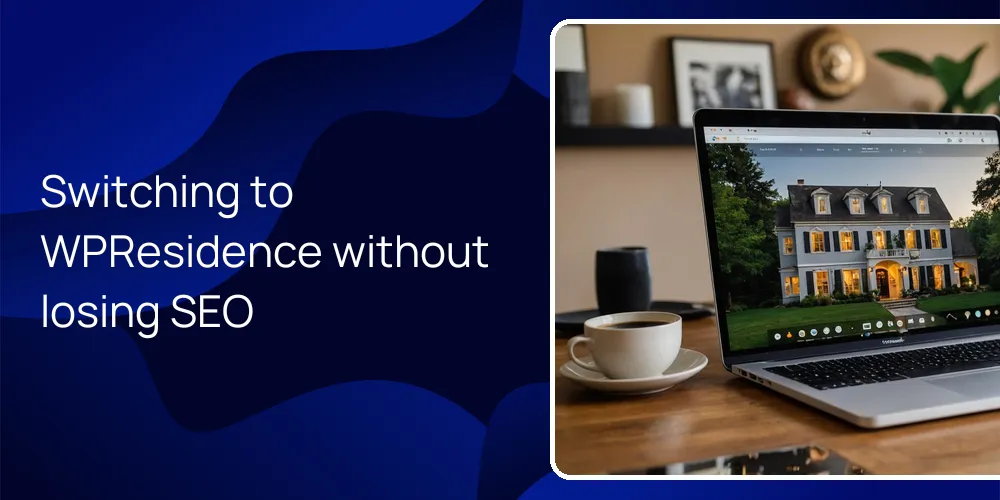
Switching from a brokerage site to WPResidence is usually manageable if you plan the steps. Your pages, posts, and media stay in WordPress, and property data can move across with careful mapping. The main work is reconnecting menus, rebuilding a few layouts, and setting redirects for any changed links. That way, search engines and visitors reach the same content in a cleaner layout.
Will switching to this theme break my existing pages and listings?
Changing themes keeps your content intact, but you must reconnect menus and widgets once.
In WordPress, switching to WPResidence does not delete existing pages, posts, or media, since all live in your database. The theme controls how things look, not whether the content exists. You can change designs many times and your About page, blog posts, and uploaded photos still remain. What actually changes is which templates and layout rules wrap that content.
After you activate WPResidence, you go into Appearance and reassign menus, widgets, and sidebars a single time. WPResidence then handles layout work and adds property grids, search areas, and header styles without touching core content. For older pages, you can keep the text and just place them in the new menu, so people still reach the same information at the same URL.
Listings from a brokerage feed or older theme behave a bit differently, because WPResidence has its own Property custom post type. At first that sounds like extra work. It is actually helpful, since it separates real properties from regular pages and posts and gives real-estate fields like price, bedrooms, and address. You can import or copy listings into this type and keep the old set as backup while you check results.
For your main site pages, the Design Studio tools and ready-made templates in WPResidence help you rebuild a Home, About, and Contact layout around your existing text and images. You can import a demo, swap in your content section by section, and remove demo listings after your own properties are in place. In practice, nothing breaks, but you do spend focused time wiring your old content into the new, more flexible structure.
How can I move property data from a brokerage site into WPResidence?
Property data usually moves by exporting from your current platform and mapping fields into the new site.
The common path is simple enough: export listings from your brokerage or vendor as CSV or XML, then bring them into WordPress. WPResidence stores properties in its own Property post type, so each field such as price, address, and area maps cleanly. Many MLS (Multiple Listing Service) or brokerage back ends already have an Export listings option, and even a basic CSV file works with import tools.
Inside this setup, you use an importer plugin or service to map each column from your export to a property field in WPResidence. Price goes to the price field, street goes to address, beds and baths go to their fields, and any extra data becomes custom fields. Because WPResidence is built for real estate, that mapping step feels logical and you can reuse it, and you can test with 10 properties before importing 1,000.
| Migrating from | Typical export format | How it maps into WPResidence |
|---|---|---|
| Brokerage-provided site | CSV of listings | Columns mapped to property fields like price and address |
| IDX or MLS vendor | XML or IDX feed | Feed connected directly to property post type |
| Another WordPress setup | Existing custom post type | Fields re-mapped to new property field structure |
| Internal office system | Spreadsheet export | Columns matched to WPResidence property fields |
The point of this mapping is control, since you decide how each piece of data lands in the WPResidence setup. After the import, you can connect each property to the right agent or agency using the theme roles, so listings still belong to the right people. Demo properties can stay as placeholders until your real listings are fully imported and checked, which avoids a blank site while you finish.
What steps help preserve my current rankings and organic traffic?
Matching your old URL structure and adding 301 redirects cuts most SEO risk during a redesign.
The strongest move for SEO is to keep existing URLs for pages, posts, and key property types when you move to WPResidence. In WordPress settings, you mirror your current permalink structure, then match slugs like /neighborhoods/downtown or /homes-for-sale/city-name to your new pages. Search engines care a lot about those addresses, so keeping them steady protects trust you already earned.
An SEO plugin lets you copy or recreate titles, meta descriptions, and schema from your brokerage site. WPResidence works with leading SEO plugins, so you can keep consistent snippets that show in results. Where URLs must change, you add 301 redirects from the old address to the new one. Plan at least 20 minutes to map and redirect your top 20 to 50 pages so authority flows in the right direction.
Inside the theme, you rebuild key content types like city pages, neighborhood guides, and blog posts so they sit in a clear, linked structure. WPResidence templates can list properties by city, neighborhood, or other taxonomies, which keeps internal linking strong. When search bots crawl the new site, they still find deep local pages that point to matching listings, so the topic focus of your domain stays stable.
During launch, you can keep both old and new versions running by using a staging site, then update DNS in a short window once you’ve checked the main SEO details. After the switch, you watch crawl errors in tools like Search Console and add any missing redirects. With those steps and stable content in WPResidence, most sites see only a small, short dip in traffic instead of a long drop.
How long does a typical migration to this theme really take?
Simple single-agent sites can move in days, while large brokerages should plan several weeks.
One-click demo import in WPResidence gives you a full starter layout in a few minutes, which removes a lot of setup. A solo agent with around 5 to 10 main pages can usually swap in content and update branding within 3 to 5 working days. That includes menus, colors, and pasting existing copy and photos into the new sections.
A bigger brokerage site with many listings, team profiles, and city sections needs more time for field mapping, import tests, and checks. In that case, planning 3 to 4 weeks is reasonable so you are not rushing data or SEO checks. At first that timeline may feel slow, yet fixing a rushed launch later hurts more. Building on a staging copy with WPResidence avoids downtime; when you’re ready, you just switch DNS or update domain mapping so visitors see the new design without the messy middle stage.
Can I keep my lead-generation forms, saved searches and CRM data?
Lead forms and alerts are easy to rebuild, and your contact database can move into your chosen CRM.
Your exact brokerage forms cannot be dragged over as-is, but you can rebuild the same paths inside WPResidence. The theme includes built-in lead forms on listings and contact pages, which send inquiries into the WordPress dashboard and optionally your email or CRM. You recreate main forms like Schedule a Tour or Request Valuation once, then reuse them across pages and listings.
Saved searches and alerts work by user accounts on the new site, so visitors set up new alerts after launch. In practice, that means telling active clients the site changed and asking them to register and create new alerts, which often takes under 5 minutes per person. WPResidence handles those alerts for you, so once people are signed up, they keep getting matching listings from the new system instead of the brokerage portal. It sounds like a hassle, and a few people will ignore the invite, but the trade-off is control.
- Rebuild or map essential contact and valuation forms using WPResidence form tools.
- Connect your email marketing or CRM integration so new leads sync automatically.
- Invite past clients and prospects to create accounts on the new site for saved searches.
- Test all lead paths (contact forms, listing inquiries, newsletter signups) before launch.
Your existing contact and lead database usually stays with your CRM or brokerage export, and that’s fine. You export those contacts and import them into your own CRM or email service, then connect that system to your new WPResidence site. After that, new leads flow into the same place, and you’re no longer tied to a brokerage website for storing or using that data.
FAQ
Will I lose ownership of my content and listings when I switch themes?
You keep ownership of your content and listings because everything lives on your own hosting.
When you move into WPResidence on WordPress, your pages, posts, media, and property data sit in a database you control. At first this seems minor. It is not. The theme just changes how those records look to visitors, not who owns them. Backups, exports, and even future moves to another setup stay possible because nothing is locked in a vendor system.
Can I launch the new site without taking my current site offline?
You can build the new design on a staging site, then switch live with almost no visible downtime.
The safe pattern is to install WPResidence on a staging domain or subdomain and move content and design work there. Visitors keep seeing your old brokerage site while you test the new one in private. When ready, you update DNS or point the main domain to the new host, which usually finishes within a few hours.
What happens to my blog posts and neighborhood pages when I activate WPResidence?
Your blog posts and neighborhood pages remain in place and simply take on the new layout.
Activating WPResidence does not delete or rewrite those posts, because they are just WordPress entries in your database. They keep their URLs unless you change slugs, and they now show inside the theme templates. You can then add new internal links from those pages to WPResidence property grids so they keep supporting both SEO and lead capture.
Can I avoid having an empty site while I move from brokerage templates?
You can use WPResidence demos as placeholders so your site never looks empty during migration.
The one-click demos in WPResidence load sample pages, listings, and menus that form a working site. You can publish that demo-based site, then replace sections with your real content piece by piece. Visitors always see a full layout, while you quietly remove demo listings and pages as your own properties and content go live. It’s slightly odd running a mix of demo and real content for a while, but it keeps the site feeling complete.
Related articles
- Will we retain full ownership and control of our data (listings, leads, media) if we ever change themes or hosting providers later?
- If I decide to change themes or redesign in a few years, will my property data and content remain usable and portable, or will I be locked into WPResidence structures?
- How long does it usually take to fully transition a real estate website from a hosted platform to WordPress?