

What Is WordPress IDX and Why Should You Care?
I’ve built real estate WordPress themes for over 10 years. WPResidence and WPRentals combined have 32,000+ customers. And the single most common question I get in support tickets is some version of: “How do I get MLS listings on my site?”
The answer is IDX. But the real answer is more complicated than that.
IDX stands for Internet Data Exchange. It’s the system that lets real estate agents and brokers pull live MLS (Multiple Listing Service) data onto their own websites. Instead of sending buyers to Zillow or Realtor.com, you keep them on YOUR site, looking at YOUR listings, filling out YOUR contact forms.
A WordPress IDX plugin is the bridge between your WordPress site and MLS data. It connects to your local MLS board, pulls in property listings, and displays them on your website. Some do this well. Most do it badly.
That’s what this guide is about: the difference between the two.
IDX vs. MLS: The Difference That Matters
People confuse these two all the time. Here’s the short version:
MLS is the private database where real estate professionals share listing data. There are over 550 MLS boards in the US alone, each with its own rules, data formats, and access requirements. Think of it as the raw data source.
IDX is the permission system that lets you display that MLS data on a public website. Your MLS board grants you IDX access, and then you use a plugin or service to actually show the listings.
The confusion matters because not every “IDX plugin” connects to every MLS. Before you buy anything, check that the plugin or provider covers YOUR specific MLS board. I’ve seen agents spend $200 setting up a plugin only to discover it doesn’t work with their local MLS.
How WordPress IDX Plugins Actually Work (The Technical Side)
There are three ways a WordPress IDX plugin can deliver listings to your site. This is where most comparison articles fail you, because the method matters more than the feature list.
1. iFrame/FTP IDX (The Old Way)
The plugin loads listings inside an iFrame, basically a window into someone else’s server. Your site is a picture frame; the content belongs to the IDX provider.
The problem? Google can’t index iFrame content. Your listings don’t help your SEO at all. The search experience feels disconnected from your site. And if the provider’s server is slow, your listings are slow.
Most IDX plugins from 2012-2018 worked this way. Some still do.
2. RETS Feed (The Middle Ground)
RETS (Real Estate Transaction Standard) was the industry standard for years. The plugin downloads listing data from your MLS and stores it locally in your WordPress database. Listings become real pages on your site.
Better for SEO. Better for speed. But RETS is being phased out. The National Association of Realtors (NAR) mandated a transition to RESO Web API, and many MLS boards have already shut down their RETS servers.
If you’re picking a plugin today, don’t pick one that only supports RETS. You’ll be migrating again in 12-18 months.
3. RESO Web API (The Current Standard)
RESO Web API is the modern replacement for RETS. It’s faster, more standardized, and what every MLS board is moving toward. Plugins built on RESO Web API pull data through a clean, modern API and create native WordPress posts for each listing.
This is what you want. Native WordPress posts mean full SEO indexing, full theme compatibility, and full control over how listings look and behave.
What to Look for in a WordPress IDX Plugin
After working with dozens of IDX solutions (and watching thousands of customers struggle with them), here’s what actually matters. Not the marketing bullet points. The things that make or break your site.
SEO: Do Listings Become Real WordPress Pages?
This is the #1 question and it ties directly into your broader real estate SEO strategy. If listings live inside iFrames or on an external subdomain, Google ignores them. You want listings that create actual WordPress posts with their own URLs, their own meta tags, and their own schema markup. That’s how you rank for “3 bedroom house in [your city]” searches.
Speed: How Does It Handle 10,000+ Listings?
Some plugins buckle under heavy MLS data. If your MLS has 15,000 active listings, your plugin needs to sync that data without turning your site into a slug. Ask about sync frequency, server requirements, and whether it uses incremental updates or full data dumps.
Theme Compatibility
Not every plugin works with every theme. Some IDX plugins force their own listing templates, overriding your theme’s design. Others integrate with your theme’s property pages natively. If you’ve invested in a real estate theme like WPResidence, Houzez, or RealHomes, make sure the plugin actually respects your theme’s layout.
Lead Capture
The whole point of having listings on your site is to capture leads. Does the plugin support forced registration (where visitors must sign up to see full listing details)? Does it have saved search alerts? Does it integrate with your CRM?
Compliance
Every MLS board has display rules. Listing attribution, broker logos, data refresh requirements. A good plugin handles compliance automatically. A bad one makes it your problem.
Best WordPress IDX Plugins Compared
I’ve tested these personally or worked with them through our theme customers. Here’s an honest breakdown.
MLS Import Plugin (Our Top Pick)
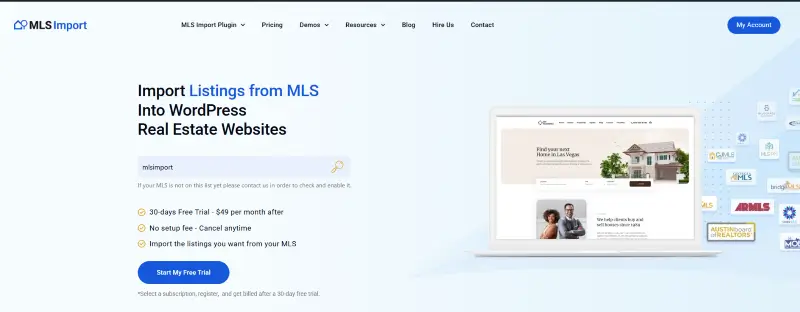
MLS Import is the plugin I built because none of the existing options did what I needed. Full disclosure: I’m the author. But here’s why it exists and why it’s different.
MLS Import creates native WordPress posts for every listing. Not iFrames. Not a subdomain. Real posts in your WordPress database with full SEO metadata, featured images, and custom fields. It uses the RESO Web API standard, which means it’s built for where the industry is going, not where it was five years ago.
What makes it different:
- Listings are actual WordPress custom post types, so they work with any theme that supports custom post types, including WPResidence, Houzez, and RealHomes
- Full RESO Web API support (not legacy RETS)
- Automatic photo downloads and optimization
- Developer-friendly with hooks and filters for custom integrations
- Multilingual ready
- Incremental sync so your site doesn’t choke on large MLS datasets
The downside: It requires a compatible theme. If you’re running a generic WordPress theme without real estate custom post types, you’ll need to add that layer yourself or switch to a supported theme.
CT IDX Pro+
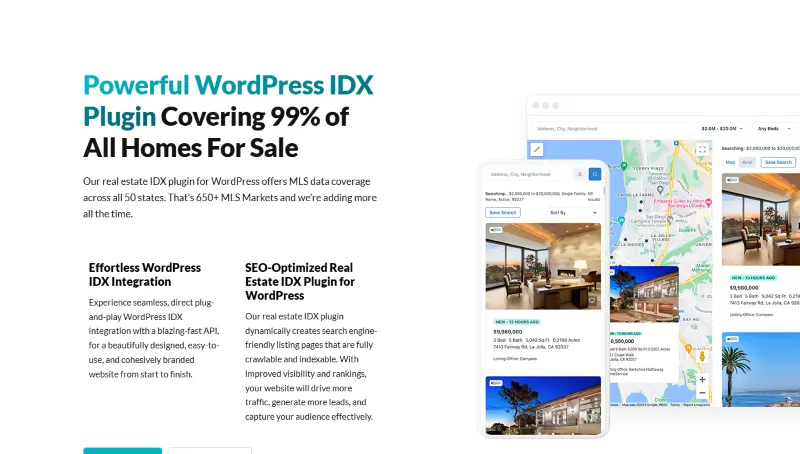
CT IDX Pro+ is built by Jeremie at Jeremie Jeremie. It’s fast, SEO-focused, and comes with automatic schema markup. If you’re using one of Contempo’s own themes (Real Estate 7, for example), the integration is tight.
Pros: Good page speed scores, automatic schema for listings, solid Google Maps search integration, and customizable filters. The team has been in the real estate WordPress space for a long time and they know the quirks of MLS data.
Cons: Works best with Contempo’s own themes. If you’re on a different theme, the integration requires more work. Pricing is on the higher side compared to alternatives.
Showcase IDX
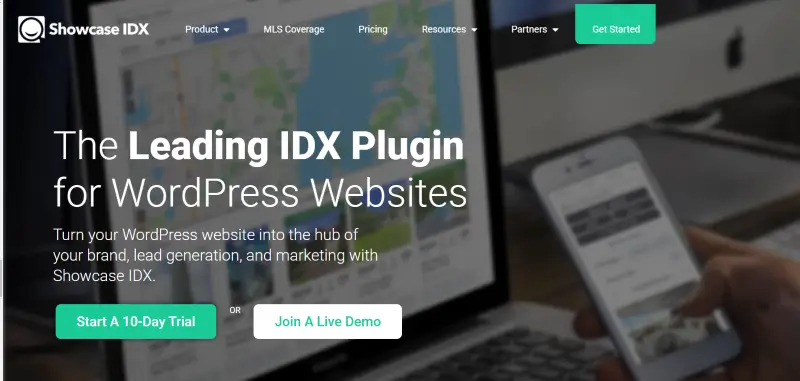
Showcase IDX focuses on user engagement and lead capture. Their property search interface is polished, and the analytics dashboard gives you data on what visitors are searching for.
Pros: Clean search UI, good analytics, works with most WordPress themes, and decent mobile experience. They cover a wide range of MLS boards across the US and Canada.
Cons: Monthly subscription model ($85+/month) adds up fast. Listings load via their servers (not native WordPress posts), which limits your SEO control. You’re renting the experience, not owning it.
SimplyRETS
SimplyRETS takes a developer-first approach. If you’re comfortable with PHP and want full control over how listings display, SimplyRETS gives you a clean API and WordPress shortcodes to build custom listing pages.
Pros: Very flexible. Clean API. Good documentation. No forced templates, so you can make it look however you want.
Cons: Not beginner-friendly. You’ll need development skills (or a developer) to make it work well. Limited out-of-the-box design options.
iHomefinder
iHomefinder has been around for years and is popular with teams and brokerages. They offer both an IDX plugin and a full hosted platform.
Pros: Mature product with good MLS coverage. Lead routing for teams. CRM integration. Market reports feature.
Cons: Monthly pricing can get expensive for individual agents. The plugin approach still uses their servers for listing display, similar to Showcase IDX. Lock-in risk if you want to switch later.
Quick Comparison Table
| Plugin | Native WP Posts | RESO Web API | Pricing Model | Best For |
|---|---|---|---|---|
| MLS Import | Yes | Yes | One-time + MLS fee | SEO-focused agents using WPResidence/Houzez |
| CT IDX Pro+ | Yes | Yes | Subscription | Contempo theme users, speed-focused |
| Showcase IDX | No (their server) | Varies | $85+/month | Lead capture, polished UX |
| SimplyRETS | Partial | Yes | Subscription | Developers who want full control |
| iHomefinder | No (their server) | Varies | Subscription | Teams and brokerages |
Free vs. Paid WordPress IDX Plugins
I get this question weekly: “Is there a free WordPress IDX plugin?” The short answer is no. Not one that’s worth using.
There are a few plugins that call themselves free, but they’re either demo versions with hard limits (show 10 listings max, no map search, no lead capture) or they’re wrappers around an iFrame feed that still requires a paid IDX provider subscription. The “free” part is the WordPress plugin. The actual MLS data access always costs money because your MLS board charges for it.
Here’s what free WordPress IDX options typically look like in practice:
- A plugin that displays a handful of sample listings but locks real MLS data behind a paid plan
- An iFrame embed code that technically works but gives you zero SEO value and no design control
- An open-source project that hasn’t been updated since 2019 and doesn’t support RESO Web API
Paid WordPress IDX plugins range from $99 one-time (MLS Import) to $150+/month (Showcase IDX, iHomefinder). The price difference comes down to the delivery method. Plugins that create native WordPress posts cost more upfront but less over time. Plugins that serve listings from external servers charge monthly because you’re renting their infrastructure.
My honest take: if you’re running a real estate business, the IDX plugin is not the place to cut corners. A $99 plugin that brings in 5 extra leads per month pays for itself on the first closing. A free plugin that sends zero organic traffic costs you a lot more than $99.
WordPress IDX vs. Portal Sites Like Zillow and Realtor.com
Here’s the question behind the question: if buyers can search Zillow, why bother adding IDX to your WordPress site at all?
Because Zillow works for Zillow, not for you. When a buyer finds a listing on Zillow, the lead goes to whoever paid for the zip code ad. That might be you. More likely it’s not. You’re paying to advertise on a platform that sells your own leads back to you and three competing agents.
A WordPress IDX site flips that. When someone finds a listing on YOUR website through Google, that lead is yours. No bidding. No competing agents on the same page. No “Premier Agent” upsell. Just a buyer on your site filling out your contact form.
The numbers back this up. Portal leads convert at roughly 2-3% because the buyer is comparison-shopping across agents. Organic website leads, the ones who found you through a Google search and landed on your WordPress IDX site, convert at 5-8% because they already chose YOU before they picked up the phone.
There’s also the data question. On Zillow, you don’t own anything. They change their algorithm, raise their ad prices, or decide to show fewer of your listings, and your lead flow disappears overnight. Your WordPress IDX site is yours. The content is in your database. The SEO equity is on your domain. The leads go to your CRM. Nobody can take that away.
Does that mean you should abandon Zillow entirely? No. Use it as one channel. But your WordPress IDX website should be the center of your online strategy, not Zillow’s ad dashboard.
WordPress IDX for Agents vs. Teams vs. Brokerages
Not every WordPress IDX setup looks the same. A solo agent in Tucson has different needs than a 40-person brokerage in Miami. Here’s how the plugin choice shifts depending on your operation.
Solo Agents
You need simple and affordable. One MLS feed, one service area, one website. The priority is SEO and lead capture because you’re competing against teams with bigger budgets. A native WordPress IDX plugin like MLS Import paired with a real estate theme gives you the most SEO horsepower per dollar. Skip the expensive monthly subscriptions. You don’t need team routing or multi-office features.
Teams (2-10 Agents)
Now lead routing matters. When a buyer fills out a form on a listing in Zone A, that lead should go to the agent who covers Zone A. You also want round-robin distribution so no single agent hogs all the leads. Plugins like iHomefinder handle this well out of the box. MLS Import can do it too if your theme or CRM supports assignment rules.
Teams also benefit from multiple landing page sets. Each agent builds neighborhood pages for their territory. The WordPress IDX plugin feeds listings to all of them from the same MLS connection. One subscription, multiple agents ranking for different local searches.
Brokerages
At the brokerage level, you’re dealing with multiple MLS boards, hundreds of agents, and compliance requirements that would make a solo agent’s head spin. You need a WordPress IDX solution that handles multi-MLS connections, agent sub-accounts, and office-level branding.
This is where the choice gets more expensive no matter what. Some brokerages run a central WordPress IDX site with agent profile pages. Others give each agent a subdomain or subfolder with their own IDX feed. The second approach is better for SEO because each agent builds domain authority for their specific neighborhoods.
Whatever your size, the core advice stays the same: pick a WordPress IDX plugin that creates native posts, focus on local landing pages, and capture every lead that touches your site.
How to Set Up IDX on Your WordPress Site
Here’s the short version. I won’t insult you with 15 screenshots of clicking “Install Plugin.”
Step 1: Get IDX access from your MLS board. This usually means filling out a form and waiting 3-10 business days. Some boards charge a monthly fee ($25-$50). There’s no way around this step.
Step 2: Pick a real estate theme for WordPress that supports custom property post types. WPResidence, Houzez, and RealHomes are the three most popular. Don’t try to bolt IDX onto a generic theme. It never works well.
Step 3: Install your IDX plugin and enter your MLS credentials. With MLS Import, you paste your RESO Web API key and select which listing types to sync (residential, commercial, land, etc.).
Step 4: Run your first sync and check the results. Look at the listing pages. Are photos importing correctly? Are addresses formatted right? Is the map working? Fix any data mapping issues now, before you have 10,000 listings on your site.
Step 5: Build landing pages for your target neighborhoods and property types. This is where the SEO magic happens. A page titled “Homes for Sale in Scottsdale AZ” with IDX listings filtered to Scottsdale will rank for local searches. Do this for every neighborhood you serve.
5 Mistakes That Kill Your IDX Website
I’ve seen these hundreds of times in support tickets. Don’t be that agent.
1. Choosing an iFrame-based IDX and wondering why Google ignores your listings. If your listings aren’t native WordPress pages, they’re invisible to search engines. Period.
2. Syncing every listing in the entire MLS. You don’t need 40,000 listings from 6 counties. Sync only your service area. Your site will be faster, your server will be happier, and your visitors will find relevant results.
3. Skipping neighborhood landing pages. The IDX plugin gets data onto your site. Landing pages are how you rank for local searches. Without them, you have a database. With them, you have an SEO machine.
4. Ignoring mobile. Over 60% of property searches happen on phones. If your IDX search is clunky on mobile, you’re losing the majority of your visitors.
5. Not setting up lead capture. Every IDX visitor who searches your site without leaving their contact info is a lost lead. Use saved searches, email alerts, and registration gates to capture those leads.
Success Story: Legacy Home Realtors
Legacy Home Realtors runs on WPResidence with MLS Import handling their IDX integration. They built neighborhood landing pages for each area they serve, set up automated email alerts for registered users, and used the native WordPress SEO structure to rank for local property searches.
The result? Their organic traffic grew significantly after switching from an iFrame-based IDX to native WordPress listings. More importantly, lead quality improved because visitors were finding them through specific, high-intent searches like “4 bedroom homes in [neighborhood]” instead of generic “houses for sale” queries.
Frequently Asked Questions
What is the best WordPress IDX plugin?
It depends on your setup. If you’re using a real estate theme like WPResidence or Houzez and want full SEO control, MLS Import is the strongest option because it creates native WordPress posts. If you want a polished, turnkey search experience and don’t mind a monthly subscription, Showcase IDX is solid. If you’re a developer who wants maximum flexibility, look at SimplyRETS.
How much does WordPress IDX cost?
You’ll have two costs: the plugin itself and your MLS board’s IDX access fee. Plugin pricing ranges from one-time purchases ($99-$299) to monthly subscriptions ($50-$150/month). MLS access fees vary by board but typically run $25-$50/month. Budget $100-$200/month total for a working IDX setup.
Is IDX good for SEO?
Only if your plugin creates native WordPress pages for listings. iFrame-based IDX gives you zero SEO benefit because Google can’t crawl the content. Native IDX (like MLS Import or CT IDX Pro+) turns every listing into an indexable page, which can generate thousands of long-tail search entries for your site.
Can I use IDX with any WordPress theme?
Technically, yes. Practically, no. IDX works best with themes built for real estate that have property custom post types, search forms, and map integrations. Trying to add IDX to a generic blog theme creates a disconnected experience. Start with a real estate theme.
What is the difference between IDX and VOW?
IDX (Internet Data Exchange) displays listings publicly on your website. VOW (Virtual Office Website) shows additional listing data but requires visitors to register and agree to terms first. VOW data often includes sold listings and additional property details not available through IDX. Some plugins support both.
Is there a free WordPress IDX plugin?
No free WordPress IDX plugin provides real MLS data in a usable way. Free options are either demo-limited, iFrame-based (no SEO value), or abandoned projects. The MLS data access itself always costs money because your board charges for it. Budget at least $99 for the plugin plus $25-$50/month for MLS access.
WordPress IDX vs. Zillow: which is better for leads?
Your own WordPress IDX site generates higher-quality leads. Portal leads convert at 2-3% because buyers are comparison-shopping across agents. Organic leads from your IDX site convert at 5-8% because the buyer already chose you. You also own the data and the SEO equity, which you don’t get on Zillow.
How long does it take to set up IDX on WordPress?
The plugin installation takes 30 minutes. Getting IDX access from your MLS board takes 3-10 business days. Building out neighborhood landing pages and configuring lead capture properly takes another 2-4 hours. Total time from start to a properly optimized IDX site: about 1-2 weeks.
What to Do Next
If you’re still running an iFrame IDX or you don’t have IDX at all, you’re leaving leads on the table every day. Here’s what I’d do:
Check if your MLS board supports RESO Web API (most do now). Pick a real estate theme if you don’t have one. Set up MLS Import or whichever plugin fits your situation. Build 5-10 neighborhood landing pages. Set up lead capture with email alerts.
That’s the playbook. It’s not complicated, but it works. If you want a deeper walkthrough, I wrote a comprehensive guide to MLS integration that covers the full process.
If you need help with the WPResidence + MLS Import setup, our support team can walk you through it.
FAQ
How do I make sure an IDX plugin actually works with my local MLS board?
Before you buy anything, verify that the plugin or IDX provider supports your specific MLS board, because not every “IDX plugin” connects to every MLS. MLS boards each have their own rules, data formats, and access requirements, and coverage varies by provider.
Practically, start by confirming you can get IDX access from your MLS board, then ask the plugin/provider which connection method they use (ideally RESO Web API) and whether they explicitly support your board. This prevents the common mistake of paying for setup and discovering it cannot connect to your MLS.
Which IDX delivery method is best for SEO on a WordPress real estate site?
For SEO, you want listings to become native WordPress pages (real posts in your WordPress database) with their own URLs and metadata. That typically means a feed-based approach where the plugin creates WordPress posts from MLS data, not an iFrame embed.
iFrame-based IDX is the weakest option for SEO because Google cannot index iFrame content, so your listings do not contribute to organic rankings. The modern best practice described here is RESO Web API, which creates native WordPress posts and gives you full control over how listings look and behave in your theme.
Do I need a real estate theme like WPResidence to use an IDX plugin?
Technically you can add IDX to many WordPress sites, but it works best with a real estate theme that already supports property custom post types, search, and map integrations. The guide specifically cautions against trying to bolt IDX onto a generic theme because the experience becomes disconnected and harder to maintain.
If you are using a theme like WPResidence (or similar real estate themes), a native-post IDX solution can integrate more cleanly with your property pages and layout. If your current theme does not have real estate custom post types, you will need to add that layer yourself or switch to a supported theme, depending on the plugin.
How much should I budget for a working WordPress IDX setup?
Plan for two separate costs: the IDX plugin (or service) and your MLS board’s IDX access fee. Plugin pricing in the guide ranges from one-time purchases (for example, $99 one-time is cited for MLS Import) to monthly subscriptions (for example, $85+/month is cited for Showcase IDX, and the article also mentions $150+/month for some hosted solutions).
On top of that, MLS boards typically charge for IDX access, with the guide giving a common range of $25-$50/month, and it notes that MLS access always costs money. As a practical planning number, the article suggests budgeting about $100-$200/month total for a working IDX setup.
What are the most common mistakes that make an IDX site slow or ineffective?
The biggest avoidable mistake is choosing an iFrame-based IDX and expecting SEO results, because iFrame listings are effectively invisible to search engines. Another common performance mistake is syncing every listing in the entire MLS instead of limiting the sync to your service area, which can add unnecessary load and slow the site.
Effectiveness problems also come from skipping neighborhood landing pages (which are used to rank for local searches), ignoring mobile experience (over 60% of property searches happen on phones), and failing to configure lead capture such as saved searches, email alerts, or registration gates. Fixing these basics is what turns IDX from a data feed into a lead-generating website.







