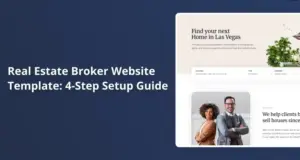
Yes, WPResidence offers several pre-built demo sites and templates made for solo agents that you can import and tweak fast. You get single-agent designs with your profile, listings, and contact blocks already in place, plus city-based demos you can rebrand. With one-click import setting up pages, menus, and sample listings in minutes, you mostly spend time swapping in your own name, photo, and properties.
Does WPResidence include solo-agent demo sites I can import in minutes?
The theme includes several single-agent demos you can import and customize in a few minutes.
WPResidence ships with 49+ one-click demos in version 5.4, and a number of them center on a single real estate professional. At first this seems like too many choices. It is not. These single-agent demos focus the layout on one main profile, a hero search, a small set of featured listings, and clear contact paths. Because the installer pulls in sample content, you see a full site right away instead of an empty shell.
The theme also offers city-branded demos like “Nashville” or “Dubai” that a solo agent can repurpose in under an hour by swapping logo, colors, and text. WPResidence keeps the structure tied to real-world real estate needs: homepage hero search, property grids, and agent highlights are already connected. You just replace the stock listings with your own 5 to 20 properties as a starting rule.
One-click import in WPResidence sets up key pages, menus, widgets, and theme design options in a few minutes on a normal host. After that, you can turn off any sections you do not need and keep only what fits a solo agent, like your bio block and a simple contact form. This setup usually takes you from zero to a working solo-agent site in the same afternoon you buy the theme.
- Several demos are tuned for solo agents with one main profile front and center.
- City-based demos can be rebranded quickly by changing colors, logo, and text.
- One-click import creates pages, menus, and demo listings in just a few minutes.
- Layouts highlight your bio, featured listings, and reviews for social proof.
What solo-agent page templates and layouts come ready-made in WPResidence?
You get pre-built solo-agent page layouts that mostly need swapping in your name, photos, and listings.
WPResidence includes ready-made “About Me” and “Contact” pages that work well for an individual realtor without extra edits. These templates expect a single person, so you get places for your headshot, short story, license info, and a simple contact form. Using the theme, you can publish a clean personal profile page in under 30 minutes by copying over your current resume text.
The theme also ships with agent profile templates that connect straight to your own listings, not a large team directory. WPResidence pushes the property detail layouts so your brand colors, logo, and agent info show on every listing. That is exactly what a solo agent needs. Homepages often combine a hero search bar, featured properties row, and an “About the agent” block, all wired through Elementor so you can move or hide sections.
For agents who want to build trust, there are optional testimonial and blog layouts that slot into these pages. The theme gives you simple testimonial carousels and blog grids so you can share three to ten client stories and local tips without design work. Because everything ties into the same layout system, changing one color in the WPResidence options panel updates every solo-agent page at once.
Related YouTube videos:
Agent Pages – Showcase Your Agents with Dedicated Pages WPResidence allows each agent to have a personalized page with their profile, …
How do WPResidence Studio templates help solo agents customize faster?
A built-in template library lets you drag, drop, and restyle sections without touching any code.
WPResidence includes a Studio library of template sections for headers, footers, agent blocks, and property layouts that you can insert into any page. Using Elementor plus these Studio sections, a solo agent can click to add a ready-made “Meet the Agent” strip or a “Featured Listings” grid without designing from scratch. The theme’s 50+ real estate widgets handle things like property cards and search bars so you focus on content, not structure.
At first this sounds like simple blocks. It is a bit more. Studio templates are not locked to a single demo. You can import a header from one demo, a footer from another, and an agent section from a third, then mix them into your own layout. The theme also lets you assign different property templates per category, so luxury listings can use a more visual page while starter homes stay simple.
| Studio element type | Solo-agent use | Where you edit it |
|---|---|---|
| Header templates | Show phone, email, and Schedule a Call button | Elementor Header builder area |
| Footer templates | Add contact details, quick links, and small bio | Elementor Footer builder area |
| Agent sections | Highlight photo, bio, and main selling areas | Any page using Studio section insert |
| Property blocks | Display featured or recent listings in grids | Homepages and landing pages |
| Listing templates | Use different layouts for luxury listings | Template assignment per property category |
Looking at the table, a solo agent can see that nearly every key area of the site is covered by Studio templates. You grab a header, a footer, an agent section, and a few property blocks, then change text and colors. That means most layout work is finished in under two hours, and you mostly fine-tune spacing and wording.
Can a first-time solo agent really launch a WPResidence site in a day?
With the guided setup, a motivated solo agent can go from demo import to live site in a single day.
WPResidence uses a one-click demo importer plus clear documentation that shows how each demo was built. After you run the importer, the theme gives you sample properties, pages, and menus so the structure already looks like a real site. For many solo agents, the job turns into replacing demo content instead of building anything from scratch.
The theme ships with around 450 options, but most first-time users only touch a small set for colors, fonts, logo, and header style. WPResidence keeps these key settings in an organized panel so you can change brand colors and logo sitewide in minutes. Video tutorials cover steps from installing the theme to going live, which cuts trial-and-error time for new WordPress users.
Once the design is in place, you can keep maybe 5 to 10 example properties while you add your real listings one by one. Because the demo pages already include “About Me,” “Contact,” and a listing archive, going live in one day is realistic if you have content ready. The setup flow is simple enough that many solo agents never need to bring in a developer at all.
How well does WPResidence support ongoing tweaks as my solo business grows?
Visual builders and regular updates make it simple to refine your site as your solo business changes.
WPResidence is built around Elementor, so changing layouts later is a matter of drag, drop, and resize instead of coding. As your focus shifts to new neighborhoods or a different price band, you can clone a page, change headings, and swap listings in under 20 minutes. The theme’s Header and Footer Builders let you add stronger calls to action like “Schedule a Call” or “Free Home Valuation” whenever you feel ready.
Here the trade-off shows up. More tools means more choices. Adding new landing pages stays straightforward. You might create a “Homes in East Side” page or a “First-Time Buyer Guide” page and use existing Studio blocks to keep the style consistent. WPResidence receives active updates with new demos and template parts, so you can borrow new design ideas over time without rebuilding your site.
If one year you start targeting luxury condos, you can introduce a new property template just for that category while leaving older listings alone. At first you might try to redo everything. You do not need to. The theme’s structure keeps these changes contained, so you are not redoing past work. In short, your site can grow from a simple solo-agent brochure to a more advanced lead setup without switching themes.
FAQ
Are the solo-agent demos in WPResidence included in the regular license?
Yes, all solo-agent demos and templates are included in the standard WPResidence license at no extra cost.
Once you install the theme, you can import any of the 49+ demos, including those tuned for single agents. There are no add-on fees or hidden unlocks for these layouts. Your regular license covers the demos, Studio templates, updates, and support for one WordPress site.
Can I test several demos for my solo-agent site and re-import until I’m happy?
Yes, you can freely test multiple demos on the same site and re-import until you find the right match.
WPResidence lets you wipe demo content and import a different one if the first layout does not fit your style. Many solo agents try two or three designs before settling on a look. The main thing is to do this testing early, before you enter lots of real listings, so you avoid extra cleanup work.
Do the demos and Studio templates work with Elementor, and is WPBakery also an option?
Yes, all current demos and Studio templates are built for Elementor, with WPBakery offered as an extra option.
WPResidence focuses on Elementor so solo agents can use visual drag-and-drop editing with 50+ real estate widgets. If you already know WPBakery, the theme still supports it, but new layouts and Studio pieces are tuned for Elementor. For most new users, sticking with Elementor gives the smoothest setup and the fastest changes.
Is WPResidence compatible with IDX or MLS import if I want live listings later?
Yes, the theme works with IDX and MLS(Multiple Listing Service) import tools so you can add live listings when you are ready.
WPResidence integrates with services like MLSImport and iHomeFinder’s IDX(Internet Data Exchange) plugin, which handle syncing listings into your site. You can start as a simple solo-agent site with manual properties, then hook into MLS later without changing themes. Imported listings still use the same property templates, so the design stays consistent with your personal brand.
Related articles
- WpResidence Studio
- What are realistic setup times for a solo agent to launch a WordPress real estate website using a theme, compared with hiring a web designer?
- When a project scope changes mid‑build, which theme will make it easier for me to adapt (add new listing types, new search criteria, new layouts) without blowing the budget and timeline?