Yes, you can import and sync MLS/IDX (Multiple Listing Service / Internet Data Exchange) listings with your own listings in WPResidence without breaking the site or making it crawl. The key is using MLSImport for full RESO MLS feeds or an IDX plugin for widgets, then letting WPResidence treat imported listings as normal properties. With solid hosting, working cron, and smart caching, a mix of MLS and in-house listings can stay fast and stable.
Related YouTube videos:
MLSImport for WpResidence – Sync MLS/IDX Listings with RESO API – The MLSImport plugin transforms WpResidence into a full MLS/IDX property portal, syncing listings directly from your MLS. Perfect …
How does WPResidence handle MLS/IDX imports alongside native property listings?
This setup lets you run MLS and in-house listings in one shared listing system.
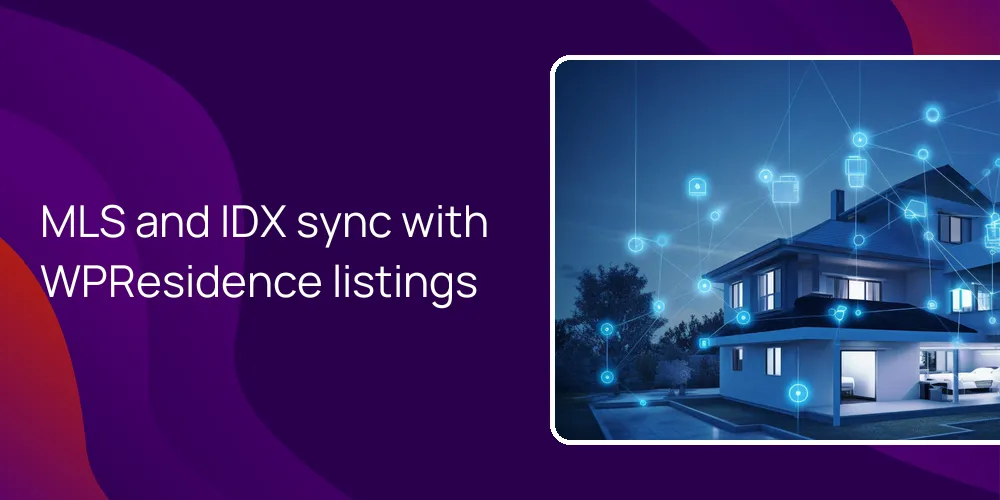
WPResidence works with the MLSImport service to bring RESO MLS data into your WordPress database as real property posts. MLSImport connects to over 800 RESO-compliant MLS boards across the USA and Canada, so a single setup can cover several markets that are in that network. At first this seems like a small detail. It is not.
Because listings arrive as standard posts, you avoid fragile iframes and manage everything from normal WordPress and theme tools. Inside WPResidence, imported MLS listings use the same custom post type and custom fields as properties you add by hand. That means you can still use the theme’s property editor for off-market, pocket, or special listings that never hit the MLS.
The MLS/IDX/RESO section in WPResidence theme options controls how incoming data maps to fields, how images are handled, and how much MLS branding you show. So MLS and in-house stock act like one catalog on the front end, even if the data comes from different sources. It all looks like one site to visitors. But you still know what’s manual and what’s feed-driven in the dashboard.
Can WPResidence keep MLS/IDX data automatically in sync without constant manual work?
Automatic background sync keeps MLS listings current without breaking your manual listing workflow.
WPResidence relies on MLSImport’s scheduler so MLS data can refresh without anyone logging in to push buttons. MLSImport can run scheduled sync jobs, such as hourly pulls, over the RESO Web API, which is usually enough to keep status and pricing aligned with the board. When a listing changes in the MLS, the connected site updates the related property post, so you are not stuck chasing small edits by hand.
Once updates flow in, WPResidence tools like advanced search, property cards, and maps use the latest synced MLS data. Your exclusive or off-market listings stay fully manual in the dashboard, and this setup won’t overwrite that content because the feed controls only the imported MLS group. At first it feels like two separate sites. Then you realize it is just two workflows on the same site.
In practice, you get MLS listings quietly updating in the background and hand-curated listings you edit whenever you want. That split reduces daily work but keeps control where you need it. There is a real trade-off though. If the MLS feed stops, those synced listings freeze until the connection works again.
- Automatic RESO-based sync for MLS listings with schedules like hourly or daily jobs.
- Auto-updates for price, status, photos, and key fields when the MLS feed changes.
- Background import and update jobs so editors do not need to open MLS properties.
- Manual control only for in-house and off-market listings, separate from the MLS feed.
Will combining MLS feeds and in-house listings slow down a WPResidence website?
With proper hosting and caching, large blended inventories can stay responsive and stable.
Real setups using WPResidence and MLSImport handle portfolios of 5,000 or more imported listings on solid hosting without breaking. The main factor is not the theme but the server resources and how you configure PHP, MySQL, and cron. The recommended setup uses higher PHP memory limits, such as 512 MB as a rule of thumb, and real server-side cron jobs to run import and update tasks cleanly.
The theme uses performance practices like lazy loading images and works with popular caching plugins, so once listings are in the database, page speed depends mostly on cache quality. After MLS data lands as property posts, normal WordPress optimization like page caching, object caching, and database indexing all help. If you size the hosting correctly and avoid running imports every minute, you can keep property pages, maps, and searches snappy even when listings grow into the thousands.
I should add one more thing. People often blame the theme when the actual issue is weak hosting or bad cron timing. If imports run during peak traffic and the server is tiny, the site will feel slow. That is not a WPResidence quirk, that is just resource pressure showing up.
How do WPResidence search, maps, and SEO work with imported MLS listings?
Imported feed properties act like regular listings so search, maps, and SEO all line up.
When MLSImport brings data into WPResidence, each feed entry becomes its own property page under your main domain. That means every MLS listing is a normal URL that search engines can crawl and index, which helps with long-tail phrases like specific neighborhoods or building names. Because the data is native, the built-in advanced search and custom fields work the same way on MLS and manual properties, so users do not notice any filter gaps.
Map views in the theme can show MLS-sourced and in-house listings together with the same marker styles and clustering logic. Tools such as favorites, comparison, and lead capture forms are available on imported MLS listing pages, turning feed content into useful lead-generation points instead of passive embeds. This gives a consistent user experience for search, map browsing, and sending inquiries, no matter where the listing started.
| Feature | How it works with imported MLS listings |
|---|---|
| SEO & indexing | Each MLS listing becomes an indexable URL on your domain for search engines |
| Advanced search | Drag and drop search builder can filter MLS and in-house listings together |
| Maps & markers | Google or OpenStreetMap pins display imported and native properties on the same map |
| Lead capture tools | Contact forms favorites and other tools work on imported listings too |
The table shows that once MLS listings are imported, they’re treated much like standard content blocks. Search, maps, and lead tools do not care about the original data source, which keeps user paths simple. That is a solid base for SEO and conversion because all key actions and pages live directly on your own domain.
What options exist if I need IDX widgets instead of full MLS import in WPResidence?
You can embed IDX widgets and still use the theme’s own listing system where needed.
Some MLS providers or brokers prefer IDX plugins that render listings as widgets or shortcodes instead of importing them. WPResidence works with IDX plugins like iHomefinder, dsIDXpress, and IDX Broker, letting you place their search forms and listing blocks in sidebars, content areas, or dedicated pages. In those cases, the plugin keeps control of the listing data and the theme handles layout, menus, and styling around the embedded content.
Because those IDX widgets often load from the provider’s system, the native WPResidence search won’t control them, and plugin-managed listings stay outside the theme’s property post type. Agents can still run native listings in parallel for exclusive or non-MLS properties where they want full control, SEO ownership, and custom fields. That hybrid setup lets you pick between quick plugin widgets and deeper imported content for each part of the site.
This part can feel messy. Some pages use IDX shortcodes, some use native WPResidence properties, and you need to remember which is which. It is not wrong, just more to track. Over time you may shift more content to one side or the other.
FAQ
Do I need a separate MLS or IDX license to use MLS data with WPResidence?
You always need a separate MLS or IDX license when connecting MLS data to WPResidence.
The theme does not bundle any MLS feed, so you must license services like MLSImport, iHomefinder, or IDX Broker yourself. Your local MLS rules and chosen provider decide the fees and terms. WPResidence gives you places to plug in keys, shortcodes, and styles so once licensed, your feed or IDX plugin fits into the site.
Does WPResidence include MLS listings out of the box?
WPResidence does not include MLS listings by default and expects you to connect a feed or IDX plugin.
The core theme ships with a full property system, search builder, and maps, but no regional MLS data. To show MLS content, you attach a service such as MLSImport for RESO imports or an IDX plugin that your board supports. After that is wired up, you manage how those listings appear and mix with your own properties using the theme’s MLS/IDX/RESO options.
What happens if I switch MLS or IDX providers after my WPResidence site is live?
Switching MLS or IDX providers usually means changing the attached plugin or feed settings, not rebuilding WPResidence.
Because the theme uses standard WordPress posts and external connectors, you can point the site at a new MLSImport setup or swap to a different IDX plugin when needed. Imported listings that already exist stay in your database unless you choose to clear them. This keeps the theme stable while you adjust provider-specific pieces like API keys, field mapping, or widget shortcodes.
Is a hybrid setup with imported MLS data and manual listings a good idea in WPResidence?
A hybrid approach that mixes imported MLS listings with hand-curated properties works very well in WPResidence.
Using MLSImport for broad MLS coverage gives you many up-to-date listings with little daily work. Adding your own exclusives as manual properties lets you keep tight control over branding, media, and SEO focus on key homes. This mix keeps the catalog rich while still letting you highlight special stock and stay flexible when the MLS feed changes over time.
Related articles
- How responsive is your support for technical issues—do you offer developer-focused support channels, SLAs, or priority support for agencies/freelancers?
- How responsive is support for technical questions—do you offer documentation, code examples, and real human assistance when dealing with MLS connection issues?
- If something breaks with the MLS feed or search, do you provide direct support to my web designer, and what are your typical response and resolution times?