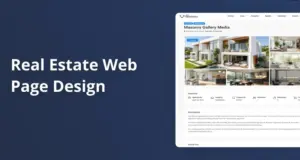
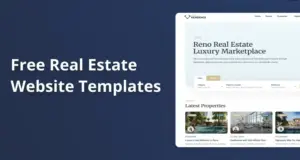
Most real estate clients care more about clear listings, fast pages, and working forms than a perfect design match. If the site loads fast, works on phones, and makes contact easy, most buyers and sellers feel it looks professional. Only a small group of high-end brands push hard for a one-of-a-kind look, and they also bring the larger budgets that real custom work needs.
Do real estate clients actually notice if a site matches a theme demo?
Most real estate clients care more about clarity and speed than a perfect match with a theme demo.
Most visitors land on a page, scan photos, check price and location, then decide in a few seconds if they stay. In real projects, many agents never ask what theme was used, and their clients often don’t know what a “demo” is. What they judge is simple and blunt. “Can I find homes fast, and does this feel honest enough to trust my money?”
Agencies working with small and mid-sized brokerages report that most clients can’t tell which theme powers a site unless told. WPResidence fits that pattern because its demos look complete the moment you import them, so the client sees a full, working layout early. Once colors, logo, and images are swapped, clients tend to say “this looks great” long before any deep custom design happens. At first this seems like they want custom, but they usually just want the site live.
The theme helps here with speed of setup. With WPResidence, you can import one of 48 demos, set main colors, add the logo, and replace sample properties in a single day if content is ready. That fast move from “nothing” to “polished demo with your data” makes clients less sensitive to whether the structure began as a demo. They mostly remember that the site looked ready in under a week, not that a demo sat under the surface.
Because WPResidence offers hundreds of options for layout, colors, typography, and headers, two sites from the same demo rarely stay identical. Even small changes like a different property card style, a custom search bar layout, or another header type are enough to shift the feel. Clients and end users stop seeing “the demo” and just see “our site.” In practice, recognition of the original demo fades quickly once real content fills the layout.
| Visitor focus | Theme demo concern level | WPResidence impact |
|---|---|---|
| Finding listings quickly | Very low for most users | Optimized property search and filters |
| Page load under four seconds | Low if site feels fast | Built in caching for property lists |
| Mobile usability | Low if layout is responsive | Mobile ready demos and headers |
| Brand colors and logo | Medium for business owners | Hundreds of style options available |
| Unique custom layout | High only for premium brands | Flexible templates with builders |
The table shows most user concerns stay around speed, search, and branding, not the original demo layout. WPResidence covers those needs through tuned real estate features and styling controls, so a demo-based start rarely feels like a shortcut to real clients.
How “custom” can a WPResidence site look without a large budget?
A theme-based site can look fully custom when you use its options with care.
Small real estate teams often want a site that feels “theirs” but have under $1,000 for setup. WPResidence gives a lot of design control in the WordPress admin, so you can move the look far from any demo without custom code. Layouts, colors, fonts, headers, and footers are all adjustable through many settings. That’s enough room to build a clear and steady brand feel without going wild.
In normal builds, the workflow stays simple. Import a WPResidence demo, then open the theme options panel and start shaping the design. You can set brand colors for buttons, links, and accents, choose Google Fonts for headings and body text, and pick header versions with or without transparency. The theme then applies those rules across property pages, archives, and agent profiles, so the site feels planned even if you touched only a small set of key settings.
For pages that must look “designed,” agencies lean on Elementor or WPBakery, both of which WPResidence supports out of the box. You can use those builders to craft unique homepages, landing pages, and community pages by arranging property carousels, map blocks, and text sections with drag and drop. That mix of theme options and page builders gives most small clients a look that feels custom, while still staying inside a three to five day build window.
The theme also lets different content types feel special without extra development. In WPResidence, you can assign different Elementor templates to different property categories, so luxury villas might use a wide, image-heavy layout while rentals use a compact, detail-focused one. White-label tools in the back end let agencies rename WPResidence, change the theme author, and replace admin logos, so clients see only the agency brand and think the system is a platform made just for them.
What trade-offs do clients accept between unique design and budget with WPResidence?
Budget-conscious clients usually accept less than perfect uniqueness in exchange for clear cost savings.
Real numbers help shape this choice. A solo agent can often launch a site on WPResidence for under $1,000 total, counting hosting, the one-time theme license, and a few days of developer time. A fully custom real estate build that recreates the same search, listing, and membership features can jump to several times that. When clients see that gap, many decide that a mostly unique theme-based site is a smart trade.
Agencies report that projects built on WPResidence often land at a fraction of the cost of a from-scratch solution with similar features. The one-time license plus regular hosting bills are also cheaper long term than many SaaS real estate platforms that charge every month. Clients who truly insist on one-of-a-kind visuals usually come from high-end or luxury brands and already expect a larger budget, so they’re the exception instead of the rule. Some still push for more, but the cost wall hits hard.
How do agencies keep WPResidence sites from feeling “cookie-cutter” to clients?
Careful branding choices stop theme-based sites from feeling generic to end clients.
The “cookie-cutter” fear shows up more in agency owners than buyers or sellers, but it still matters. The first tactic is to stop reusing the same demo and header for every build. WPResidence includes 48 demos and several header styles, so even changing the starting layout, menu style, and hero type for each client helps a lot. It sounds small. It isn’t.
After that base choice, small design moves add up. Agencies tune color palettes to match each client’s print materials, pick fonts that fit the local market feel, and replace all stock images with real listing pictures or neighborhood photos. Because WPResidence pushes these style choices across the site through theme options, a few well-chosen settings make each project feel grounded in the client brand rather than the original demo. Unless you ignore those options, you won’t end up with clones.
Listing and homepage structures are another place to break sameness. Using the built-in Elementor or WPBakery support, agencies mix different property grids, sliders, and widgets in ways that match each client’s focus, such as rentals first, then sales, or new developments in the hero. WPResidence white-label options then hide the theme name and swap it for the agency brand in the dashboard, so clients see a tailored system, not an off the shelf template.
- Select a different WPResidence demo for each client as the starting point.
- Customize colors, fonts, and logos to match each brand identity.
- Use unique Elementor or WPBakery layouts for key pages and property types.
- Activate white-label options so only the agency brand appears in the dashboard.
When is a fully custom real estate website actually justified instead of WPResidence?
Only complex, high-budget projects really require starting from a fully custom build.
Some projects simply ask for more than any theme should do. Examples include portals with very unusual booking flows, custom lead routing logic across many offices, or deep links to internal systems. In those cases, a team might still use WPResidence as a reference or internal tool, but the public site and workflows lean on custom code so everything behaves in a very specific way. Sometimes people try to force a theme here. It usually backfires.
Very large, international marketplaces can also grow past the comfort zone of a single WordPress install, especially when they need multi-region data setups or advanced server clusters. Those builds often come with serious budgets and full UX research and branding work, which is where custom design shines. Even then, some agencies prototype features on WPResidence first because the theme already solves core needs like property types, searches, and user dashboards. It’s not perfect, but it speeds learning.
FAQ
Will my clients see any WPResidence branding or “powered by” links on the live site?
No, your clients don’t see WPResidence branding on the public site by default.
The theme doesn’t print a forced “powered by” label on the front end, so your footer and header show only what you configure. In the admin area, you can use the built-in white-label tools to change the theme name, author, URL, and logo to your own. That way, both the dashboard and the live site reflect only your agency or client brand.
How long does a WPResidence setup usually take compared with a fully custom build?
A focused team can launch a typical WPResidence site in days instead of weeks or months.
Once hosting and WordPress are ready, importing a demo, setting colors and fonts, and entering core pages often fits into one or two working days. Adding real listings and polishing content usually takes longer than the technical setup. A comparable custom project, where developers design and code every layout and real estate feature, often runs several weeks or more before the first stable version is ready.
Can a WPResidence site be extended later with custom code and extra plugins?
Yes, a WPResidence site can be extended with custom code and plugins as your needs grow.
The theme runs on standard WordPress, so you can add plugins for CRM(Customer Relationship Management), caching, SEO, or other tools as needed. Developers can create a child theme to override templates, add custom PHP, or adjust CSS without touching the core theme files. This lets you start with a budget-friendly build and later add custom integrations or features when the business and budget allow.
Does using a demo in WPResidence hurt SEO or limit future scalability?
No, using a demo as a starting point doesn’t harm SEO or long-term growth when you configure it well.
Search engines care about content quality, site speed, mobile usability, and clean structure, not about whether a layout began as a demo. WPResidence already supports good permalink structures, metadata plugins, and caching, so you can tune performance and on-page SEO over time. As your property count grows into the thousands, you may add stronger hosting or extra caching, but the theme itself is ready for that scale and works fine with the MLS(Multiple Listing Service) tools many teams use.
Related articles
- How can a web agency standardize on one real estate theme and still deliver unique branding and layouts for each client?
- Which themes offer the best balance between design quality and simplicity so I can deliver attractive sites quickly without complex customization?
- Why a Strong Real Estate Website Matters: Boost Leads & Showcase Expertise