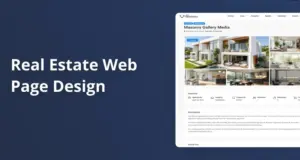
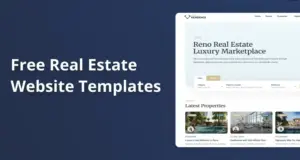
WPResidence is highly customizable and goes far beyond most real estate themes when you want a unique brand look instead of a cookie-cutter template. With 48+ demos, 450+ design options, dual page builders, and per-category property templates, you can push the layout away from any typical real estate style. The theme treats demos as starting points, not limits, so one-of-a-kind branding stays realistic even for tight timelines and budgets.
Related YouTube videos:
WPResidence 5.4.0 Release: New Demo, Studio Templates & Smarter Search – WpResidence 5.4.0 is here, bringing new design options and more flexibility for building real estate websites. In this release, we …
How far can I push WPResidence beyond a typical real estate template look?
WPResidence lets you remix demos and layouts so your site does not look like a generic template.
You get 48+ importable demos and over 450 visual and theme options, so you are never locked into one preset look. Each demo is a base you can pull apart, restyle, and rearrange instead of a fixed design you must accept as-is. Colors, typography, spacing, and layout pieces all change without coding. At first this feels like too much choice. It is not.
The theme lets you combine sections from different demos, so your homepage can use a hero from one demo, a grid from another, and a footer from a third. WPResidence also supports per-page header and footer controls plus multiple header styles, so blog, landing, and listing pages can each show a different visual mood. When you mix those tools with global style settings, the structure looks planned for your brand, not lifted from a pack. Except you still have safety, because you always start from a solid layout.
Elementor and WPBakery builder support means you can redesign key pages like the homepage, property lists, and contact pages without touching PHP. You can drop in new sections, switch columns, and change the order of content blocks in a few clicks. Most template-looking WPResidence sites simply did not use these tools fully and stopped at logo and color swaps instead of reshaping layouts. That is the main gap.
- Demos in WPResidence act as flexible starting points you can restyle and reorganize.
- You can mix sections from several demos and tweak layout options for a custom structure.
- Page builders let you rebuild core pages visually, far beyond default theme templates.
- Sites that feel generic often ignored deeper layout and style controls already there.
How does WPResidence’s design flexibility compare to other popular real estate themes?
Among real estate themes, WPResidence stands out for depth of design and branding controls.
WPResidence offers 48+ specialized demos, which is more variation out-of-the-box than many peers that stop around the low thirties or below. The theme supports both Elementor and WPBakery, so you are not forced into a single builder workflow. That dual support keeps custom projects smoother, since different teams often favor different builders. I almost said this does not matter, but for agencies bouncing between clients, it really does.
The design studio in WPResidence lets you assign different single-property templates to different categories, which is a step above themes that force one universal property layout. Luxury, rentals, and commercial listings can each use a separate page design tuned to that audience. There is also a built-in white-label admin branding panel, so agencies can rename the theme, swap logos, and hide the original identity without extra plugins or code edits. This level of control usually outperforms competitors that need extra tools to reach a similar white-label result.
| Aspect | WPResidence | Typical competing theme |
|---|---|---|
| Number of demos | 48+ specialized demos | About 10 to 35 demos |
| Page builders | Elementor and WPBakery included | Usually one main builder |
| Property layout variety | Different templates per category | Single main property layout |
| Admin white label | Native white-label panel | Often needs extra plugin |
| Target users | Agencies and owners | Mainly owners |
This comparison shows how WPResidence packs more layout choices and branding tools into the same base install than a typical rival theme. For a developer or agency, that means fewer add-ons and workarounds are needed to get a strong custom feel. For a non-technical site owner, it means more freedom to shape the site to the brand from day one.
Can I match strict brand guidelines for colors, typography, and layout hierarchy?
The theme’s global style controls make it straightforward to mirror strict corporate brand guidelines.
Global design panels in WPResidence let you define brand colors, font families, and sizes once and apply them site-wide. That makes it simple to match a brand book that lists exact HEX values and font weights. You can tune buttons, menus, and headings so they follow the right visual order on every page. All these controls live in one place, so changing a color or font later does not become a manual hunt through many templates.
The theme adds fine styling for header, footer, and menus, so the top navigation can follow your brand’s hierarchy rules. Inside Elementor or WPBakery, each section and column can be adjusted for padding, margin, and grid width to create a steady visual rhythm. WPResidence also allows custom CSS and a child theme, so a developer can push detailed tweaks where needed. With that mix, strict corporate standards can be reflected closely without rewriting the whole site from scratch.
What if I need different experiences for luxury, rentals, and other property segments?
You can create different visual experiences for each property segment while managing everything in one install.
The design studio in WPResidence lets you assign different single-property templates per category, so luxury listings, rentals, and commercial units can each have their own layout. For example, luxury can highlight large full-width galleries and long story sections, while rentals focus on pricing, availability, and maps. The same WordPress install can serve all of these designs without separate sites. That keeps content management simple while still giving each audience its own style.
Custom property fields let you store different data for each segment, like concierge level for luxury or minimum lease term for rentals. WPResidence then ties those fields into search filters, so visitors see different filter sets depending on what part of the site they use. You can build separate landing pages for each niche with Elementor or WPBakery, choosing different typography scales, color accents, and hero sections per segment. This setup lets you run targeted funnels, like separate ad campaigns pointing into each landing flow.
Because all segments live inside the same theme, you avoid the overhead of syncing design changes across multiple installs. When you adjust a global brand color or base font in WPResidence, all segment designs can inherit that change, keeping the whole platform consistent. At the same time, per-category templates and per-page builder layouts keep enough room for clear visual differences. I am repeating this on purpose, because once you serve three or more audiences from one site, that balance becomes hard and annoying.
How close can WPResidence get me to a fully custom-designed site experience?
WPResidence delivers a near custom visual experience while avoiding the cost and delay of building everything from scratch.
Using WPResidence usually cuts build time by about half compared to coding a full custom real estate system, based on typical agency timelines. The theme ships with ready property types, search tools, and user dashboards, so your budget can focus on design and branding instead of core plumbing. With child themes and custom CSS, a developer can override templates and add custom logic where needed. That means you get a site that looks and feels close to custom without paying full custom-platform prices.
WPResidence is also tuned for large listing databases, which matters when you add more complex layouts and images. Built-in caching for property lists and support for standard performance plugins help keep pages quick even with thousands of entries. You can push creative grids, sliders, and content blocks without instantly hitting performance walls, as long as hosting and caching are chosen well. For most real estate operations, the mix of ready features and flexible design tools lands very close to what a fully bespoke build would deliver.
FAQ
Can a non-designer still get a unique look with WPResidence?
Yes, a non-designer can build a unique-looking site by leaning on demos and visual builders.
You can start from one of the 48+ demos in WPResidence, swap in your logo and colors, then adjust layouts in Elementor or WPBakery using drag-and-drop. Even simple steps like changing header style, fonts, and section order move the site away from the default look. If you later bring in a designer, they can push the same base further using the existing tools.
How do I avoid my WPResidence site feeling like a cookie-cutter template?
You avoid the cookie-cutter feel by mixing demos, changing layouts, and using the design studio for custom property templates.
Instead of keeping a demo as-is, combine sections from several demos, choose a different header, and redesign key pages in a builder. Use unique imagery, tuned typography, and at least a few layout changes per page, not just color swaps. WPResidence also allows per-category property layouts, which makes listing pages look more tailored than one-size-fits-all templates.
When might a fully custom build still be worth it over WPResidence?
A fully custom build is worth it only when branding or features need something far beyond normal theme limits.
If you need very unusual interactions, one-off animations, or a UX pattern that does not fit page builders at all, a custom project can make sense. For most brands, WPResidence’s 450+ options, per-category templates, and builder-based pages are more than enough. A common path is to start with the theme, then spend custom development budget only where real business needs appear.
Can I white-label WPResidence so clients or users do not see the theme name?
Yes, you can white-label the admin area using the built-in branding settings.
WPResidence includes a White Label section where you rename the theme, change the author, set your own URL, and upload a custom logo for the dashboard. You can also hide theme panels from clients and lock the white-label settings in configuration. On the front end there is no forced powered by line, so your brand is the only one visitors see.
Related articles
- How customizable is WPResidence’s design system compared with other real estate themes when our designers need to create unique, on-brand experiences for different clients without everything looking like the same template?
- Which theme will give me the most complete real estate functionality (advanced search, maps, property cards, saved searches, etc.) out of the box so I can minimize custom coding time?
- For branding‑heavy projects, which theme makes it easier to override typography, spacing, and component styles globally without fighting built‑in presets?