
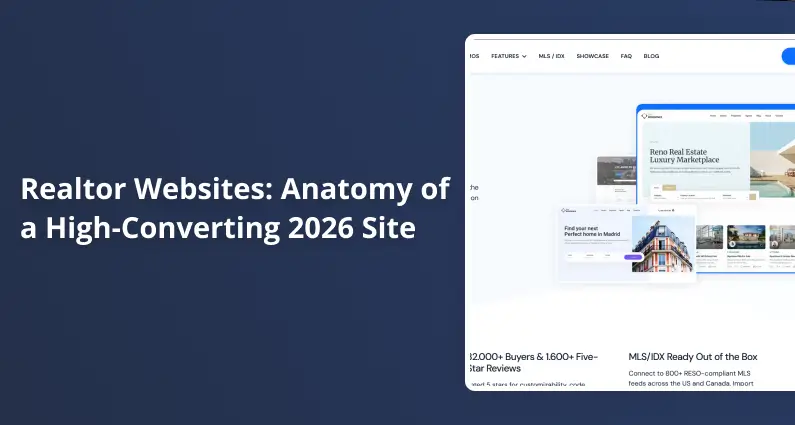
Realtor Websites: Anatomy of a High-Converting 2026 Site
Last updated: May 17, 2026
High-converting realtor websites move buyers through a six-step sequence: homepage to search, search to listing detail, listing detail to agent profile, agent profile to lead form, lead form to CRM, CRM to call.
The realtor websites that complete this sequence share the same anatomy: a search-first homepage, native IDX integration, a conversion-optimized listing detail page, a trust-building agent profile, local neighborhood content, and mobile-first mechanics on every page. NAR 2025 data shows 46% of buyers started their search online and 88% still closed with a human agent. The site is the bridge between those two facts: it captures the online researcher and hands them to you. This guide walks through every page of that bridge, section by section, with 2026 conversion data and benchmarks for each page.
The Page Templates Every Realtor Site Needs
Buyers spend weeks online researching before contacting an agent (per NAR 2025), so you need a dedicated page for each step of that journey.
Here are the sections every realtor website needs:
- Homepage. Your first impression and primary search entry.
- Property search. Your IDX-powered listing finder.
- Listing detail page. The decision room where buyers request a showing.
- Agent profile. Where trust and your qualifications live.
- Neighborhood guides. Long-tail local SEO traffic on autopilot.
- Blog and market updates. Authority plus return visits.
- Contact page. The lead capture fallback.
The good realtor website templates ship these pages pre-configured, so you edit content, not layouts.
| Page Template | What It Does for Conversion | Mobile Priority |
|---|---|---|
| Homepage | Routes the visitor into search or a call within one tap | Critical |
| Property Search | Turns browsing into saved-search email subscribers | Critical |
| Listing Detail | Earns the “Request a Showing” click | High |
| Agent Profile | Closes warm referrals after the credibility check | High |
| Neighborhood Guide | Pulls long-tail organic traffic for local queries | High |
| Blog / Market Updates | Builds topical authority and brings buyers back | Medium |
| Contact | Catches the cautious buyer who skipped every form | Medium |
The Homepage: One Job Above the Fold
Your homepage has one job: send the visitor into search or a conversation with you.
Three hero archetypes work: search-bar dominant (Zillow), value-prop dominant (“Find Your Austin Home Before Anyone Else Does”), or hybrid. The primary action must be visible without scrolling on any device.
Jakob Nielsen at NN/g found 52% of homepage screen space is “completely wasted on filler, self-promos, and blank space.” A Carrot A/B test shows simplified heroes can lift conversions by 40%+ on the same traffic, with one documented test moving from 259 to 398 conversions.
In WordPress, head to your theme’s Customizer for Homepage Layout options. Visual credibility is covered in our real estate website design guide; this section focuses on conversion mechanics.
On phones, your search bar must be thumb-reachable in the lower third. Full-bleed heroes need preloading to avoid LCP penalties.
NAR 2025 also found 43% of buyers found their agent through a friend or relative, so your site is the credibility check after the referral lands. Above the fold: headshot (not stock), brokerage, years in market, star rating, and homes sold locally. “112 families helped in Austin since 2018” beats “experienced agent.” Below, slot in three to six IDX cards.
Property Search and IDX: The Engine Under the Hood
IDX (Internet Data Exchange) is the display right the local MLS grants to brokers. Solo agents need broker authorization (NAR IDX Policy 7.58); coverage is local-only.
iFrame IDX puts listings on the vendor’s servers, so your domain earns zero SEO authority. Native IDX imports each listing as a post on your domain, so every page indexes on your URL. Native is what you want.
Per WPResidence’s 2026 checklist, the RESO Data Dictionary 1.7 was downgraded to “Certified Legacy” in April 2025. New builds should use the RESO Web API, not RETS. Ask any vendor: “Do you support the RESO Web API?” Solo plans run $50 to $150 per month.
The most conversion-friendly results view is the half map page: listings left, map right. A SennaLabs UX study measured users finding properties 30% faster than list-only. In your theme options, pick half-map. On phones, add a “Map” button that opens full-screen, large enough for a thumb.
Add “Save this search” with email alerts. Every alert brings the buyer back to your domain, not Zillow: one of the highest-retention lead captures on the site, per WPResidence’s 2026 realtor website checklist.
Filters hide one hazard: INP. JavaScript-heavy dropdowns and sliders are the interaction-to-next-paint targets Google measures, and INP must stay under 200ms (official Google thresholds). In builds we’ve audited, the IDX filter dropdowns are where INP dies first. Test those before anything else.
On each listing, add schema.org RealEstateListing JSON-LD. Rich snippets improve CTR 15 to 30%, per PlantAndGrowSEO citing Search Engine Journal 2024, and real-estate schema adoption is still low, so early adopters get outsized visibility. Your theme injects this automatically.
The Listing Detail Page: The Decision Room
Your gallery should carry 20+ high-res photos with a horizontal swipe on mobile. Preload only the first image for LCP; the rest lazy-load. PhotoUp’s virtual tour data reports listings with virtual tours get 87% more views, and buyers aged 18 to 34 are 130% more likely to book a showing with one. Place video below the gallery; autoplay on mobile costs LCP.
Everything a buyer needs to decide belongs on the property page, and order matters as much as presence. Above the fold: price, beds, baths, square footage, status, days on market. Pin a “Request a Showing” CTA to the bottom of mobile (or top of the desktop sidebar). Below, drop in a mortgage calculator; it anchors affordability and acts as a lead magnet.
Layer two schema types per listing: RealEstateListing and SingleFamilyResidence JSON-LD, with address, price, bedrooms, lot size, and agent. Add a neighborhood block (Walk Score, GreatSchools), lazy-loaded so the API calls don’t drag LCP. Your theme handles the schema injection automatically.
Agent Profile Pages: Your Personal Ranking Asset
A well-structured set of agent pages does something most sites overlook: it ranks for your own name in local search, turning your profile into a personal landing page.
Put on it: professional headshot (not stock), full legal name, license and state, brokerage, years licensed, transaction volume, specialty markets, languages, and embedded Google Reviews. To rank #1 for your own name, three things matter: full name in the H1, RealEstateAgent schema, and name in the meta title.
NAR Deputy Chief Economist Dr. Jessica Lautz put it plainly: “This is the biggest financial purchase of one’s life, and real estate agents are wanted and used by home buyers to help achieve the American dream.” Your profile has to convey competence, not just qualifications.
Three more lifts: a booking calendar (“Pick a time to talk”) beats a generic form; current IDX listings and recent solds show activity; a short video gives buyers a sense of who they’re calling. In WordPress, head to Pages and pick the Agent Profile template to see fields for every element above.
Lead Capture: Forms, Funnels, and the 5-Minute Rule
Multi-step forms work because people who start something tend to finish it. Open with a low-friction question (“What type of home?”) and save contact info for last. VentureHarbour’s multi-step form case studies have documented conversion lifts up to 743% in their published tests, though more modest 20 to 40% lifts are common in everyday A/B testing. Baymard Institute found most checkout flows ship 23.48 form elements, roughly double the ideal 12 to 14. On mobile, keep visible fields to 3 to 5 with a progress indicator.
After the NAR buyer-agent commission settlement, form labels should avoid language implying the buyer pays your commission. Use “No obligation. Let’s talk about what you’re looking for.” Skip “Connect with your buyer’s agent.”
A sticky CTA bar at the bottom of mobile (“Call [Your Name]” or “Save This Search”) is the most effective mobile conversion surface. Use exit-intent modals sparingly; Google penalizes intrusive interstitials.
Then there’s the 5-minute rule. InsideSales research (Oldroyd, 2007) found responding within 5 minutes makes lead qualification 21 times more likely than waiting 30 minutes. Use Follow Up Boss or HubSpot’s free tier. LionDesk was discontinued in September 2025, so skip it.
Local Content: Neighborhoods, Blog, and the Long-Tail Advantage
Neighborhood guides are your long-tail engine. Each targets “[Neighborhood] homes for sale” with median sale price, school ratings, walkability score, commute to the CBD, a human-written paragraph, and 3 to 5 IDX listings.
In WordPress, head to Pages, then Add New and pick the Neighborhood Guide template. You’ll see fields for median sale price, school ratings, and an IDX widget. Monthly hyper-local updates (“Days on market in 78704 fell from 28 to 19 this month”) build topical authority fast.
Per AgentImage (citing BrightLocal), 98% of consumers read local reviews before contacting a business, making Google Business Profile the #1 local ranking signal. Add Article or BlogPosting schema with a dateModified property (your theme handles this), and lazy-load maps and photos to keep LCP under 2.5s.
Mobile-First: What “Optimized” Actually Means
70% of home searchers used mobile or tablet (NAR 2025). Google completed mobile-first indexing in October 2023, so your mobile version is the version Google ranks. “Responsive” is not “mobile optimized.” Responsive just means the layout doesn’t break.
Here’s the mobile optimization checklist for realtor websites:
- Tap targets large enough for a thumb.
- Click-to-call in the header (a single tap wins more conversations than any form).
- Sticky bottom CTA bar always visible.
- Swipe gallery with a thumb-friendly handle.
- Map toggle that opens full-screen on tap.
- Form fields 3 to 5 visible, with a numeric keyboard for ZIP and phone.
- LCP under 2.5 seconds on 4G.
A good theme handles most defaults. To verify, head to PageSpeed Insights and test your mobile homepage and a sample listing. On the realtor sites we’ve tested, the sticky call button is consistently the second-most-tapped element after the search bar.
Martin Splitt from Google Search Relations: “We highly recommend site owners achieve good Core Web Vitals for success with Search.” Per the 2024 HTTP Archive Web Almanac, 74% of mobile sites pass INP under 200ms, but the overall mobile Core Web Vitals pass rate dropped from 48% under FID to 43% once INP took over on March 12, 2024. The metric got harder, not the web worse. In the realtor sites we’ve audited, IDX filter dropdowns are typically the slowest interaction.
Copy That Converts: Headlines, CTAs, and Microcopy
Hero headline: benefit-led beats product-led. “Find Your Austin Home Before Anyone Else Does” beats “Search Austin MLS Listings.” For CTAs, use first-person. “Find My Home” beats “Search Homes.” “Get My Home Value” beats “Request a CMA.” Trust-reduction copy on forms (“No spam. Takes 30 seconds. No obligation.”) removes a reason to hesitate. Use one. Stack three and you signal anxiety.
Property card copy: 3-line formula of price plus beds, baths, square footage; one standout feature (“Corner lot, updated kitchen”); a micro-CTA (“See photos”). For social proof, “112 homes sold in Austin since 2018” beats “12 years in real estate.” Keep post-settlement buyer CTAs neutral: “Let’s talk about your search,” not “Connect with your buyer’s agent.”
Head to your theme’s Customizer for editable text on every hero, button, and form.
Building It: Implementation Foundations
WPResidence is the wordpress theme for real estate brokers and solo agents that we built around the same anatomy this guide describes. Disclosure: it’s made by the team behind this guide, so we’re not neutral. We’ve watched plenty of realtor builds, and the same six anatomical pieces decide the conversion outcome regardless of theme. It’s built around native IDX, and the half-map search, listing detail, agent profile, and neighborhood templates ship pre-configured. You pick colors and content, not code.
A few features you get out of the box:
- Half-map search with polygon draw and saved-search alerts
- Listing detail template with sticky agent CTA and mortgage calculator
- Agent profile template with RealEstateAgent schema built in
- Neighborhood guide template with walkability and school data hooks
- RESO Web API integration for modern IDX vendors
- Mobile-optimized defaults that pass Core Web Vitals out of the box
Most realtor websites launch in days with WPResidence, not months. Pricing is a one-time license fee with lifetime updates.
Your footer needs a Fair Housing statement, Equal Housing Opportunity logo, license number, GDPR cookie consent for EU traffic, and WCAG 2.1 AA accessibility. Head to Appearance, then Widgets, to fill the slots.
Key Takeaways
- Realtor websites that show the search bar above the fold reduce bounce and lift lead-form conversions.
- Native IDX builds SEO authority on your domain; iFrame IDX gives it to the vendor’s subdomain.
- INP replaced FID on March 12, 2024, and the harder metric dropped overall mobile CWV pass rates from 48% to 43%; on realtor sites the slowest interaction is typically the IDX filter dropdown.
- Multi-step lead forms reliably outperform single-step, with documented lifts up to 743% in headline cases and 20 to 40% in everyday A/B tests; keep 3 to 5 fields visible on mobile.
- The half-map layout helps buyers find properties 30% faster than list-only search.
Frequently Asked Questions
What should a realtor website include?
Seven core pages: homepage with a visible search bar, IDX property search, listing detail pages, agent profile, neighborhood guides, blog or market updates, and a contact page. Mobile optimization and lead capture mechanics matter as much as the page list. WPResidence ships all seven as pre-configured templates, so you edit content, not layouts.
Do realtors need their own website?
Yes. A Zillow profile routes leads into Zillow’s CRM, not yours, and a brokerage roster page disappears the day you change firms. Your own domain is a property you control. NAR 2025 found 46% of buyers started their search online and 88% closed with an agent. WPResidence bundles the IDX, lead capture, and agent profile pieces.
What is the best WordPress theme for realtor websites?
WPResidence is our top pick. It ships the half-map search, listing detail, agent profile, and neighborhood guide templates pre-configured, so you pick colors and content, not code. Native IDX integration is built in, which means listings index on your own domain instead of the vendor’s subdomain.
How do I get my realtor website to rank on Google?
Three levers: native IDX so listing pages index on your domain; neighborhood guides for hyper-local queries; RealEstateAgent and RealEstateListing schema. Mobile-first indexing (October 2023) makes LCP under 2.5s and INP under 200ms the baseline. WPResidence injects both schemas automatically, so you skip the manual setup.
What is the best layout for a realtor website search page?
The half-map layout (listing cards left, map right) outperforms list-only and grid-only views. A SennaLabs UX study found users locate properties 30% faster with map-based search. On mobile, the split collapses to a single view with a map-toggle. WPResidence ships the half-map as the default search template, so you get this out of the box.
For more on building realtor websites that convert, you may also want:
- realtor website templates guide
- real estate website design deep dive
- property page walkthrough







