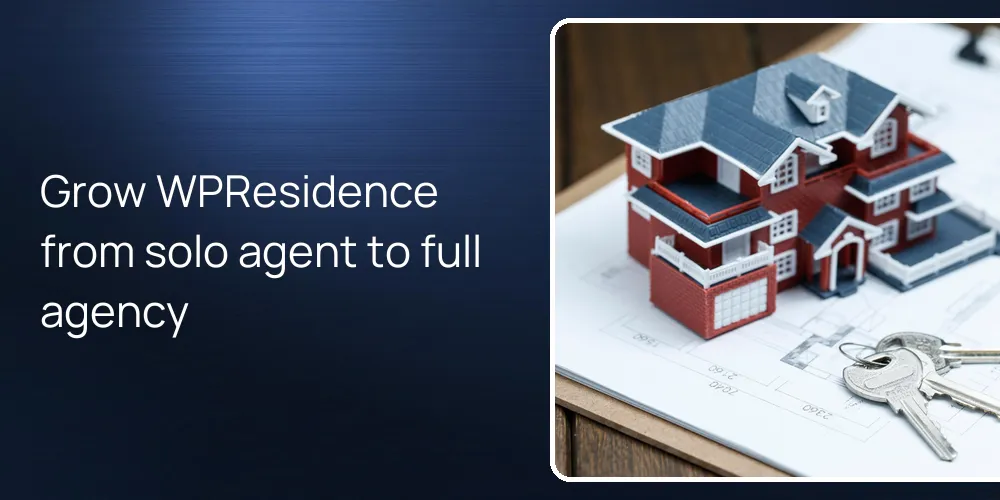
WPResidence is flexible enough that you can start solo and grow into a team or agency without changing themes. You turn more options on over time instead of throwing work away, so your listings, design, and SEO stay in place. Settings for agents, agencies, payments, and lead routing already exist in the theme, ready for when you want to scale.
Can I start as a solo agent on WPResidence and grow without redesigning?
You can launch as a single agent and later expand without changing your site’s base.
At the start, you can keep multi-agent and agency options in WPResidence turned off so the site feels personal. The theme’s agent-first demos center on one main profile, with your headshot, bio, and contact forms in key spots. You import one of those demos, swap colors and logo, and you’re usually live in a few days.
In this solo setup, WPResidence stores properties as a custom post type that acts like normal WordPress content. That means your URLs, on-page SEO, and page layout still work when you later add more people. The same property templates, galleries, and custom fields stay valid, because the theme structure doesn’t flip when you move from one user to many.
The core tools you set on day one stay the same when you move from one agent to ten. Search builder settings, lead capture forms, and any IDX or MLSImport(Multiple Listing Service Import) integration in WPResidence work across all agents. So later growth is mostly about new roles and profiles, not a redesign or a risky theme switch.
What happens in WPResidence when I add more agents or support staff later?
You enable more user roles and profiles instead of rebuilding your site from scratch.
When you bring in a new agent or assistant, you create a new user with the Agent or Agency role in WordPress. WPResidence builds a profile page for that person, using the same styling as the rest of the site so branding holds. You upload their photo, add a short bio, phone, and social links without touching code.
The front-end dashboard in the theme lets each agent log in and manage their own listings and profile data. You assign each property to one agent, so the system auto-shows their active listings on their profile and in the property contact box. At first this seems complex. It isn’t, because once a listing is linked, the theme keeps that connection in all the right places.
As site owner, you keep control over who can submit, edit, or publish listings from a main panel. WPResidence lets you pick if agents can publish directly, or if their changes need admin approval first, which fits many workflows. With a few role and permission toggles, you go from one-person shop to small office with controlled access in under an hour.
- Create new Agent or Agency users so each person has a branded profile page.
- Let agents use the front-end dashboard to add or edit their own listings.
- Assign each property to one agent so their page always shows active inventory.
- Use role settings to control who can submit, edit, or publish listings.
Related YouTube videos:
WpResidence User Roles & Dashboards – Agents, Agencies, Developers, and More – WpResidence includes flexible user roles with dedicated dashboards and permissions: all managed through theme options, …
How does WPResidence handle growth from a small team into a full brokerage?
As your brokerage grows, you activate more built-in modules instead of changing platforms.
When you shift from a small team to a brokerage structure, you can turn on the Agency role so agents group under one profile. WPResidence then gives each agency page its own branding block, contact info, and description, so the brokerage identity stands out. You can tie several agent accounts to one agency, and the theme shows all related listings on that agency page.
The membership and payment options in the theme let you move beyond a simple office site into a portal-style model. You can create packages where agents inside or outside your firm pay for listing slots or for featured placement. Combined with built-in payment logic and optional WooCommerce use, you can shift from basic team site to small marketplace without changing themes.
Lead handling also grows with you, using the internal CRM tools and the HubSpot integration that WPResidence supports. As form volume climbs, you can log, tag, and route leads to the right agent or agency from one place. That way, the same install that served one agent can support a brokerage with many users and many leads each month.
| Growth Stage | Key WPResidence Features You Turn On |
|---|---|
| Solo agent | Single agent profile, basic property management, simple lead forms |
| Small team | Multiple agent accounts, agent pages, per agent listing assignments |
| Brokerage | Agency role, team pages, CRM tools, membership and payment options |
| Portal style | Paid listings, featured slots, more advanced user management tools |
The table shows each growth step is about turning on more WPResidence features, not migrating content. Your listings, URLs, and design stay steady, while your user structure and monetization choices get more advanced over time.
Will WPResidence still perform well when I have many agents and hundreds of listings?
The same site can power a growing listing database and more team traffic.
The theme uses optimized database queries and its own caching API so property searches stay quick as data grows. With hourly MLS imports through MLSImport, many users move from a few dozen listings to several thousand on one setup. Search forms and property card templates repeat for every result set, so you’re not rebuilding layouts as inventory grows.
Real-world performance still depends on hosting quality, caching, and image optimization, but WPResidence targets scale. With a solid host and standard WordPress caching and compression, handling a few thousand properties and a larger team is normal. Not perfect, but normal.
Do I need a new theme if I later add IDX, teams, or portal-style features?
You can layer on IDX and portal features over time without redoing your whole design.
If you start simple and later want full MLS search, you connect MLSImport or a supported IDX(Internet Data Exchange) plugin, and WPResidence keeps your design. Those tools bring MLS or RESO data into your site, but your property templates, search layouts, and styling stay handled by the theme. You don’t switch themes to reach that level of search power, you just configure another integration.
As your business model changes, you can add front-end submissions, membership packages, and paid listing options on top of current content. The payment tools in the theme work with its own system and, when needed, with WooCommerce as an add-on for more complex tax and gateway rules. Because all new modules follow the same options panel and visual style, the site feels like one platform to visitors.
Here’s where people often worry too much. Advanced search layouts, map browsing, and custom fields still use the same property data you started with. That means the listing you published on day one can show up later in more advanced search pages without being recreated. Design and URL consistency help keep your SEO gains as you move from a basic agent site toward a more portal-like experience.
FAQ
Do I need a new domain or a fresh site when I add a team on WPResidence?
You can keep the same domain and WordPress install when you add agents or agencies.
Expansion uses new user roles and settings, not starting from zero. All your existing listings, pages, and blog posts stay in place while you add profiles and permissions. Visitors and search engines see the same site, just with more people and content working behind it.
How long does it usually take to turn on multi-agent or agency features?
Most small teams can enable and set multi-agent or agency features in under one working day.
In practice, you create the new users, fill in profile details, and flip the multi-agent settings inside WPResidence. After you assign existing listings to the right agents or agencies, the site auto-updates the public pages. The time cost is mostly data entry, not technical work or full redesign.
Will I lose my SEO or content when I switch from solo agent mode to team mode?
Your existing pages, posts, and property URLs stay the same when you add more roles.
The theme stores properties and content using normal WordPress structures, so changing roles doesn’t break links. Search engines keep seeing the same URLs and on-page content, with extra agent and agency pages added on top. That lets your current SEO keep working while you grow the team.
Can I rebrand later with new colors or a new logo without touching the structure?
You can apply a new logo and color scheme from the theme options without changing layouts or content.
WPResidence keeps design controls like colors, fonts, and logo in its options panel, separate from page structure. When you rebrand, you update those settings and maybe adjust a few headers, but your menus, property grids, and agent pages stay in the same places. So rebranding takes hours instead of a full rebuild, even if it still feels like a lot of work.
Related articles
- What branding elements (colors, typography, layout) should a real estate WordPress theme allow me to change without coding skills?
- If I later decide to grow into a small team or add another agent, will this theme scale to handle multiple agents and listings without starting over?
- Can we fully match our existing brand (logo, colors, fonts, luxury look) using the theme options, or will we need a designer and developer to customize it?