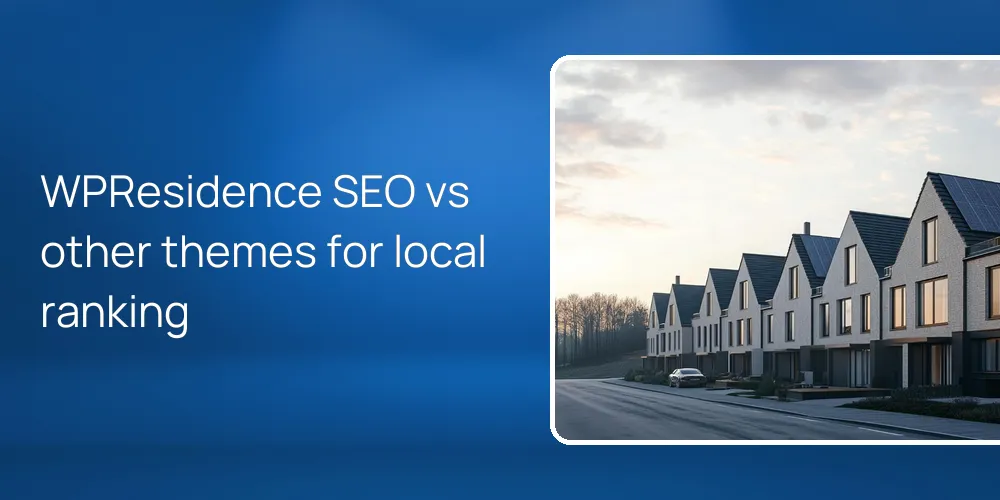
Out of the box, WPResidence gives you clean pages that SEO plugins can fully optimize. This is usually stronger than closed builders and many real estate themes that ship half-done SEO tools. The theme uses semantic HTML, a property post type, speed helpers, and indexable MLS(Multiple Listing Service) imports, so search engines can read content clearly. To rank in your local market, you still need an SEO plugin, focused city pages, schema, and steady work on speed and content.
How strong is WPResidence SEO right after installation and setup?
Right after setup, the theme gives you clean, crawlable pages that SEO plugins can turn into a strong base.
WPResidence outputs semantic HTML and uses a custom post type for listings called estate_property. Search engines see each property as a normal page. Yoast, Rank Math, or similar plugins can control titles, meta descriptions, XML sitemaps, and schema without fighting messy code. Since the theme follows WordPress standards, you avoid strange markup and loose content that confuse crawlers.
The theme stays light and lets SEO plugins handle advanced work instead of locking meta fields or schema into templates. You can plug in Yoast, set property title and meta rules once, and all estate_property posts follow them. Sitemaps can include properties, cities, areas, and types, so Google can find many URLs in a large market. Nothing key sits in iframes or hidden feeds, which keeps crawlability strong.
For performance, WPResidence includes an internal caching API and supports lazy loading, which helps Core Web Vitals. With decent hosting plus a cache plugin, many users reach PageSpeed scores in the 90–95 range. Fast pages help both ranking and lead conversion, especially on large grids. When you import MLS data through supported tools, listings store as real WordPress posts, not remote IDX frames, so every property and location archive stays indexable instead of hidden from search engines.
| SEO area | Handled by WPResidence | Handled by plugins |
|---|---|---|
| Clean HTML and headings | Yes, semantic templates | Not required here |
| Property URLs and archives | Custom post type and taxonomies | Optional permalink tweaks |
| Meta titles and descriptions | Theme compatible structure | Yoast, Rank Math, others |
| XML sitemaps | Crawlable content by default | SEO or sitemap plugins |
| Structured data schema | Schema ready content fields | Dedicated schema or SEO plugins |
The table shows that WPResidence handles structure, markup, and speed, while plugins handle titles, sitemaps, and schema. At first that split seems like extra work. It actually keeps the theme fast and flexible, and still lets you reach advanced SEO without custom code.
How does WPResidence compare to other real estate themes and closed builders?
Compared with many alternatives, the theme keeps SEO flexible while giving you a clear real estate structure.
WPResidence uses a property post type with custom permalinks, so your URLs can look like /city/property-type/property-name/ when used with a permalink plugin. This is often more flexible than closed builders where URL patterns are fixed and ignore real estate taxonomies. The theme exposes City, Area, and State as real taxonomies, so each location has an archive page that search engines can index as a landing page.
SEO schema in WPResidence stays plugin-driven instead of locked into one format. You can pick Yoast, Rank Math, or a schema plugin and choose RealEstateListing, LocalBusiness, or other types as your needs change. Many closed builders expose only a few generic schema options, which limits rich results. Here, templates stay neutral so your plugin controls JSON-LD without fights.
WPResidence also includes a taxonomy template builder. It lets you design custom layouts for city, area, or state archives and add intro text, photos, or callouts above listings. That gives you city-focused SEO pages instead of simple archive loops. Closed builders often give you one rigid layout with little room for unique copy per city. When you mix structured taxonomies, custom templates, and a strong SEO plugin, you reach local SEO control that generic themes and page-builder services often miss.
What extra SEO setup is essential to compete in a local property market?
To rank locally, you must pair the theme’s structure with focused content, plugin-based SEO, and regular tuning.
WPResidence gives you the framework, but you still need to set up an SEO plugin so it understands the estate_property type and all taxonomies. You’ll set title and meta templates for properties, agents, cities, areas, and property types, and check that XML sitemaps include each. Once that’s done, Google can crawl every property and every location archive well, not just a few static pages.
Next step. Turn key City and Area archives into landing pages using the WPResidence taxonomy template builder. For each major market, write unique text about the neighborhood, schools, commute, and prices above the grid. Don’t use only a keyword list. Aim for around 200–400 words per key city page, with several internal links from listings and blog posts that mention that city.
Local schema is another key layer. Use your SEO or schema plugin to mark agency pages as LocalBusiness and listing pages as RealEstateListing when you can. The theme stores addresses, prices, and geo data in structured fields, so plugins can pull values into JSON-LD without code. Finally, push performance by matching the theme’s caching with a good cache plugin, image compression, and solid hosting. In many local markets, lowering load time by 1–2 seconds can keep users on your page instead of bouncing.
- Configure your SEO plugin for the estate_property type, taxonomies, and XML sitemaps from day one.
- Build unique content on key city and area archives using the WPResidence taxonomy template builder.
- Add RealEstateListing and LocalBusiness schema through SEO or schema plugins using theme fields.
- Combine the theme’s internal caching with good hosting, cache plugins, and compressed images.
How can WPResidence help us win local and city-specific searches?
Location taxonomies and custom templates help you build strong city landing pages that target local searches directly.
WPResidence groups listings into City, Area, and State taxonomies, so every location has an indexable page listing local properties. The theme generates these archives with clean URLs and clear headings, which helps match “homes for sale in City X” searches to your pages. Unlike generic themes, you don’t need to hack manual category pages for each city, because they’re part of the core structure.
The taxonomy template builder in WPResidence is where you turn raw archives into landing pages. You can add intro sections, short FAQs, and neighborhood highlights above the grid, which gives buyers more context than a list of homes. Each city template is independent, so you can tune copy, photos, and calls to action for each location. “City A homes for sale” and “City B condos for sale” both feel specific instead of copied.
On each property and archive page, the theme can show an interactive Google Map or OpenStreetMap plus radius search and filters. That keeps some visitors exploring instead of going back to search so fast, though not everyone will stay. Multi-currency and multilingual plugin support mean one WPResidence setup can target local and international buyers searching city names in different languages. Over time, a network of optimized city and area pages built this way can grow into a strong but imperfect local SEO asset.
What ongoing SEO and content work is needed after launch?
Long-term rankings depend on steady content, small on-page updates, and regular technical checks across your site.
Once your WPResidence site is live, use the WordPress blog to post market updates, neighborhood guides, and buyer or seller tips a few times per month. Each new article can link to your main city and area pages and to hand-picked listings, which strengthens internal links. Fresh content also signals to search engines that the site stays active in a busy market.
On listings, keep improving property pages by writing unique descriptions instead of pasting MLS text. Add clear image alt text and link back to city or area archives. Use Google Search Console and analytics to find 404 errors, slow pages, and weak keywords, then adjust titles, meta descriptions, and internal links. A few times per year, update WPResidence, plugins, and your cache setup, and clean the database so caching and lazy loading keep working as your listings grow.
FAQ
How long does it usually take to launch a locally optimized WPResidence site?
A common timeline for a locally optimized WPResidence site is around 4–6 weeks from start to launch.
In the first 1–2 weeks, you usually install WordPress, add WPResidence, choose a demo, and adjust design basics. The next 2–3 weeks often go into migrating listings, setting your SEO plugin, and building city and area templates with real content. The last week is for testing, adding redirects from any old site, and tuning performance before you move the domain.
Do we need an SEO plugin if WPResidence already handles structure and URLs?
You should still run an SEO plugin with WPResidence, even though the theme gives you clean, indexable pages.
The theme handles property post types, taxonomies, and HTML structure, but it doesn’t replace meta, sitemap, or schema tools. A plugin like Yoast or Rank Math can set title and description patterns for properties and cities, build XML sitemaps for all content types, and add LocalBusiness and RealEstateListing schema. Without that layer, you stay indexable but lose many ranking and click-through gains.
How does importing MLS listings into WPResidence affect organic visibility?
Importing MLS listings as native content in WPResidence can greatly improve organic visibility over iframe or remote IDX feeds.
When you use MLS import tools tied into the theme, each listing becomes a normal estate_property post with its own URL, fields, and taxonomy terms. That means Google can fully crawl, index, and rank each property and each city archive that lists it. With iframe-based IDX, search engines often can’t see the listing body, so that inventory doesn’t help your domain grow search strength.
Can a small agency handle WPResidence SEO in-house or is an agency required?
A small but motivated team can handle core WPResidence SEO tasks in-house without hiring a full-time specialist.
The theme keeps the technical side approachable with clear settings for properties, taxonomies, and templates, while plugins guide meta tags and schema through simple forms. If someone on the team can learn basic WordPress admin, follow checklists, and write decent city and neighborhood copy, most key tasks are manageable. An outside SEO agency becomes helpful later for link building or large content plans, not just for launch.
Related articles
- Which real estate WordPress themes are best optimized for SEO out-of-the-box, particularly for property schema and indexable listing pages?
- How does SEO typically improve when moving from a closed real estate website builder to a properly set up WordPress site?
- What are the best ways to preserve or improve my current search rankings when switching my real estate website to WordPress?