Flexible Search Results for Better Property Browsing
The WPResidence Advanced Search Results page shows users the listings that match their search. This page is created automatically with the demo content. You don’t need to add it to your menu or use it as a homepage. It works in the background to show results clearly and quickly.
Choose Your Layout
Choose Between List View or Half Map Style
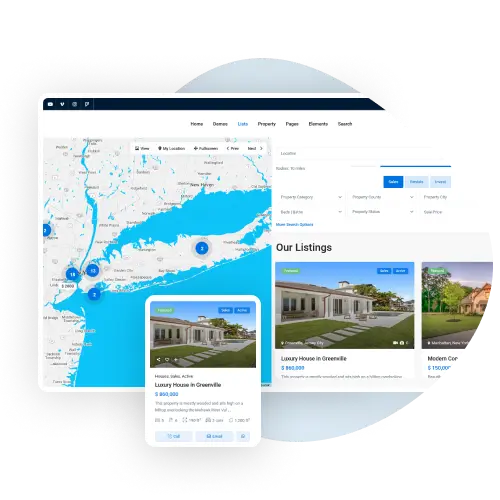
You can pick from two styles: Standard or Half Map. The Standard style shows listings in a list or grid and supports sidebars and header images. The Half Map style splits the screen, showing a map on one side and matching listings on the other. Pins update as listings change.
Control the Property Display
Set Order and How Many Properties to Show
You can choose how listings appear – by price, newest, oldest, or number of bedrooms or bathrooms. You can also set how many properties show per page. This gives users a smoother, faster way to find what they want.
Show Property Search Results the Way You Want
The Advanced Search Results page in WPResidence displays matching properties after visitors use the search form. This page is automatically created when you install demo content and works behind the scenes, so it doesn’t need to be added to menus or used as a homepage.
You can choose between two layouts. The Standard List layout displays properties in a grid or list, supports sidebars, and allows the search form to appear over a header image or slider. The Half Map layout splits the screen between an interactive map and the property list, with map pins updating in real time as users browse or filter results.
You also control how listings are sorted, by price, newest or oldest, or by the number of bedrooms or bathrooms, and how many properties appear per page. Combined with flexible filters like location, price, radius search, features, and custom fields, this helps visitors find the right property faster and more easily