
Niche & Regional Setup

How Do You Configure WPResidence for a Niche Market?

How WPResidence becomes a luxury, commercial, rental, land, new-construction or single-city real estate website, with the listing details and search each market needs.
wpresidence.net
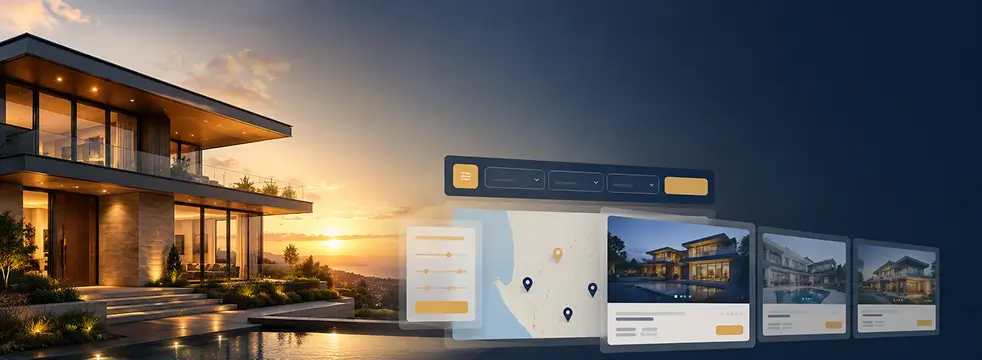
WPResidence Advanced Search Form Builder tabbed search layout separating sale and rental filters
50
ready-made demo sites
212
Elementor widgets
40+
languages the theme ships in
$49
a year for one website

Last updated: September 28, 2026

By Cris Bean

WPResidence is a real estate WordPress theme you adapt to a niche or a region: the listing details, search filters and page designs change for each market. The same theme runs a luxury, commercial, rental, land, new-construction or single-city site.

This guide covers each niche, then regional setups for a single city, Singapore HDB flats and Dubai off-plan projects, followed by monetization, copying sites, licensing and imports.

Core Thesis

How does WPResidence adapt to a niche market?

5 things you set up for each niche
What Is the Core Thesis Behind Using WPResidence for Niche Markets?
Levers
Listing groups for your market
Your own listing details
The search filters buyers need
A page design for each group

A niche site shows the details its buyers care about. A commercial buyer wants cap rate and zoning, a renter wants the monthly rent and pet policy, a land buyer wants lot size. In WPResidence you set up five things for each niche:

  • Listing groups: the categories, deal types and locations your market uses, such as Office, For Rent or one city's neighborhoods.
  • Listing details: your own fields, such as cap rate or lot size, next to the standard price, size and rooms.
  • Search: the filters buyers see, set up in the search form builder.
  • Page design: a property page layout for each group, so every commercial listing uses the commercial design.
  • Listing cards: the details each listing card shows in search results.

You set all of this up in the WordPress admin. The sections below show it niche by niche.

Foundation

What Every Niche Setup Starts With

7 ways to group listings, such as category and city
The Shared Foundation Every Niche Configuration Builds On
Systems
Groups: category, deal type, city
Your own listing details
Filters, tabs and radius search
A page design per category

Grouping listings

Each listing belongs to groups that visitors browse and filter by: category (House, Office, Land), deal type (For Sale, For Rent), labels, amenities, and location by state, city and neighborhood. Groups can sit inside each other, so "Commercial" can hold "Office" and "Retail". All about taxonomies explains each group.

Your own listing details

You add the details your niche needs, such as cap rate, lot size or handover year, as text, number, date or dropdown fields, and choose where each one shows: on the property page, on the listing card, in the submit form and in search. You leave out details a niche has no use for, such as bedrooms on land. See the custom fields builder and how to add property custom fields.

Search

Visitors filter by the fields you pick. Search can have tabs, such as For Sale and For Rent, and a radius search that finds listings within a set distance of a place. See radius search.

Page designs and cards

With WPResidence Studio you design a property page once and apply it to a whole category or city, so every new commercial listing uses the commercial layout. See how to create a template for each property category. The property card composer sets what each listing card shows in search results.

Speed

WPResidence keeps the listing cards it shows in lists and grids in a cache for 24 hours, so busy search pages load faster. See performance and hosting.

SEO, languages and currencies

Each listing is a WordPress page with its own address, so Yoast SEO or Rank Math handle how it appears in Google. The theme ships in 40+ languages, runs multilingual sites with WPEstate Translate, WPML or Polylang, and supports right-to-left Arabic and Hebrew. Visitors can switch currencies, with rates updated daily, and switch size units such as square feet and square meters. See the multilingual guide and multi-currency support.

Niche Playbook

How Do You Configure WPResidence for Each Real Estate Niche?

8 demo groups by market
How Do You Configure WPResidence for Each Real Estate Niche?
Niches
Luxury: gallery, video and virtual tour
Commercial: cap rate and zoning
Rentals: rent with a "per month" label
Land: lot size and zoning

Each niche uses the same tools with different groups, details and page designs.

What makes a luxury real estate website work in WPResidence?

Luxury buyers look at photos, video and location first. A luxury property page leads with a large gallery, video, virtual tour and floor plans, and lists features such as an indoor pool or a private dock. See the luxury demos.

How do you set up commercial real estate WordPress listings?

Commercial buyers compare numbers. A commercial listing shows cap rate, zoning, annual rent and price per square foot or meter, and leaves out bedrooms. You add those as listing details, group Office, Retail and Industrial under "Commercial", and give that group its own page design. See the commercial and land demos.

What does a rentals-only WPResidence setup look like?

A rental listing shows the rent with a label such as "per month" after it. A property offered for sale and for rent shows both prices. Add the details renters check, such as pet policy and lease length, and offer only rental deal types in search.

Is WPResidence right for vacation and short-term rentals?

For a vacation rental directory, yes. Guests browse short-term listings and send inquiries or tour requests to the owner or agent. Nightly booking with an availability calendar and online payment needs a booking plugin.

What does a land listing need?

A land listing shows lot size in acres or hectares, road access, zoning and soil type, and its card leads with lot size in place of beds and baths.

Can WPResidence show new construction and off-plan sales?

A building lists its apartments as units on its own page (see how to attach apartments to a building). Listings show the project type, such as off-plan, freehold or leasehold, the payment plan and the handover year. Developers get their own profile pages and add their own agents.

What about student rentals?

Student listings show room type, distance to campus and number of flatmates, and carry a "Student Rental" label. Students can search within a set distance of the campus.

How do listing labels work?

Labels such as "Student Rental", "Luxury" or "Pet-Friendly" show on the listing cards, and visitors can filter search by them. See listing labels.

Go Regional

Regional and Ultra-Local Configuration: Locking Down a City or Market

3 location levels: state, city, neighborhood
Regional and Ultra-Local Configuration: Locking Down a City or Market
Regions
Only your city's locations
Agents pick locations from a list
HDB: block, MOP and quota details
Dubai: English and Arabic

A city or regional portal shows only the places in its market.

Locking a portal to a single city or micro-region

You create your city and its neighborhoods as the site's only locations. Search then offers only those places, and agents adding a listing pick the city and neighborhood from a list, so addresses stay consistent. The map opens on your city at the zoom you set; see how to set the map coordinates.

How do you model Singapore HDB flats in WPResidence?

Use the three location levels for region, town and estate. Each flat shows its block number, flat model, lease start year, MOP status and ethnic quota, and search offers the details buyers filter by.

What does a Dubai off-plan and branded-residence site need?

Listings show the type (off-plan, freehold, leasehold or branded residence), the payment plan and the handover year, and buyers browse by community, such as Downtown Dubai, Dubai Hills or Palm Jumeirah. Developers and agencies each manage their own agents. The site runs in English and Arabic, with Arabic pages laid out right to left.

Make Money

Monetization and User Roles Built Into WPResidence

4 account types: owner, agent, agency, developer
Monetization and User Roles Built Into WPResidence
Monetize
Free listings for new users
Pay per listing
Membership packages
Stripe, PayPal, WooCommerce, wire transfer

A portal can charge owners and agents to list. The WPResidence membership system offers three models:

  • Free: new users get a set number of free listings, each live for the number of days you choose.
  • Per listing: users pay for each listing, plus a fee to make it featured.
  • Membership: users buy a package with a number of listings, featured listings and photos per listing, for the period you set.

Users pay with Stripe, PayPal, WooCommerce or offline wire transfer. Owners, agents, agencies and developers each get a dashboard for their listings. You can review each new listing before it goes live, and approve new accounts by type, for example every new developer on an off-plan site.

Scale Up

Agency Cloning and Multisite Workflows

3 ways to copy a finished site
Agency Cloning and Multisite Workflows
Clone
Theme Options export and import
Full-site copy with a migration plugin
WordPress Multisite
REST API for other apps

Agencies that build several sites copy a finished one and start from there:

  • Theme Options settings export from one site and import into another; see how to export and import Theme Options.
  • A migration plugin such as Duplicator copies the whole site, including listing details and page designs.
  • WordPress Multisite runs several sites from one install, each with its own branding.

Listings export with the standard WordPress export, and the WPResidence REST API lets other apps read them. With white label, the admin shows your agency's name in place of the theme's.

Licensing

Licensing WPResidence for a Commercial Property Portal

$49 a year for one website

WPResidence costs $49 a year for one website, $99 for three and $249 for ten. Each license includes a year of updates and support, and the site keeps working when the license ends. See pricing.

Each license key works on one domain. When you move a site from staging to live, you move the key to the new domain; see how licensing works. One license covers any number of agents, offices and listings on that site.

Other costs are hosting and, for MLS data, MLSImport from $49 a month for one MLS, after a 30-day free trial.

Data In

Imports, MLS/IDX Data, and Ownership

800+ MLS feeds through MLSImport

Listings you add by hand and listings imported from an MLS use the same page designs, search and cards.

MLSImport (sold separately) brings in MLS listings and updates them every hour. You choose what to import by city, county, postal code, property type, sale or rent, status, price range, or listing agent and office, so a rentals site can import only one city's rentals.

For a one-time spreadsheet of listings, the WP All Import plugin maps each column to a listing detail.

At a glance

Key Takeaways

The main points of this page.

Five things to set up

For each niche you set up listing groups, listing details, search filters, page designs and listing cards.

Your own listing details

Add details such as cap rate or lot size, and choose where each one shows.

A design per group

Design a property page once and apply it to a whole category or city.

Single-city portals

Create only your city's locations, and search and the submit form offer only those.

Paid listings

Charge per listing or with membership packages, through Stripe, PayPal, WooCommerce or wire transfer.

Pricing

WPResidence costs $49 a year for one website, $99 for three and $249 for ten, with a year of updates and support.

Frequently Asked Questions

Will future theme updates overwrite my listing details or page designs?

Your listing details, groups and page designs are stored in the WordPress database, so theme updates keep them as they are.

Can I use one WPResidence license on several live sites?

Each license key activates one domain. For several portals, the 3-site and 10-site licenses on the pricing page cover more domains.

Can I export my listings from WPResidence?

Yes. Each listing is a WordPress post, so the standard WordPress export includes your listings, and the WPResidence REST API gives other apps access to them.

Can I offer free listings alongside paid packages?

Yes. Theme Options sets a number of free listings for new users and how many days each free listing stays live, next to your paid packages.

Does one theme make sense for agencies with several brands?

Yes. Your team learns one Theme Options panel, and you copy a finished setup to a new site with the Import & Export tool or a migration plugin. Each site needs its own license key.

When should I add plugins for a regional market?

Local place names, currency switching, size units and right-to-left layout are built into WPResidence, and WPEstate Translate adds languages for free. Add a plugin for nightly booking, or WooCommerce for a local payment gateway.