
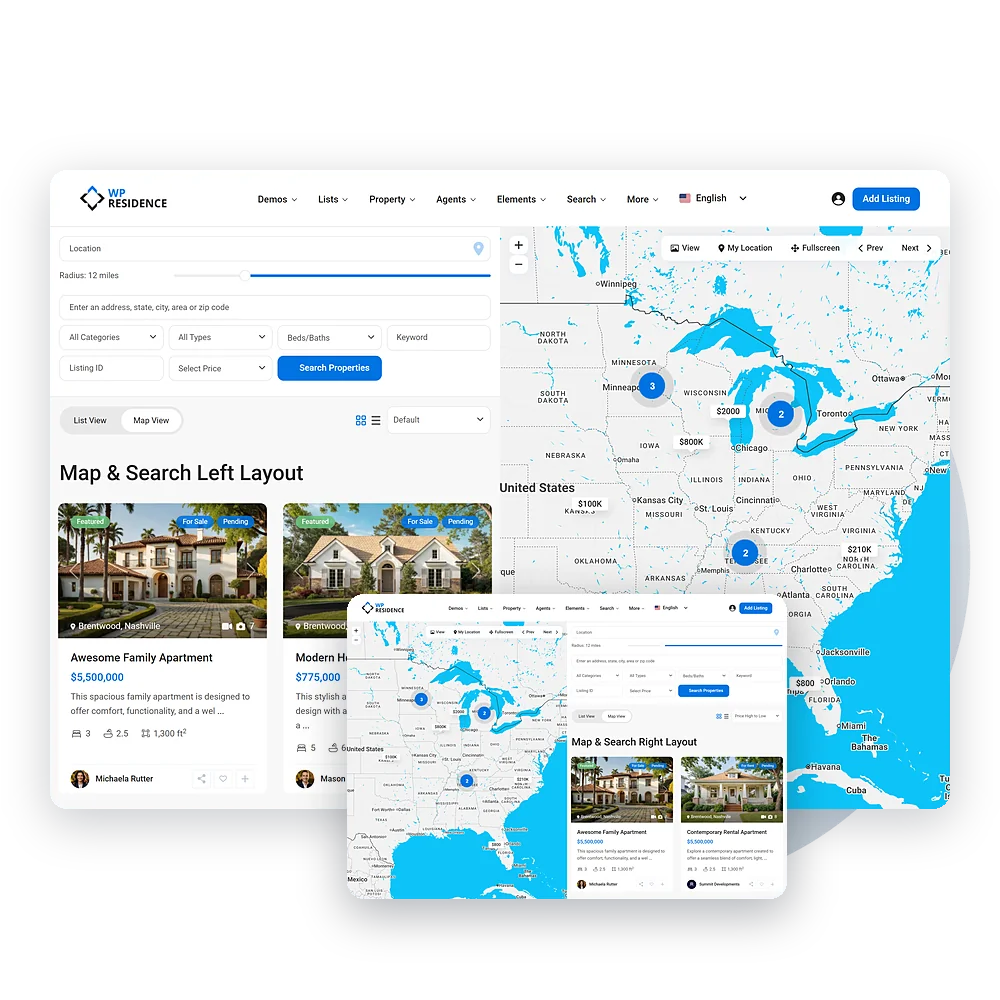
Properties list - Half Map Template

Show your properties on a map so visitors can find their dream home and nearby services easily.

WPResidence Theme - Half Map Template

Powerful Features to Build Your Dream Real Estate Website

WPResidence half map layout with the map on the left and on the right

Explore Properties with a Half-Map Template

In a half-map template, the map is on one side, and infoboxes show property details on the other. Each infobox includes information like price and location. When visitors hover or click on a location, the infobox updates with the property details, making it easy to explore properties.
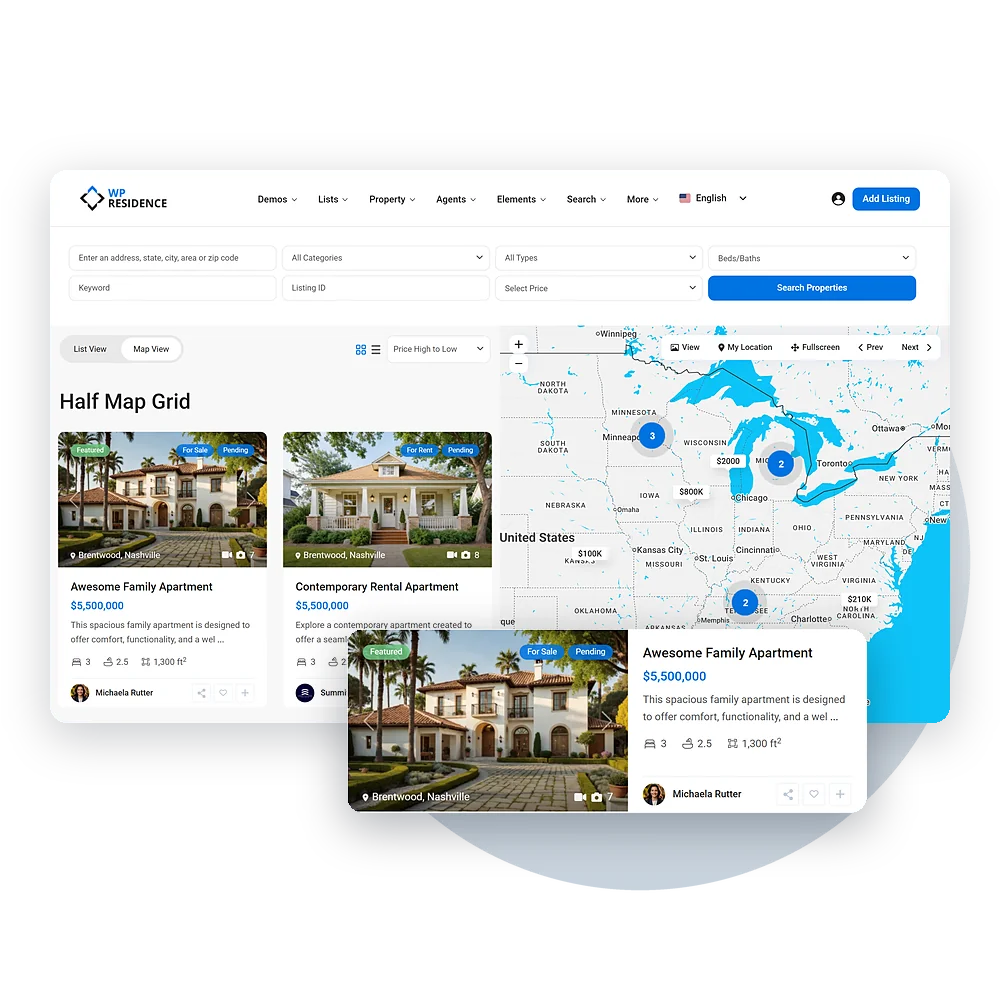
WPResidence half map with grid cards and a list style property card

Customize Property Display with List or Grid View

You can display properties in either list view or grid view, depending on your preference. The list view shows properties in a simple vertical format, while the grid view arranges them in neat rows. You can also add an order filter to sort properties by price, date, or other criteria.

Map or List

Switch Between Map View and List View

A List View / Map View switch sits above the listings. Map View shows the map next to the listings. List View hides the map and spreads the listings across the full width, with more cards per row.

You choose which view opens first in Theme Options → Half Map Template → Map View / List view. The setting applies to every half map page: property lists, category and city pages, and search results. On phones, the Listings and Map View buttons switch between the two.

WPResidence List View and Map View switch on the half map page

Instant Search

Powerful Filters

With the Ajax search form, you can filter properties by price, location, or type. As you change the filters, the listings and map update right away without reloading. This lets visitors see results in real-time, making it easier to find properties that match what they need.

WPResidence half map search filters next to the map

Location Search

Geolocation and Radius Search

Let visitors find properties near their desired location with ease! Use geolocation tools to display listings within a chosen radius on the map, so they can discover their perfect home in the right area. 

  • Custom Radius: Set the distance range—whether it’s 1 mile or 50 miles, it’s up to you! 
  • Live Map Updates: As visitors adjust the radius, watch the property results update instantly on the map. 
WPResidence location field and radius slider on the half map page

Instant Property Details

Hover and Zoom on Map Properties

Make property browsing more fun! When visitors hover over a property, the map zooms in and highlights it with an info box showing key details.

  • Instant Info: Hover over a property to see its location, price, and details without clicking.

  • Zoom Effect: The map zooms in to focus on the selected property for a clearer view.

WPResidence map infobox with property price and details

Organize Results

Choose the Listing Order

Sort listings by price, date, bedrooms or bathrooms, with featured properties shown first when using the default order.
WPResidence half map listing sort dropdown

Explore Properties with the Half Map Template

With the WPResidence Half Map Template, you can display your properties on a map, making it easy for visitors to find their dream home and nearby services. The map is on one side, with infoboxes showing property details like price and location on the other. When visitors hover or click on a property, the infobox updates with more information.

You can display properties in a list or grid view, depending on what you prefer. The list view shows properties in a simple format, while the grid view arranges them neatly. You can also add a filter to sort properties by price, date, or other criteria.

With the Ajax search form, visitors can filter properties in real-time by price, location, or type, without reloading the page. The geolocation and radius search feature lets users find homes within a specific area.

The hover and zoom effect makes browsing properties fun. When visitors hover over a property, the map zooms in and shows key details, making it easier to explore!