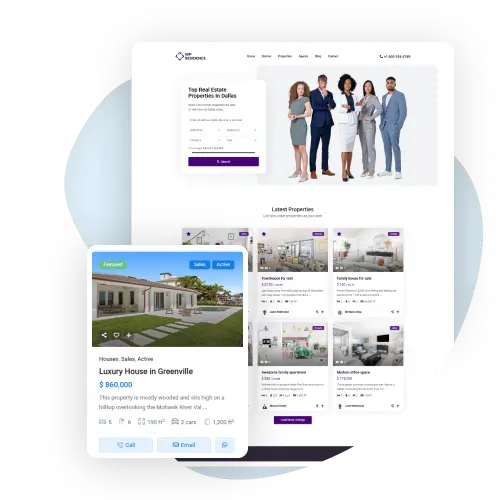
Wide Range of Custom Listing Pages

With WPResidence, you can pick different listing templates to design your property lists pages. Use the drag-and-drop tools to change the layout and details.

Flexible Listing Design & Control

Layouts, cards and filters

featured properties

Wide Range of Listing Templates

Choose from multiple listing templates designed for different business needs. Display your properties in clean lists, directory-style layouts, or interactive map views, and switch layouts anytime.

Drag-and-Drop Listing Composer

Drag-and-Drop Listing Card Unit Composer

Decide exactly what appears on each property card. Reorder fields, adjust alignment, and connect card elements to custom fields using a simple drag-and-drop interface.

Add Your Own Custom Icons

Custom Icons, Fields & Labels for Listing Cards

Customize every detail of your listing cards. Add your own icons, display custom fields or text labels, control the position and alignment of each element, and decide how information is presented.
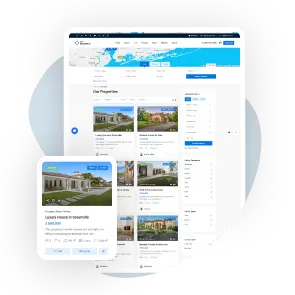
Manage Featured Properties

Manage Featured Properties & Compare Listings

Highlight important listings by marking them as Featured and control their visibility across your site. Visitors can compare properties side by side for easier decisions.

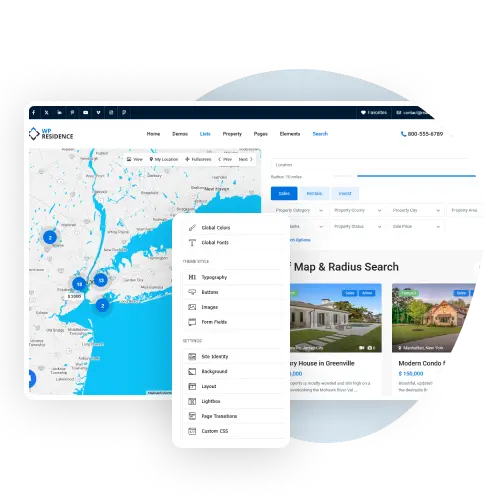
Search filters for property listings

Instant Search Results

Property Search with Ajax and Sidebar Filters

The Properties List Directory template of this real estate theme has the filters in the sidebar. Users can filter properties by type, category, city, area, price, size, rooms, bedrooms, bathrooms, status and features. With Ajax loading, the results update instantly as filters are changed, without reloading the page. This makes browsing faster and easier for visitors.

Search filters for property listings in the sidebar

Easy Search

Search Filters

Let visitors find what they need by using filters to sort properties. Choose the filters that best suit your site, such as price, location, or property type, for better search results. Searches, list pages and map pins read their filters from the Listing Index, a separate search table with one indexed row per listing, instead of the WordPress meta tables, so they stay fast on sites with thousands of listings. You turn it on or off, or rebuild it, in Site Settings > Search Index, and it updates itself when listings change.

WPResidence property list with the sort menu open: price, newest or oldest, last edited, bedrooms and bathrooms, next to a featured property card

Order Listings Your Way

Control the Order of Property Listings

Sort properties by price, newest or oldest, last edited, bedrooms or bathrooms. You can also show featured properties first, so your most important listings get seen.

Compare Up to 4 Properties Side by Side

Compare Listings

Compare Up to 4 Properties Side by Side

Let visitors select and compare up to 4 properties at once.

Build Unique Property Lists

WPResidence gives you multiple ways to create property listing pages: ready-made listing page templates, directory-style layouts with filters, or custom property lists built with Elementor and WPResidence widgets. The same card design can be reused across standard lists, Elementor-built lists, and Half Map layouts.