A solid footer on a real estate site can do more than fill in the blank space at the bottom of the screen. It provides room for extra navigation, legal essentials, and a final call to action.
A great footer helps with trust since visitors often search for contact info, disclaimers, or final details. This area deserves careful thought, especially when you want to look professional and user-friendly.
Designing a Good Footer
It’s common for real estate websites to split the footer into sections for key elements. Many designs use two, three, or four columns. Each column might hold different types of content, like contact info, a newsletter sign-up, links to property searches, or a featured listing.
A well-organized layout saves people time when hunting for information. This idea works best when you keep things tidy and label each group of links clearly.
Readable fonts help: Tiny text near the bottom can be challenging to see if someone is on the phone. A footer with clear labels guides visitors instead of confusing them. Brand colors can look nice here, too, as long as the contrast stays high. Some businesses add a thin logo or tagline for extra identity. Others place a small background image that fits their theme.
The goal is to keep it neat while offering quick paths to popular pages.
- Why contact info matters: A footer acts like a virtual receptionist. Visitors who want an office address or phone number can look here. Your name and license number might also go here if you’re an agent.
- Why multi-column layouts help: Columns allow you to group info so people can scan. One column can show phone and email; another can show property categories; a third might feature a sign-up form.
- Why clarity with text and links is key: Dark backgrounds with white text or vice versa work well. Avoid fancy fonts that shrink readability. Simple text prevents visitors from missing important details.
Many sites also add a final call-to-action (CTA) near the bottom. This might be a button for scheduling a call or signing up for a mailing list. Real estate folks sometimes prefer a short form so visitors can drop their email on any site page. Themes like WpResidence and others offer easy ways to embed sign-up fields or lead capture forms. Some site owners even show a few featured properties or their newest listings in the footer, which can prompt further browsing.
Building Footers with WordPress Tools
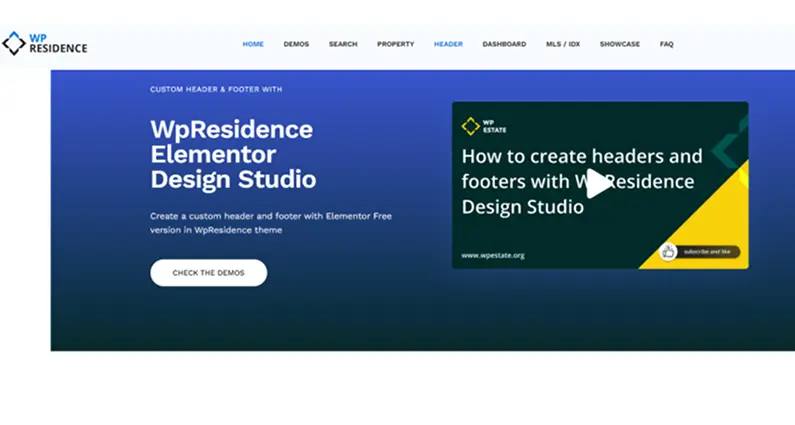
WordPress offers several ways to craft a footer. If you’re using the WPResidence theme, you can rely on its built-in system or pair it with a page builder like Elementor. WPResidence provides a plugin called WPResidence Design Studio that works with the free version of Elementor.
The plugin lets you create a custom footer template and apply it across your entire site or just on specific pages. This approach is flexible if you want to control how each column looks, add property widgets, or change the design for certain parts of the site.
Some folks still use WordPress widgets for footers. That older approach involves heading to “Appearance > Widgets” in the dashboard and placing content into Footer Widget Areas. WPResidence has multiple footer columns you can fill with text, images, or menus.
Many real estate professionals now like the Elementor method because it’s more visual, but the widget method works well if you’re aiming for a more straightforward layout.
Elementor includes drag-and-drop modules like Icon Lists, Menus, Social Icons, and more. With WPResidence, you get extra real estate widgets that can display listings by category or show your latest properties.
If your site is large, you can set a dynamic feed that updates when new listings are added. A custom footer might showcase three of your latest homes for sale, each with a small thumbnail, title, and link.
Another detail is responsive design. WPResidence and Elementor both scale columns neatly on phones or tablets. For example, a four-column footer might become one stacked column on a phone. Doing this helps avoid awkward scrolling or text that’s too small. Many WordPress themes do this automatically, so site owners don’t need to write code.
SEO and Engagement Gains
Footers help visitors find more content, which can increase their time on your site. They also assist with on-site SEO by giving search engines extra paths to discover essential pages.
Many real estate businesses link to popular property categories or specific listing pages. This practice helps users jump to interesting sections, and it can help the site rank for local terms. For example, a link in the footer that says “Houses in Miami” might guide visitors and search engines to that page.
- Linking to main listing pages: If you have significant categories (Condos, Single-Family, Multi-Family), it’s wise to link them in the footer. People browsing for a specific property type can click right away, and search engines also pick up on these internal links.
- Using location-based anchor text: A link reading “Condos in Chicago” is more SEO-friendly than just “Condos.” It signals that the page is about condos in that city. This minor tweak might help you appear in local search results.
- Adding disclaimers for trust: Some footers include short disclaimers about listing data or fair housing. These phrases reassure site visitors that the info is accurate and meets local rules. Search engines also see that you’re not hiding anything important.
Anchors in the footer may not carry as much weight as links in the main body content, but search engines still see them. Too many links can look cluttered, so a smaller number of high-value links is often better.
A user landing on a single property page might scroll down, see a quick link to a neighborhood guide, and then keep exploring. That lowers bounce rates and boosts page views.
Adding an internal search bar to the footer can help. Someone who can’t find a property might give it one last try before leaving. This is handy for large real estate sites with hundreds or thousands of listings. If labeled well, an intense search tool can also bring more engagement.
Special Considerations for Real Estate
Real estate sites have details that go beyond everyday websites. Agents in many places must post their license info. A brokerage might display a state license, broker number, and office address.
In some regions, disclaimers about fair housing laws are required. That can mean showing an Equal Housing Opportunity logo or a note on nondiscrimination. Footers are the perfect spot for these legal statements.
MLS disclaimers often appear here, too. When a site pulls listings from a Multiple Listing Service, rules say you must provide a short statement that the data is reliable but not guaranteed. Each MLS might have different wording. Some brokers also feature a “Terms and Conditions” link or a “Privacy Policy” link in the footer.
Real estate sites sometimes add a brief line about handling client data or cookies for visitors from different regions.
Trust badges can also help. People spend a lot of money on a home or property, looking for signs that a broker is credible. REALTOR® logos, membership badges, or awards can appear in a small footer section.
These visuals prove that the site owner is serious about ethical practices. They can also help you stand out among other agents. Some offices even list staff or agent teams with a link to a page containing each member’s photo and contact info.
Fair housing compliance is a popular reason for extra details. You might see the well-known Equal Housing Opportunity icon in the United States. That’s a small house shape with an equals sign in the middle. When buyers see that, they know you follow anti-discrimination rules. Some sites also write a sentence about respecting those laws. Confirming your local guidelines is wise so you don’t forget essential disclaimers.
Closing Thoughts
A footer might look like a minor design element, but it can do much for a real estate site. It provides a place to share contact info, a final call-to-action, or even a short snippet of your newest listings. It also boosts trust by including legal disclaimers and proof of licensing or fair housing compliance.
- Why thoughtful design helps build trust: A neat, organized footer signals professionalism. It’s one of the last parts of a page someone will see, so that final impression matters.
- Easy navigation encourages site exploration. A link to a property guide or a local area page can spark more clicks, and people often decide to keep browsing instead of leaving.
- Why legal details belong here: License numbers, disclaimers, and other notes fit neatly at the bottom. Adding these details keeps the rest of the page from feeling cluttered.
A well-planned footer shows visitors that they can rely on your expertise. They see that you follow legal guidelines and build a site where they can find answers quickly.
It’s easy to ignore or forget about the footer, but paying attention to this space can help you stand out. Good design, organized links, and small extras like a newsletter sign-up or featured listing can invite people to dig deeper.
This is a smart move for any real estate professional who wants to look polished and trustworthy on WordPress.
Many real estate themes, including WPRESIDENCE.NET, have extensive documentation on building footers with popular page builders. A combination of strong design and the right WordPress tools can turn the bottom of your site into a powerful resource instead of wasting space.
FAQ
What should a real estate website footer include to build trust and help visitors take action?
A strong real estate footer should make it easy to find essentials fast: clear contact details (phone, email, office address), plus any agent or brokerage identifiers that apply in your area (such as a license number). It is also a practical place for legal links and notices, including a Privacy Policy or Terms and Conditions, and any required real estate disclaimers.
To encourage leads, many sites add a final call-to-action near the bottom, such as a button to schedule a call or a short email capture form for a newsletter or mailing list. If it fits your content strategy, the footer can also include quick links to popular property searches or even a small set of featured or newest listings to keep visitors browsing.
How do multi-column footer layouts improve usability on real estate sites?
Multi-column footers (often two, three, or four columns) let you group information so visitors can scan instead of hunt. For example, one column can hold phone and email, another can link to property categories or searches, and a third can include a sign-up form or a featured listing.
The key is to keep each column tidy and clearly labeled. When link groups are easy to understand at a glance, people find what they need faster, and the footer feels like a helpful navigation area rather than a cluttered add-on.
What design choices make footer text and links readable on mobile?
Prioritize readability: avoid tiny text and overly decorative fonts, since footers are often viewed on phones where small type becomes hard to read. Use clear labels and strong color contrast (for example, dark background with light text or the reverse) so links stand out.
Also plan for responsive behavior. A four-column footer should collapse cleanly on small screens, often stacking into a single column, so visitors do not face awkward scrolling or cramped text.
How can a footer support on-site SEO without looking cluttered?
A footer can strengthen internal linking by pointing to a small set of high-value pages, such as key property types (Condos, Single-Family, Multi-Family) and important listing or guide pages. Location-based anchor text can be more descriptive for local intent, such as using a link label like "Condos in Chicago" instead of a generic "Condos."
Keep the link count under control. Search engines still see footer links, but too many can look cluttered and reduce usability, so it is usually better to feature fewer links that match how people actually browse your inventory.
How do you build a custom footer in WordPress using WPResidence and Elementor?
If you are using WPResidence, you can build a footer using the theme’s built-in options or create a custom footer template with Elementor. WPResidence offers the WPResidence Design Studio plugin, which works with the free version of Elementor, to help you design a footer template and apply it site-wide or only on specific pages.
Within Elementor you can use drag-and-drop modules (such as menus, social icons, and icon lists), and WPResidence adds real estate-focused widgets that can display listings by category or show latest properties. If you want a simpler, classic setup, you can also use WordPress footer widgets via Appearance > Widgets and place content into Footer Widget Areas.