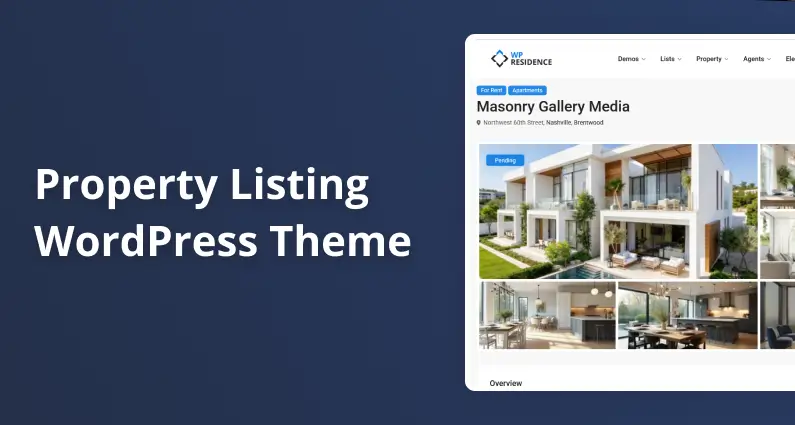
Property Listing WordPress Theme: Features That Actually Matter
Last updated: May 25, 2026
Disclosure: this article is published by the team behind WPResidence. We use WPResidence as the worked example for what “good” looks like on each feature, and we name two competing themes (Houzez and RealHomes) without independently load-testing them. Where we cite competitor capabilities, the source is their own public documentation as of May 2026.
Are you looking for a property listing WordPress theme that won’t quietly fall apart the moment you load real MLS data into it? Four features decide that question: search performance, MLS import speed, listing-card customization, and map performance. Themes look identical in a clean 50-listing demo. The differences only appear once you push past 2,000 real listings and the front-end search starts taking 20 seconds to return results, the map freezes the browser on pan, and your card grid still shows the same five hardcoded fields.
A purpose-built real estate WordPress theme like WPResidence handles each one differently from typical listicle picks. This guide walks you through what each of those four things means, what to test for on any demo, and how WPResidence stacks up against the alternatives.
If you’re managing under 500 listings, any well-built property listing WordPress theme will handle this fine. The distinctions matter most at 2,000 and up. This is not another top-10 list. For a side-by-side ranking with pricing, see our best real estate WordPress theme roundup.
Search Performance: The Feature Most Themes Quietly Fail
Front-end search is where a property listing WordPress theme either earns its keep or shows it was never built for real traffic. The failure is rarely loud. Filter pages just start taking ten, fifteen, twenty seconds. The real problem is in the database.
Why wp_postmeta queries slow down at scale
WordPress stores every listing’s custom details (price, beds, baths, square footage) in a single table called wp_postmeta. It’s a key-value store: one row per custom field per post. Listings alone at 5,000 properties with 40 fields each contribute 200,000 rows, but wp_postmeta holds meta for every post type on the site (pages, agents, blog posts, revisions), so the real table is usually larger. The performance problem scales with the whole table, not just the listing slice.
A multi-condition search with five filters runs five JOINs against that table. Without proper indexes, MySQL scans every row. The meta_value column is stored as longtext, which means numeric price-range queries cannot be effectively indexed, as Iain Poulson at Advanced Custom Fields documents.
The LIKE wildcard pattern makes it worse: a query with a leading wildcard bypasses every index. A SpinupWP benchmark on a 1-million-row table dropped rows scanned from 976,402 to 10,189 after adding one index. Query time fell from 0.53 seconds to 0.08.
What a well-built property listing search looks like in practice
Three things separate a search that scales from one that doesn’t. Taxonomies handle the categorical filters (property type, city, status); WordPress builds taxonomy index tables automatically. Exact-match meta queries with proper indexes handle numeric ranges like price and square footage. AJAX results return without a full page reload.
You don’t have to read MySQL query plans to test for this. Open a demo with 1,000 or more listings and run a multi-filter search with a price range. If the result page takes 15 to 20 seconds, you’re almost certainly looking at a LIKE wildcard table scan against unindexed meta.
Ask the theme author directly: “Does your search use meta_compare LIKE, or exact-match queries on indexed meta keys?”
WPResidence’s search builder in action
When you open the search builder in WPResidence, you’ll see a drag-and-drop panel with 11 layout and style options. Any custom field you’ve defined becomes a live filter from the admin without writing PHP. The builder connects to existing custom field definitions, so you’re not duplicating field setup just to expose it to property listing search.
The honest tradeoff: WPResidence’s search uses indexed meta fields. That carries you a long way, but at very high listing counts every WordPress meta-query approach hits the same ceiling, and a dedicated search service like ElasticPress or Algolia becomes the next move. That’s an architectural limit of WordPress meta queries, not a bug in the theme. But search performance is only half the story.
MLS Import Speed: RETS Is Dead, and That Matters
The checkbox on the sales page says “MLS integration” and you assume that’s settled. It isn’t. The import protocol, sync architecture, and image handling decide whether your listings stay fresh or stale. This is the axis that separates a property listing WordPress theme built for real MLS volume from one that treats import as a marketing checkbox.
Incremental sync vs. full nightly rebuild
A full nightly batch import lags 8 to 24 hours behind the MLS. Listings that went under contract this morning still show as active until tomorrow. That’s a 24-hour window where your results are wrong.
Incremental delta sync pulls only changed records every 15 minutes or every hour. The protocol decides which mode is available.
RETS is officially deprecated by RESO, which states that “companies are moving away from older, deprecated data transports like the Real Estate Transaction Standard (RETS) and transitioning to the RESO Web API.” US MLS boards are actively migrating their integrations off RETS, with most major ones already migrated.
What MLSImport delivers at 8,000 listings
MLSImport is the plugin WPResidence uses. It’s RESO Web API only; RETS is not supported at all. Coverage spans more than 800 RESO-compliant MLSs across the US and Canada, roughly 90% of all MLS groups.
For an initial bulk import, the MLSImport documentation reports that about 8,000 active properties complete “in a few hours” on a mid-range cloud server. After the initial sync, the plugin switches to incremental mode and processes changes in minutes on an hourly schedule, running as often as every 15 minutes where MLS rate limits allow.
Because MLSImport maps to RESO Data Dictionary stable field names (ListPrice, StandardStatus, BedroomsTotal), theme templates don’t break when an MLS board changes its internal schema. Imported listings appear as native WordPress posts, which Google can index. Iframe IDX widgets can’t say the same.
One thing to plan for: incremental sync frequency is also capped by the MLS board’s own API rate policy. If the board caps API calls to 15-minute windows, the plugin can’t exceed that.
Hosting tier you actually need
Import throughput is server-dependent. Match your listing volume to the MLSImport hosting guidance:
- Up to 500 listings: quality shared hosting or 1 GB RAM VPS.
- 500 to 3,000: 1 to 2 GB RAM VPS; hourly syncs.
- 3,000 to 10,000: 2 to 4 GB RAM VPS; a real cron job over WP-Cron.
- 10,000 to 25,000: 4+ GB RAM VPS or managed WordPress.
Images are downloaded to the WordPress media library. At 5,000 or more listings, disk space becomes the binding constraint, not CPU.
Listing-Card Customization: What You Can Change Without Writing PHP
You’ve just imported 2,000 listings. Every property card shows the same five hardcoded fields. You need your custom “HOA fee” field, your “School rating” badge, and a different layout for rental properties.
Can you do that without writing PHP? Most themes answer badly.
The composer vs. the template: what non-developers can change
When you look at how different themes handle card editing, you’ll find three levels of control. Tier one is a purpose-built card composer with property card design built in: non-developers add or remove fields, reorder them, change icons and labels with no code. Tier two is Elementor-based; widget rearrangement is easy, but deep field-level control typically requires Elementor widget editing or PHP child-theme work. Houzez sits in this tier.
Tier three is hardcoded PHP templates with a theme-options skin, where any real field change means writing code.
The card is the first thing a buyer sees before clicking through to the property page. If your card can’t surface the field that matters most for your market (school zone, walk score, HOA fee, square meters versus square feet), buyers click out before they ever see the listing detail.
What WPResidence’s Property Card Composer gives you
When you open WPResidence’s property card composer, you’ll see 7 pre-designed card layouts on the left panel. Pick grid or list view, set the per-row count, adjust card height. From there, every element on the card is a toggle:
- Standard fields (price, address, size, rooms), each switchable individually.
- Compare, Share, and Favorite controls, toggled independently.
- Status label (Sold, Pending, Under Contract).
- Agent photo and name section.
- Image slider, so buyers scroll property photos without leaving the search grid.
- Up to 5 custom fields per card, with Font Awesome icons, text labels, or your own icon images.
A real limit: the composer is optimized for 5 custom field slots. Beyond that requires a developer or child theme.
Map Performance: What Happens at 500, 2,000, and 10,000 Markers
The map is the most-used feature on most real estate sites. It’s also the feature that breaks browsers first when rendering is naive. Marker behavior at scale is the test that matters most when you’re evaluating any theme’s map.
Clustering is not optional above 500 markers
Without clustering, every marker is a separate DOM element with its own event listener. At 500 or more markers, browser repaint on pan or zoom takes one to two seconds.
A community benchmark in the Leaflet.markercluster issue tracker measured 10,000 unclustered markers taking approximately 7 seconds to add the layer in Firefox, 2 seconds in Chrome, and 4 seconds in Safari. A separate report notes that adding a few thousand new markers with clustering off can peg CPU at 100% for minutes.
The buyer test: find a live demo map with 1,000 or more listings visible. Pan quickly. If the map slows to a crawl, the theme is rendering every pin as a raw DOM element.
Google Maps vs. OpenStreetMap: the cost side
The familiar $200 per month Google Maps credit was discontinued. According to Google’s own Maps Platform billing documentation, that credit ended on February 28, 2025. If a theme’s docs still mention it as active, that’s a freshness red flag.
The current model (effective March 1, 2025) is per-SKU free caps: 10,000 free map-load events per month on the Essentials tier, then $7 per 1,000 loads. If your site gets 5,000 map-page visits a month, you’ll stay inside the free tier. At 50,000 monthly sessions, expect roughly $280 per month in Maps costs.
OpenStreetMap tiles, per the OSM Foundation’s tile usage policy, are free for viewport-based interactive use with attribution. OSM tile servers are community-funded with no SLA, so production sites at scale typically pair OSM data with a commercial tile CDN like Mapbox or Stadia Maps, which offer free or low-cost tiers for moderate traffic.
WPResidence’s map setup at 2,500 properties
WPResidence supports both Google Maps and OpenStreetMap, switchable per site or per template. The tools include a marker clustering toggle, a pin-cap setting, and a theme-level caching layer. The Half Map layout locks the map to one side while property cards scroll on the other.
WPResidence’s own testing puts map load at about 4 seconds for a 2,500-property site on a modest host. That 4-second figure assumes object caching is on. Without Redis or Memcached, the same map will take longer. For the full configuration breakdown, see the advanced map features documentation.
WPResidence vs. Houzez vs. RealHomes: Four Axes at a Glance
If you want a quick side-by-side view, here’s how the three most-cited property listing WordPress theme options compare across the four axes. Houzez and RealHomes (by Inspiry) are named in prose only; their product domains aren’t linked here by editorial policy.
| Feature axis | WPResidence | Houzez | RealHomes (Inspiry) |
|---|---|---|---|
| Search method | Indexed meta plus drag-and-drop Search Builder; 11 layout options | AJAX multi-select front-end; index strategy not detailed in public docs | Multi-level location fields; configurable field set |
| MLS import | RESO Web API native via MLSImport; 800+ MLSs; incremental 15-minute sync | Third-party plugin required (Houzez Property Feed); no native RESO importer | Third-party plugins; no native RESO importer documented |
| Card customization | Property Card Composer; 7 designs; 5 custom fields; no code needed | Elementor-based; deep field control requires Elementor widget edit or PHP | Configurable search fields; no purpose-built card composer |
| Map provider | Google Maps or OpenStreetMap; clustering toggle; Half Map layout | Google Maps plus OpenStreetMap (improved in v3.x); draw-to-search | OpenStreetMap (default), Google Maps, Mapbox |
| Listing scale notes | Indexed meta queries; dedicated search service (ElasticPress, Algolia) recommended at very high listing counts | No published listing-scale guidance in vendor docs | No published listing-scale guidance in vendor docs |
Houzez has more than 54,000 ThemeForest sales (per its ThemeForest listing). That’s a real signal: a mature plugin ecosystem, a deep pool of Elementor-comfortable agency developers who already know it, and well-trodden documentation for common customizations. If your team lives in Elementor and your MLS needs are modest, that ecosystem is a reasonable reason to start there. RealHomes fits if you want flexibility across multiple map providers or run a vacation-rental site as a primary use case. WPResidence is the right call when MLS volume is the binding constraint and you want the import pipeline native to the theme rather than bolted on through a third-party plugin.
What to Look for Before You Buy a Property Listing WordPress Theme
Before you commit to any property listing WordPress theme purchase, run these eight checks on any demo. Each is a question to ask the theme author or test in under five minutes.
- Ask whether the search uses indexed meta keys with exact-match queries, or LIKE wildcards.
- Confirm the MLS import plugin is RESO Web API native, not RETS-based.
- Test the live demo map with 500 or more markers visible: does it cluster automatically?
- Check whether the listing card is editable by a non-developer (no PHP required).
- Verify which map provider the theme uses by default, and what the cost is above 10,000 monthly map loads.
- Ask about hosting requirements for your listing volume, using the 500, 3,000, and 10,000 tiers as a guide.
- Confirm that imported MLS listings appear as native WordPress posts (indexable by Google), not iframes.
- Check the theme’s last-updated date on ThemeForest or its changelog; themes last updated in 2022 or earlier carry migration risk.
To see WPResidence in action, the property page walkthrough shows what buyers see on a live listing. For the search side, the search builder page walks through the drag-and-drop form interface.
Key Takeaways
- The LIKE wildcard query pattern forces MySQL to scan every row in wp_postmeta; one index in the SpinupWP benchmark cut rows scanned from 976,402 to 10,189.
- RETS has been deprecated by RESO and US MLS boards are actively migrating off it; any MLS plugin still running RETS is on borrowed time.
- Google Maps’ $200 per month credit ended February 28, 2025; the current free tier is 10,000 map loads per month, then $7 per 1,000.
- Marker clustering is a performance requirement above 500 map markers; 10,000 unclustered markers take 2 to 7 seconds to render in browser benchmarks.
- WPResidence’s Property Card Composer lets non-developers choose from 7 designs and add up to 5 custom fields per card without writing PHP.
Frequently Asked Questions
Can I display live MLS listings on a WordPress site?
Yes. Themes that integrate with a RESO Web API plugin (like MLSImport on WPResidence) pull MLS listings into your site as native WordPress posts, giving them full SEO visibility. Themes that use IDX iframes can display listings but those pages aren’t indexed by Google.
What is the difference between IDX and RESO Web API?
IDX is the general term for displaying MLS listings on a website. RESO Web API is the modern protocol real estate tech companies use to pull structured listing data. An IDX tool built on RESO Web API (the approach WPResidence uses through MLSImport) imports listings natively. An older IDX tool may still use RETS, which RESO has deprecated.
What happens to my listings if I switch themes?
Your listing data stays in WordPress, but how it displays does not. Most real estate themes store property fields in wp_postmeta with theme-specific keys (one theme calls it “property_price”, another calls it “listing_price”). Switching themes leaves the data in your database but breaks every front-end template, search filter, and map marker that depends on those keys. The practical cost is rebuilding templates and remapping fields, which can run from a few days for a small site to several weeks at MLS volume. The defense is to pick a theme that maps to the RESO Data Dictionary (stable field names like ListPrice, StandardStatus), which keeps the field-key layer portable across any future theme that also reads RESO fields.
For the full theme ranking with pricing and use-case fits, see our best real estate WordPress theme roundup. For the search side, the search builder page walks through the drag-and-drop form interface.
Written by the WPResidence team. The benchmarks and billing figures above come from third-party sources you can verify yourself.